Overview
launchroom is a free, open-source deploy platform for your own server. Install it, add servers and deploy apps, databases and previews.
launchroom gives your own server what a cloud host does for your apps. You install it on a VPS, connect a git repository and a domain, and launchroom builds, runs and connects your services. It is free and MIT licensed. These docs cover the first install and day-to-day use.
What you get
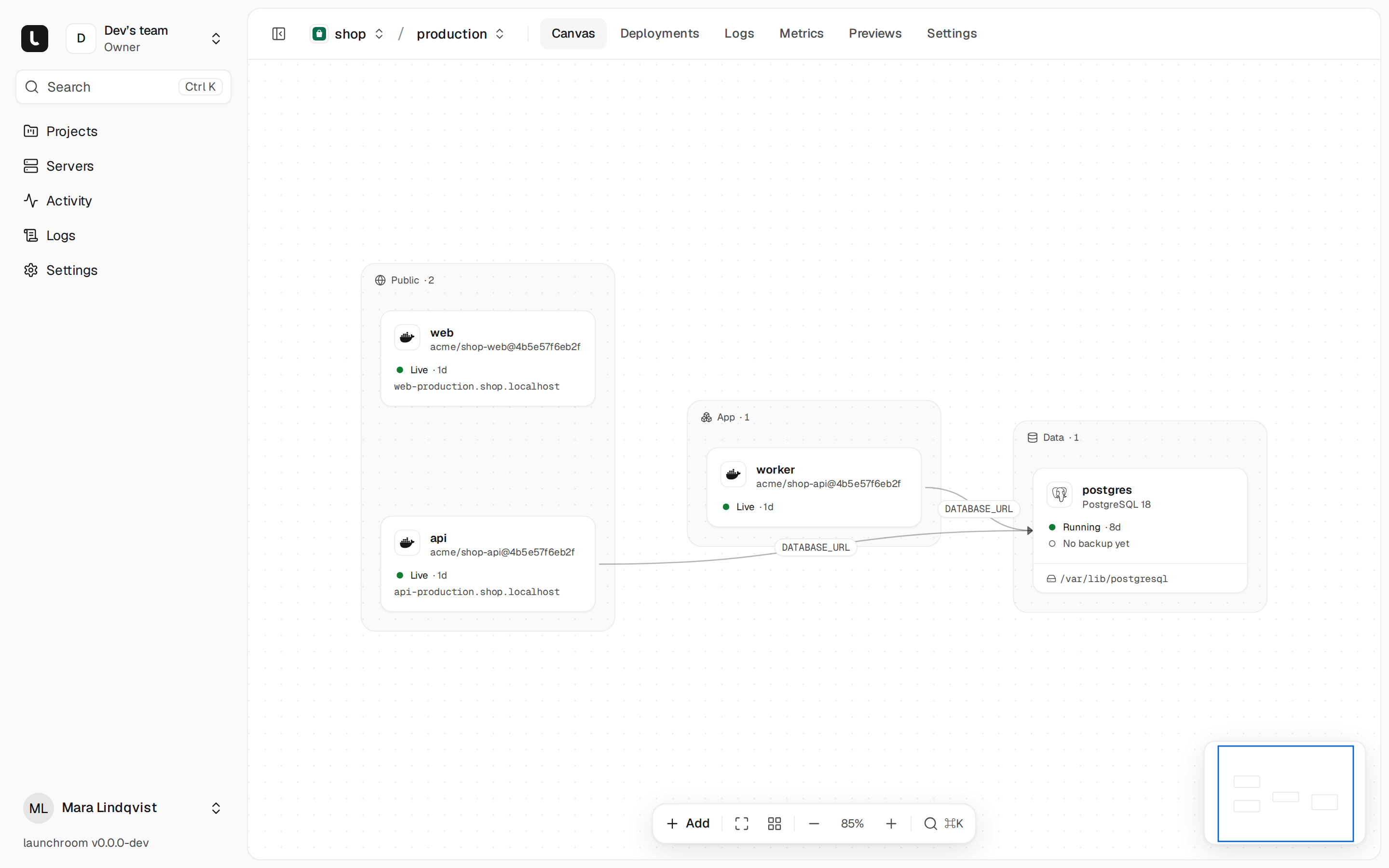
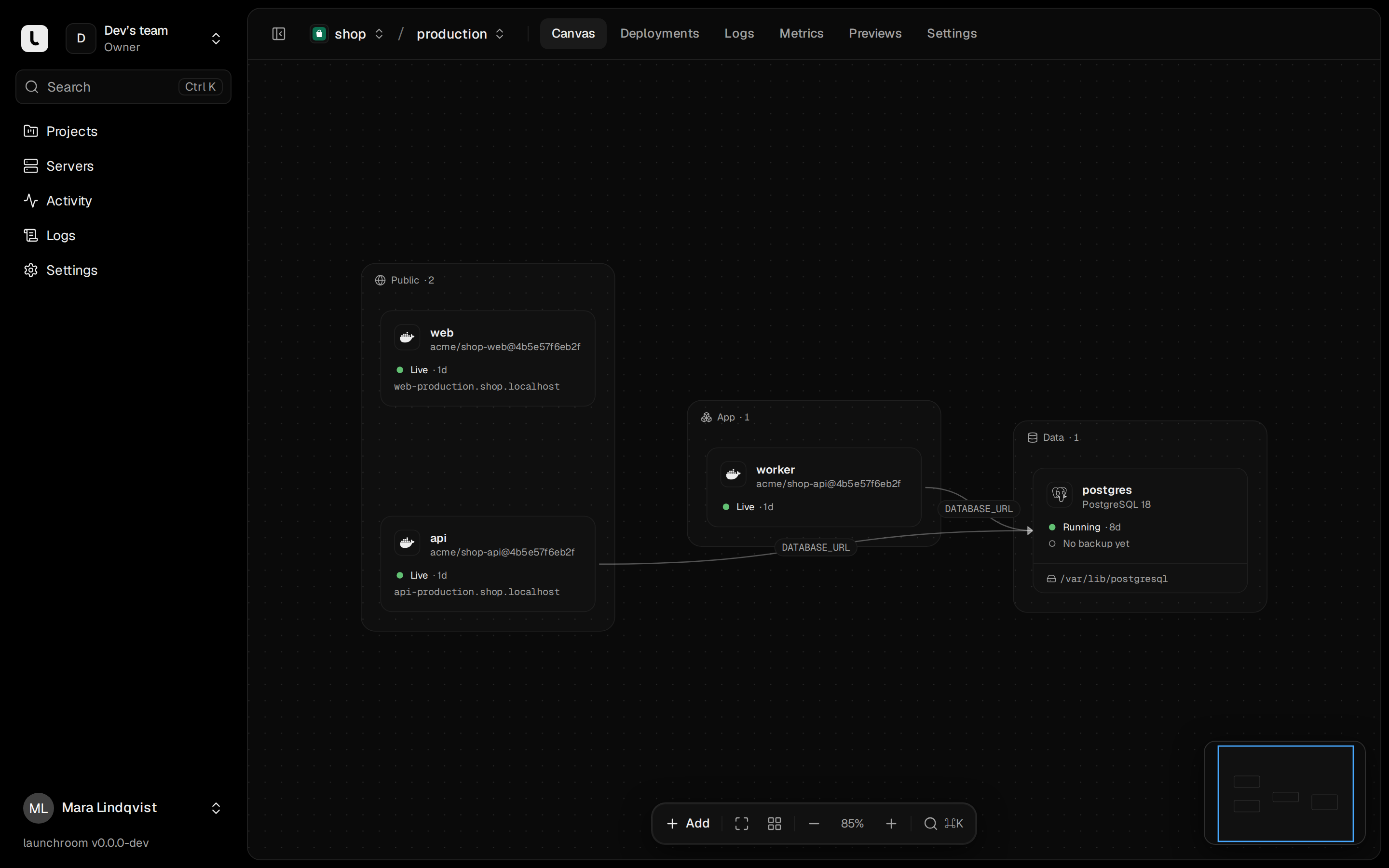
- Projects are canvases. Add apps, databases, workers and cron jobs to one canvas. Draw a connection from an app to a database and the app receives the credentials. Nobody copies a connection string.
- Every push deploys. launchroom detects the framework, shows the build plan and builds an image. The new version starts next to the old one and takes traffic once it answers. Rollback switches back to a previous image.
- A preview for every pull request. Each pull request gets its own URL, its own database and a comment on the pull request. Staging is a copy of production, and compare & promote moves tested changes over.
- Variables in one place. Variables are encrypted at rest and set per environment. References like
${{postgres.DATABASE_URL}}point at other services. launchroom works out which variables the build needs. - More servers with one command. Start with one VPS. Add the machine at home as a build server, or another VPS for more capacity. Each server builds, runs apps, serves traffic, or any mix of these.
- Home machines work behind your router. Servers connect over a private WireGuard network that launchroom sets up when the second server joins. You don't open ports or set up a tunnel.
- Backups you can restore. Databases and volumes back up to your own S3-compatible bucket, encrypted on the server. Postgres restores to any second. A recovery kit and one command bring back a lost server.
- Logs, metrics and alerts. Search logs across services, see requests, errors and latency with a marker for each deploy, and get alerts by email, Slack, Discord or webhook.
It doesn't take over your server
launchroom is Docker containers and one folder (./launchroom by default). Outside that folder it only creates Docker
objects labelled launchroom.managed=true. It installs no packages and leaves your other containers and files alone.
Uninstalling removes the folder and those Docker objects.
Setup you don't have to do
Every server runs launchroomd, a small program that connects out to your launchroom and applies a signed description of what the server should run. Because of that, you don't need to:
- manage SSH keys: the dashboard never logs into your servers, and there is no shell to reach them
- run a container registry: images go into launchroom's built-in registry
- configure a reverse proxy or certificates: routes and certificates follow from the domains you add
- open ports between servers or set up a VPN: the private network starts when the second server joins
- write compose files: containers, networks and firewall rules follow from the canvas
Apps keep serving while the dashboard is offline, because each server keeps the last state it received.
Start here
Install launchroom
One command on a Linux server with Docker.
Deploy your first app
A repository, a domain and a database.
Add a server
A build machine at home or more capacity.
How it works
The dashboard, launchroomd and the private network.
Open source
launchroom is MIT licensed. The dashboard, launchroomd, the installer and the CLI are in one public repository at github.com/vantezzen/launchroom. There is no paid edition. Issues and pull requests are welcome.