launchroom.json
Keep service configuration in a launchroom.json next to your code. It is read at every push and applied as staged changes, never with secret values.
A launchroom.json in your repository describes your services: build and start commands, health checks, replicas,
domains, variables and connections. launchroom reads it at the commit each environment deploys and applies it as
ordinary staged changes. Configuration is then reviewed, versioned and rolled out with your code. The file names only
what it manages. Everything else stays editable in the dashboard.
What the file is
- An overlay. The file manages only the settings it names. A setting it leaves out is decided in the dashboard. A setting you remove from the file stops being managed and keeps its last value. Nothing is reset without you seeing it.
- One file for every environment. The top-level
servicesapply everywhere.environments.<slug>andenvironments.previewsoverride single settings for one environment or for every preview. - Read at the code it ships with. Production reads the file of the commit it deploys from
main. Staging reads the file on its branch, and a preview reads the file of the pull request's head. An environment always runs the configuration of the code it runs. - Never a secret value. Secrets are declared as required (
{ "secret": true }) and their values stay in the dashboard.
Start with an export
Start by exporting what you already have. In project Settings → General → Config file, press Download on an environment's row, or run:
launchroom config pullImporting the export back produces no changes. Commit it to the repository root as launchroom.json.
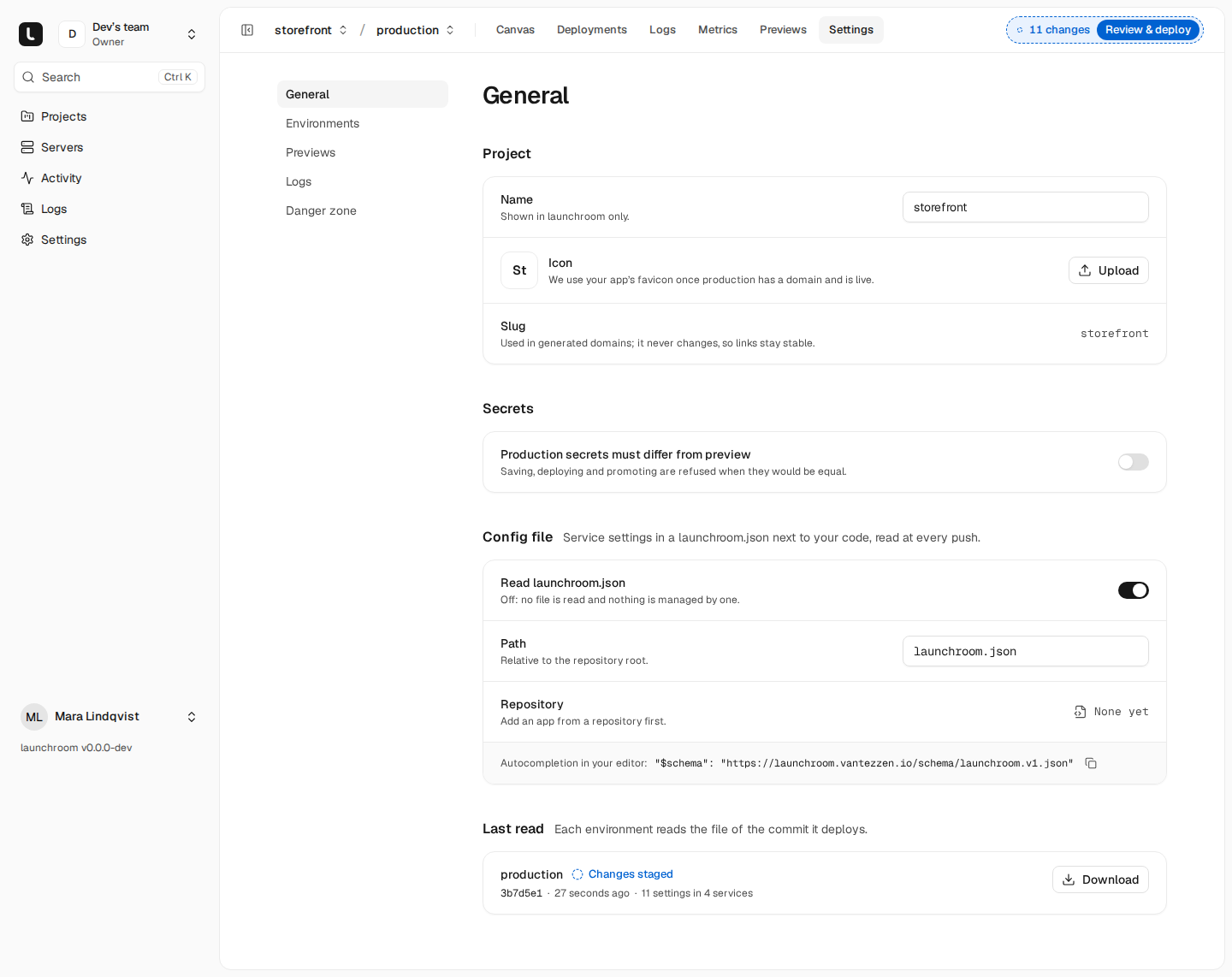
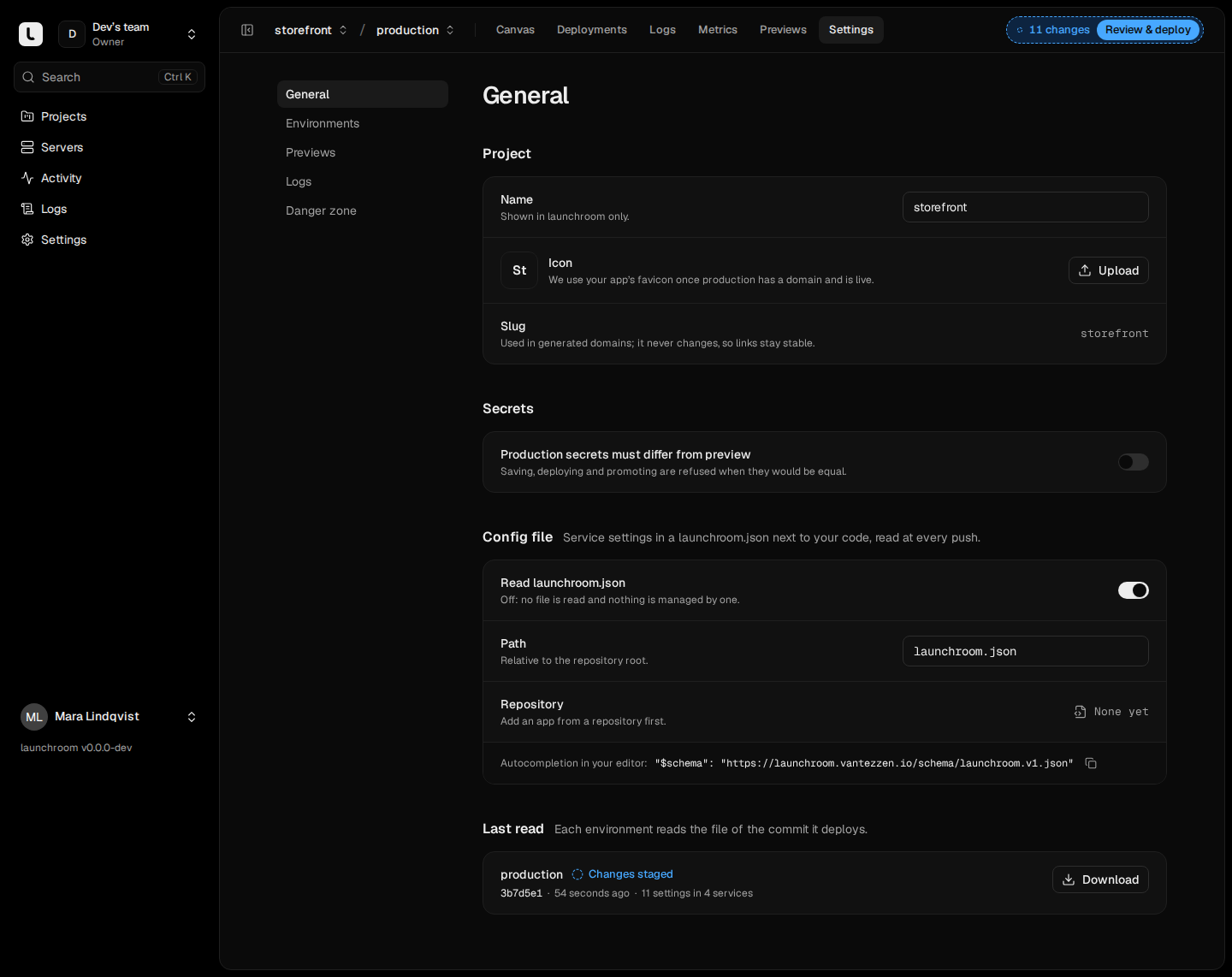
The same card has these settings:
- Read launchroom.json turns reading the file on or off. It is on by default.
- The file's path, for example
deploy/launchroom.json. - For projects with several repositories, which repository holds the file.
Below it, Last read lists every environment with the commit it read and what it found. Check now reads the file at the head of the environment's branch and stages the result without deploying.
A complete example
{
  "$schema": "https://launchroom.vantezzen.io/schema/launchroom.v1.json",
  "version": 1,
  "services": {
    "web": {
      "kind": "app",
      "rootDirectory": "apps/web",
      "build": { "buildCommand": "npm run build", "watchPaths": ["apps/web", "packages/ui"] },
      "deploy": {
        "port": 3000,
        "startCommand": ["npm", "start"],
        "healthcheck": { "path": "/api/health", "timeoutSeconds": 5 }
      },
      "scaling": { "replicas": 2, "memoryMb": 1024 },
      "domains": ["shop.example.com", { "hostname": "www.shop.example.com", "redirectTo": "shop.example.com" }],
      "variables": {
        "NEXT_PUBLIC_API_URL": "${{api.PUBLIC_URL}}",
        "LOG_LEVEL": "info",
        "STRIPE_SECRET_KEY": { "secret": true, "description": "Live key from the Stripe dashboard" }
      },
      "connections": ["api"]
    },
    "api": {
      "kind": "app",
      "rootDirectory": "apps/api",
      "deploy": { "port": 8000, "releaseCommand": ["php", "artisan", "migrate", "--force"] },
      "variables": { "APP_KEY": "${{ secret(32) }}", "QUEUE_CONNECTION": "redis" },
      "connections": ["postgres", { "to": "redis", "style": "laravel" }]
    },
    "queue": {
      "kind": "worker",
      "of": "api",
      "deploy": { "startCommand": ["php", "artisan", "queue:work"] }
    },
    "nightly-report": {
      "kind": "cron",
      "of": "api",
      "deploy": {
        "startCommand": ["php", "artisan", "reports:nightly"],
        "schedule": { "cron": "30 3 * * *", "timeZone": "Europe/Berlin" }
      }
    },
    "postgres": { "kind": "database", "engine": "postgres", "version": "18" },
    "redis": { "kind": "database", "engine": "valkey", "version": "8" }
  },
  "environments": {
    "staging": {
      "services": { "web": { "scaling": { "replicas": 1 }, "domains": ["staging.shop.example.com"] } }
    },
    "previews": {
      "services": { "web": { "variables": { "LOG_LEVEL": "debug" } } }
    }
  }
}
The file is strict JSON: comments, trailing commas and duplicate keys are errors. Point $schema at
https://launchroom.vantezzen.io/schema/launchroom.v1.json (or at /schema/launchroom.v1.json on your own dashboard).
VS Code, JetBrains IDEs and other editors that read JSON Schema then show autocompletion, hover documentation and
errors as you type. The schema refuses unknown keys, so a typo is an error and is never ignored silently.
Reference
Top-level keys
| Key | Required | Meaning |
|---|---|---|
$schema | No | The schema URL, for editor support |
version | Yes | Always 1 |
services | Yes | Services keyed by their slug (lowercase letters, digits and dashes, up to 63 characters; not shared, launchroom or localhost). Up to 100 |
environments | No | Overrides keyed by environment slug; previews applies to every preview. Up to 50 |
Service fields
| Field | Kinds | Meaning |
|---|---|---|
kind | all, required | app, image, database, worker or cron. Can't change once the service exists |
name | all | Display name (1 to 63 characters) |
rootDirectory | app | Directory of the app in the repository, for example apps/web; empty for the root |
image | image, required | The image to run, such as ghcr.io/org/app:1.2 or …@sha256:… |
engine, version | database, required | postgres, mysql, redis, valkey, mongodb or clickhouse, and the major version ("18"). Must match the existing database; upgrades happen in the dashboard |
of | worker, cron, required | The app whose image this process runs |
branch | app, worker, cron | Deploy this service from another branch than the environment's |
enabled | all | false keeps the service out of this environment |
build | app | builder (auto, dockerfile, railpack, static), dockerfilePath, installCommand, buildCommand, railpackVersion, watchPaths (up to 64) |
deploy | all but database | port, startCommand, releaseCommand, seedCommand, entrypoint, drainSeconds (0 to 3600), capabilities, schedule (cron only), healthcheck |
scaling | all | replicas (0 to 64), cpus (0.05 to 1024), memoryMb (16 to 1048576), placement with labels and strategy (spread or pack) |
variables | all | "KEY": "value" or "KEY": { "secret": true, "description": "…" }. Up to 200 |
domains | app, image | Custom domains: "host" or { "hostname": "…", "redirectTo": "…" }. Up to 20 |
volumes | app, image | Mount paths such as "/data". Up to 10 |
connections | all | "postgres" or { "to": "redis", "mode": "private", "style": "laravel" }, with mode private (default) or public and style url (default), laravel or parts. Up to 20 |
Inside deploy:
- Commands (
startCommand,releaseCommand,seedCommand,entrypoint) are lists of arguments such as["npm", "start"], never a shell string.nullfalls back to the detected command or the image's own. capabilitiestakes onlyCHOWN,DAC_OVERRIDE,FOWNER,NET_BIND_SERVICE,SETGIDandSETUID.scheduleis{ "cron": "<5 fields>", "timeZone": "<IANA name>" }(default UTC);nullruns a cron service continuously. See Cron jobs.healthchecktakestype(http,tcp,none),path,expectStatus(2xx,200,2xx-3xx),startPeriodSeconds,intervalSeconds,timeoutSecondsandfailureThreshold.
Each field inside build, deploy, scaling and healthcheck is managed on its own. For example,
"healthcheck": { "path": "/health" } manages the path and leaves the timeouts to the dashboard.
These settings can't be in the file and stay in the dashboard:
- shared variables
- preview database settings
- environment triggers
- per-server allow and deny rules
- backup schedules
Variables and secrets
A string value is a config variable. It is stored exactly as written, and ${{ }} references and generators are
allowed (see Variables). A generator such as ${{ secret(32) }} creates a secret once per
environment and never re-rolls it.
{ "secret": true } declares a required secret. The service needs it, and you set its value in the dashboard or
with launchroom env set --secret. If a required secret is missing in an environment, the file isn't applied and the error
names the key. The optional description is shown when it is missing.
launchroom refuses values that look like secrets (private keys, live API keys, tokens, URLs with passwords) with "This
looks like a secret. Store it in the dashboard and write { "secret": true } here." Keys that usually hold secrets,
like *_TOKEN, get a warning when they carry a literal value. Stored error excerpts mask such values.
Environment overrides
environments.<slug>.services.<service> takes the same fields as a service, except identity and wiring (kind,
name, rootDirectory, image, engine, version, of and connections). Overrides merge into the service:
- Objects merge key by key.
"scaling": { "replicas": 1 }keeps the base'smemoryMb. - Everything else (strings, numbers, lists) replaces the base value.
nullremoves the setting from the file in that environment, so the dashboard decides it there.
previews always exists and applies to every preview environment. An override for a service that isn't under
services, or for an environment that doesn't exist, is an error. This catches typos.
How the file is applied
At every push to a branch or tag an environment deploys, launchroom reads the file at the pushed commit and applies it to that environment:
- Invalid file: the push fails for that environment. Every service it would deploy gets a failed deployment with the file's problems, and the git host gets a failed status. Nothing is staged, and the live version keeps serving.
- Valid file, nothing else staged: the file's changes deploy together with the code in one revision.
- Valid file, someone's edits already staged: the push deploys the code with the configuration that is already live, and the file's changes join the staged changes. The review says "launchroom.json changes from 3b7d5e1 are waiting with 2 other changes. Deploy to apply them."
A push never ships somebody's unfinished dashboard edit. Manual Deploy, Redeploy and Rollback don't read the file.
What applying does:
- Services in the file that don't exist in the environment are created. Services are never removed by the file.
- Volumes and connections are only added, never removed.
- Variables and custom domains the file managed before and that are gone from it are removed.
- Domains apply right away, like in the dashboard.
name,rootDirectoryandimageare shared by all environments, so only production's file changes them.
The file wins on the next push
Settings pages with managed settings show Managed by launchroom.json, with the commit the settings came from and the managed fields. Edit in launchroom.json opens the file at the service's line. Those pages are read-only. Managed variables have a file icon. Required secrets keep their value in the dashboard and stay editable.
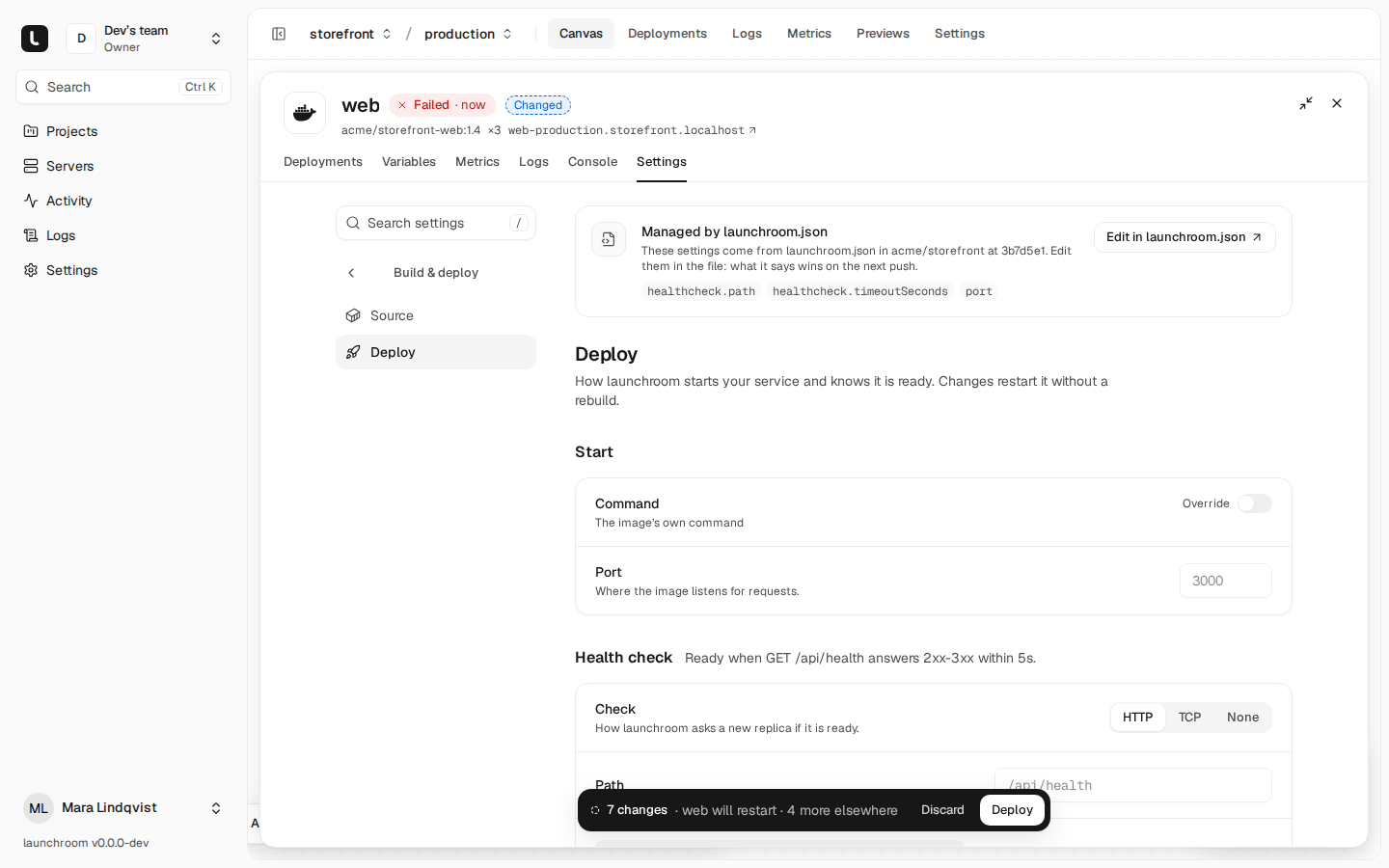
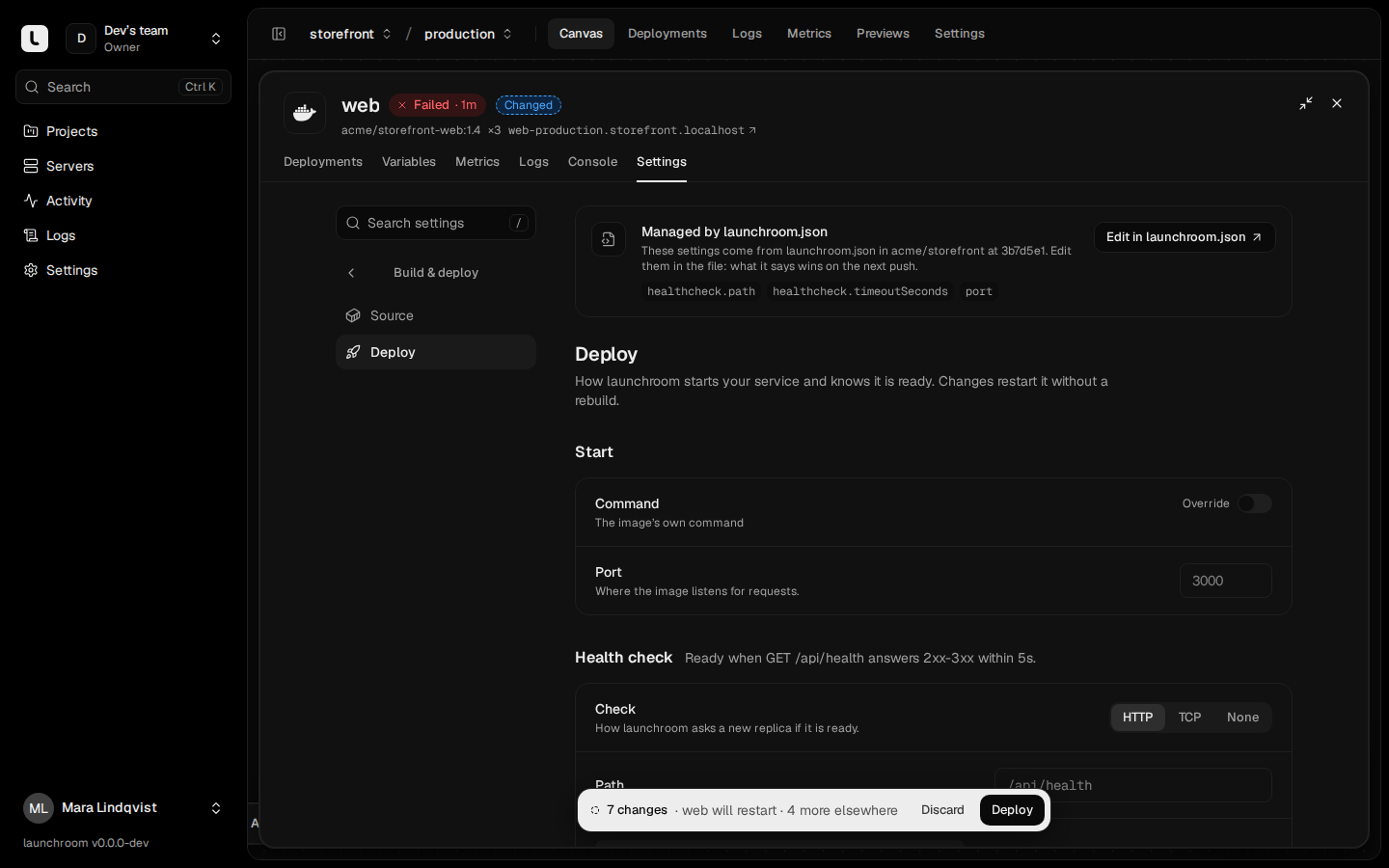
The API and CLI can still change a managed setting, for emergencies. The staged changes then say "launchroom.json will set this back on the next push".
In short: what the file says wins on the next push. The dashboard decides everything the file doesn't say.
Pull requests and forks
The file in a pull request is written by whoever opened it, so previews apply it with limits:
| In the pull request's file | Preview | Preview of a fork |
|---|---|---|
domains | Ignored (previews use generated URLs) | Ignored |
scaling.replicas, scaling.cpus | Clamped to the preview limits | Clamped |
scaling.placement | Ignored | Ignored |
{ "secret": true } | Not enforced | Not enforced |
name, image, rootDirectory, enabled, branch | Ignored | Ignored |
New services, connections, volumes | Applied | Ignored |
build, deploy, config variables | Applied | Applied (secrets stay empty) |
Everything ignored or clamped is listed on the preview. A pull request's file only changes its own preview. It never changes the base environment. See Previews.
Push access is configuration access
Anyone who can push to production's branch can change production's configuration through the file, in the same way they can change its code. Protect that branch the way you protect the code.
Errors with line and column
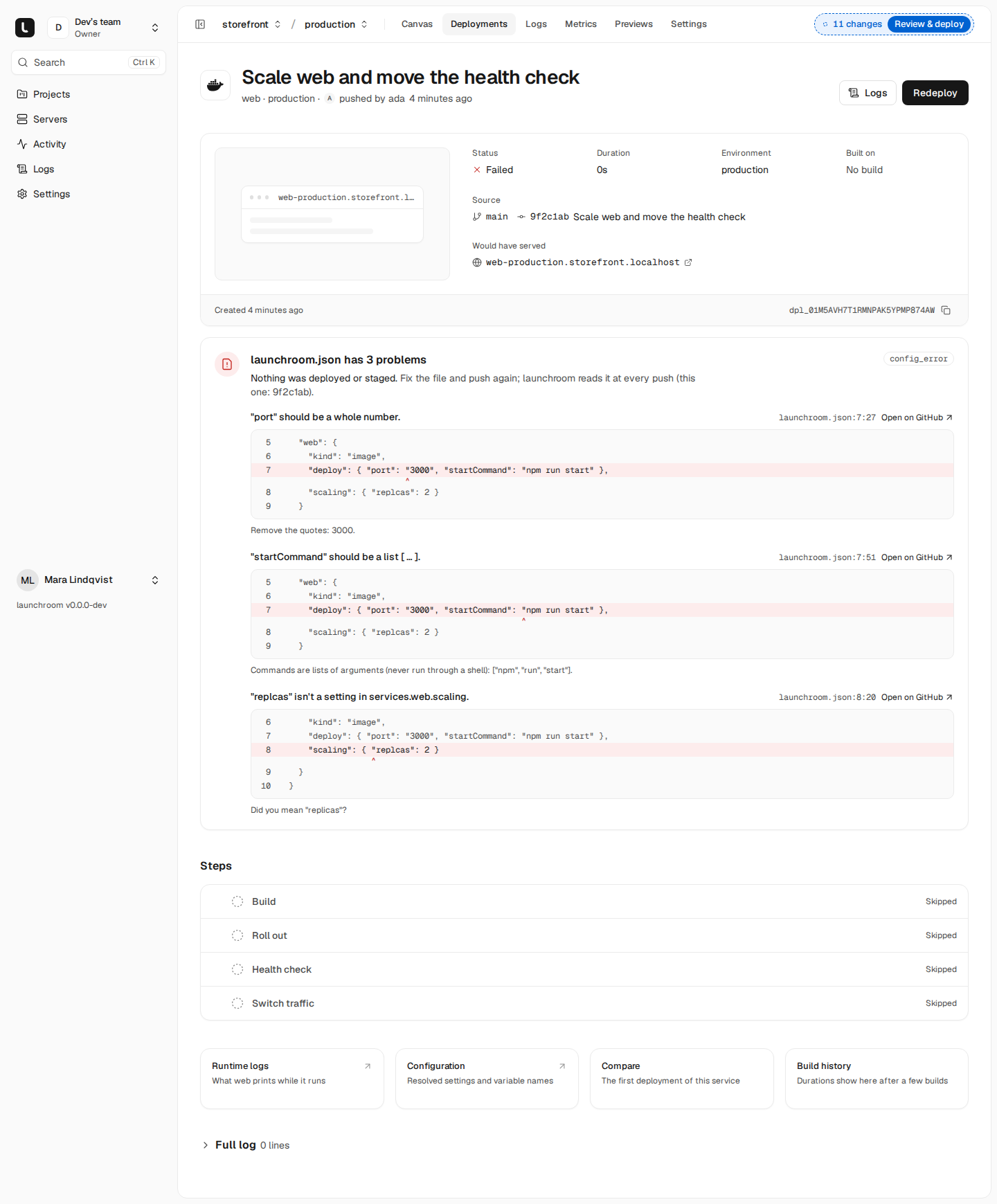
Every problem comes with the line, the column and the setting's path (services.web.deploy.port), plus a hint where one
helps:
- Syntax: "Remove the comma before
}", "JSON doesn't allow comments", a key set twice. - Schema: unknown keys with "Did you mean
replicas?", wrong types ("should be a list of arguments like["npm", "start"], not a string"), values outside their range. - Rules: a worker whose
ofisn't an app, a changed kind or engine, a missing required secret, a secret-looking value.
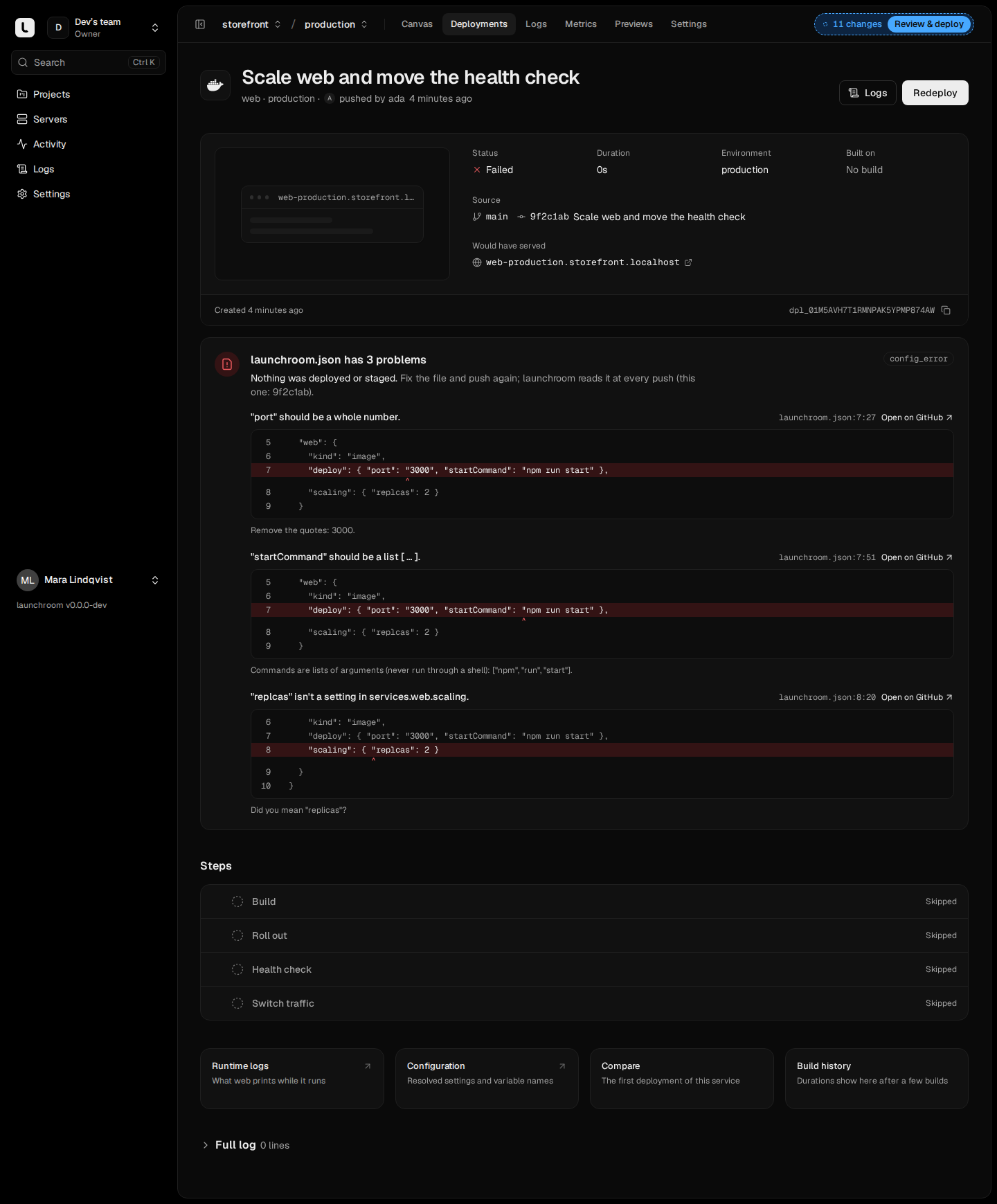
A push that fails on the file shows on the deployment page as "launchroom.json has 3 problems", with the line of each problem highlighted, a caret under the column and Open on GitHub at that line.
From the command line
The CLI works on ./launchroom.json by default and takes --project, --environment and
--json:
| Command | What it does |
|---|---|
launchroom config pull [FILE] [--revision N] [--yes] | Writes the environment's configuration as a file; asks before overwriting. --revision exports a deployed revision |
launchroom config validate [FILE] | Checks the syntax locally, then validates against the environment; prints each problem as launchroom.json:14:9 with the excerpt. Exits with code 6 when invalid |
launchroom config diff [FILE] | A dry run: the staged changes the file would produce, without writing anything |
launchroom config validate && launchroom config diffThe same operations are in the API under /environments/{environment}/config.
Next steps
Generate a Dockerfile
When Railpack can't plan an app, launchroom can draft a Dockerfile with Claude, then build and start it before you use it. Off by default.
Managed databases
PostgreSQL, MySQL, Redis, Valkey, MongoDB and ClickHouse on your own servers, with generated credentials, connections, clean stops and backups.