Architecture
A control plane that stores what you want to run, launchroomd on every server that applies it, and apps that keep serving when the dashboard is down.
launchroom has two parts:
- The control plane is the dashboard and the services it needs, installed on your first server.
- launchroomd runs on every server, the first one included. It turns what the control plane wants into running containers, routes and firewall rules.
Your apps run on the servers, not in the control plane. They keep serving when the dashboard is offline.
The big picture
                 ┌──────────────── Control plane (your first server, ./launchroom) ────────────────┐
  Browser ─HTTPS─▶ Caddy ─▶ dashboard  (web UI, API, webhooks, the API servers talk to)              │
                 │          horizon    (background jobs: deployments, builds, git, alerts)           │
                 │          reverb     (live updates in the browser, "check now" nudges to servers)  │
                 │          scheduler  (periodic work)                                               │
                 │          postgres · valkey                                                        │
                 │          zot        (image registry)                                              │
                 │          headscale  (private network coordination, idle with one server)          │
                 │          launchroomd + dockerd-guard  (the same as on every other server)         │
                 └──────────────────────────────────────────────────────────────────────────────────┘
                                   ▲  HTTPS, signed, always opened by the servers
            ┌──────────────────────┼───────────────────────┐
     ┌──────┴───────┐       ┌──────┴───────┐        ┌──────┴───────┐
     │ Serve traffic│       │ Run apps     │        │ Build        │   roles combine freely
     │ launchroomd  │       │ launchroomd  │        │ launchroomd  │
     │ Caddy        │       │ your apps    │        │ BuildKit     │
     └──────────────┘       └──────────────┘        └──────────────┘
The dashboard's server is a server like any other. It runs launchroomd with the same code path, so a single VPS can build, run and serve your apps next to the dashboard.
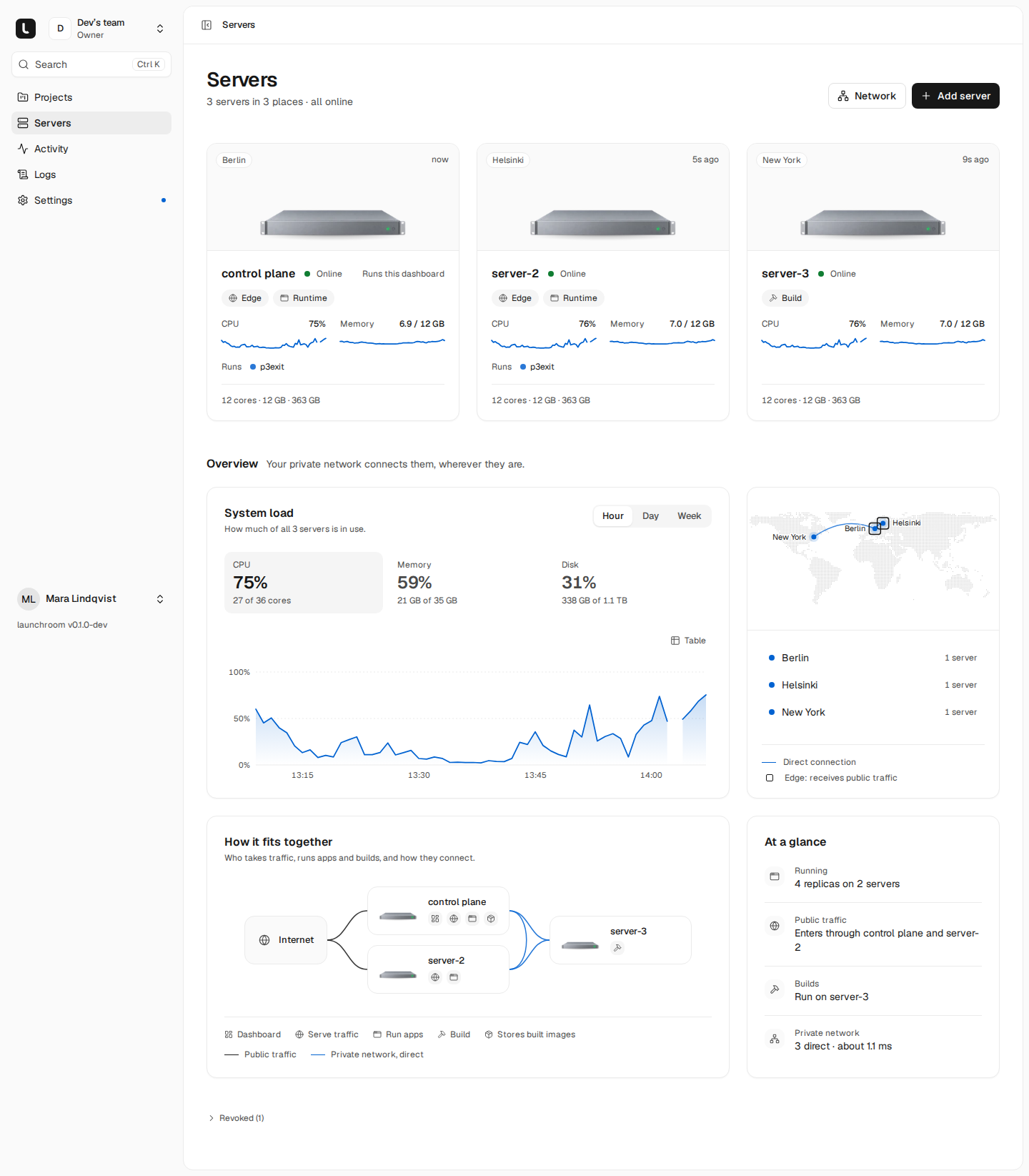
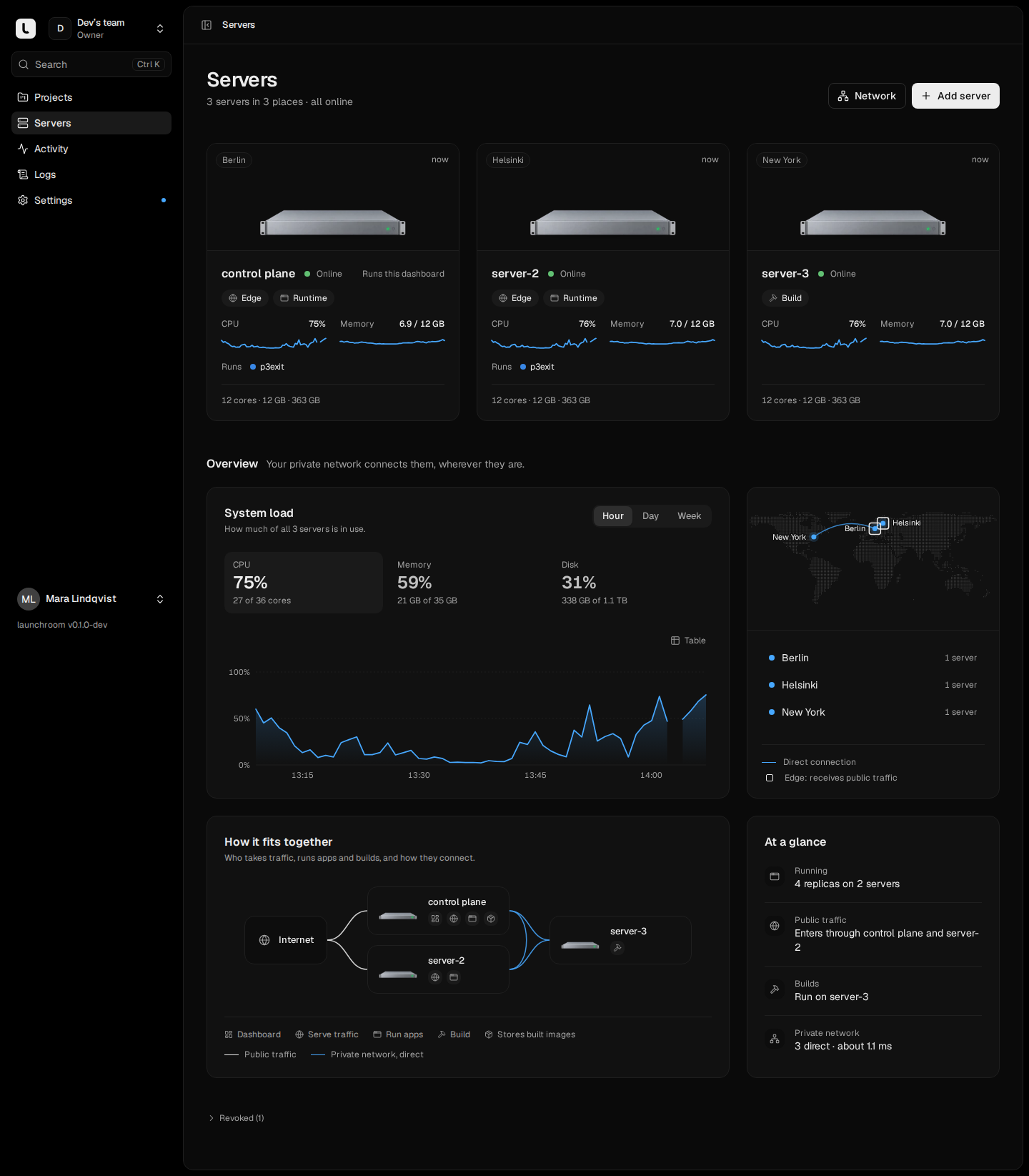
What runs where
| Component | Where | What it does |
|---|---|---|
| dashboard | Control plane | The web UI, the REST API, git webhooks, and the API launchroomd talks to. Holds everything you configure. |
| horizon | Control plane | Background workers: deployments, builds, git sync, backups, alerts. |
| reverb | Control plane | Realtime updates in the browser, live logs, and content-free "check now" nudges to servers. |
| scheduler | Control plane | Periodic work: liveness checks, backup schedules, DNS checks, updates. |
| Postgres | Control plane | The control plane's database. Backed up by launchroom itself. |
| Valkey | Control plane | Queues, cache and locks; shared certificate storage for multiple edges. |
| Zot | Control plane | The image registry: your built images, build caches and mirrors of base images. |
| Headscale | Control plane | Coordinates the private network. Idle until a second server joins. |
| launchroomd | Every server | Applies the server's desired state, runs builds and backups, reports status, metrics and logs. |
| dockerd-guard | Every server | Holds the Docker socket and lets launchroomd use only a narrow, checked part of Docker's API. |
| Caddy | Servers that serve traffic | Public HTTPS, certificates, load balancing to replicas. Configured only by the local launchroomd. |
| BuildKit | Build servers | Builds images, started when needed. |
| Tailscale client | Every server, once the private network is on | Private WireGuard connections between servers. |
Details on what launchroomd does: launchroomd. The network between servers: The private network.
Desired state, not remote commands
The dashboard never logs into a server and never runs commands on one. Instead, it works with desired state:
- You describe what you want. Services, variables, domains, replicas and connections are stored in the dashboard. Edits collect as staged changes until you deploy.
- Deploy freezes it. Every deploy records an immutable revision of the environment.
- The scheduler places it. It decides which replica runs on which server, following roles, labels and capacity.
- Each server gets its document. The dashboard writes, for each affected server, the complete list of what it should run: containers, networks, volumes, routes and firewall rules. The document is versioned and signed.
- launchroomd converges. It fetches its document (nudged within a second, with polling as a fallback), compares it with what's running and fixes the difference, in a repeating loop. It only touches objects that have launchroom's labels.
- It reports back. Status, health and metrics go to the dashboard, which moves deployments forward from there.
Builds, one-off commands such as migrations, backups and log fetches are separate tasks. Servers with the right role pick them up, run them and report the result.
What this means in practice:
- A server that was offline catches up by fetching the latest document. There is nothing to replay.
- After a reboot, the server returns to its desired state by itself.
- A half-applied deploy can't leave a server in a mixed state.
When the dashboard is down
The control plane runs on one server. While it is down:
- Your apps keep running and serving. Every server keeps its last desired state on disk and keeps applying it. Containers restart on their own, Caddy keeps its routes and certificates, and HTTPS for custom domains is approved by the local launchroomd.
- The private network keeps working between servers that already know each other.
- Scheduled jobs keep running. launchroomd starts cron services itself.
- Nothing changes. Deploys, builds, new servers and dashboard access wait until it is back. Certificate renewals wait too. Certificates are renewed weeks before they expire.
When the dashboard comes back, every server checks in and continues. If its server is lost for good, install a new one
from backup with --restore. See Restore and disaster recovery.
Other failures
| What fails | What you see | What launchroom does |
|---|---|---|
| A server | Its replicas stop; edges skip them within seconds | After about 90 seconds, stateless replicas move to healthy servers. Databases stay put until it returns or you replace it. |
| A build server mid-build | The build stops there | The build is retried on another build server. Same commit, same plan, same result. |
| A deploy's health check | The new version never gets traffic | The new containers are removed and the old version keeps serving. The deployment shows why. |
| The registry | No new pulls or pushes | Servers keep running and restarting what they already pulled. |
| launchroomd on a server | Nothing on that server changes | Containers keep running; launchroomd restarts, re-reads its state and re-applies firewall rules and routes. |
One server or many
One server is the default and a complete setup. The control plane, Caddy, your apps and their builds share the machine. There is no private network and nothing extra to run. launchroom suggests a second server for reliability, but doesn't present a single server as a problem.
More servers join with one command each. When the second joins, the private network turns on. A common order:
- a build machine at home
- a second edge for high-availability ingress
- more servers that run apps
  Internet ─▶ VPS (public)                              Home (behind NAT, nothing inbound)
              Caddy, dashboard, registry,  ◀═ WireGuard ═ build machine: launchroomd, BuildKit
              your apps                    direct, or relayed over HTTPS 443
The control plane itself is not highly available. It is one server, backed up and restorable. Apps don't depend on it to serve requests.