One place to deploy.
Everything a cloud host does for your apps, on your own server. Pick a repository, a domain and a database, and launchroom wires up everything for you. Free and open source.
curl -fsSL https://launchroom.vantezzen.io/install | shRuns on your server · Free, MIT licensed · No account needed
What launchroom is
The comfort of a cloud host. On your server.

Installs itself
Run one command on any Linux server. launchroom sets up everything it needs, including HTTPS for its own address.
- launchroomone folder
- Everything elseuntouched
Your server stays yours
launchroom keeps to one folder and leaves your other apps and files alone. You never touch Docker.
Free and open source
MIT licensed, with every feature included. There is no paid edition and no account with us.
Deploy
Drop in a database. It’s connected.
Servers
Your computer at home builds. Your VPS serves.

One server is enough to start. More join the same way. Servers
Overview
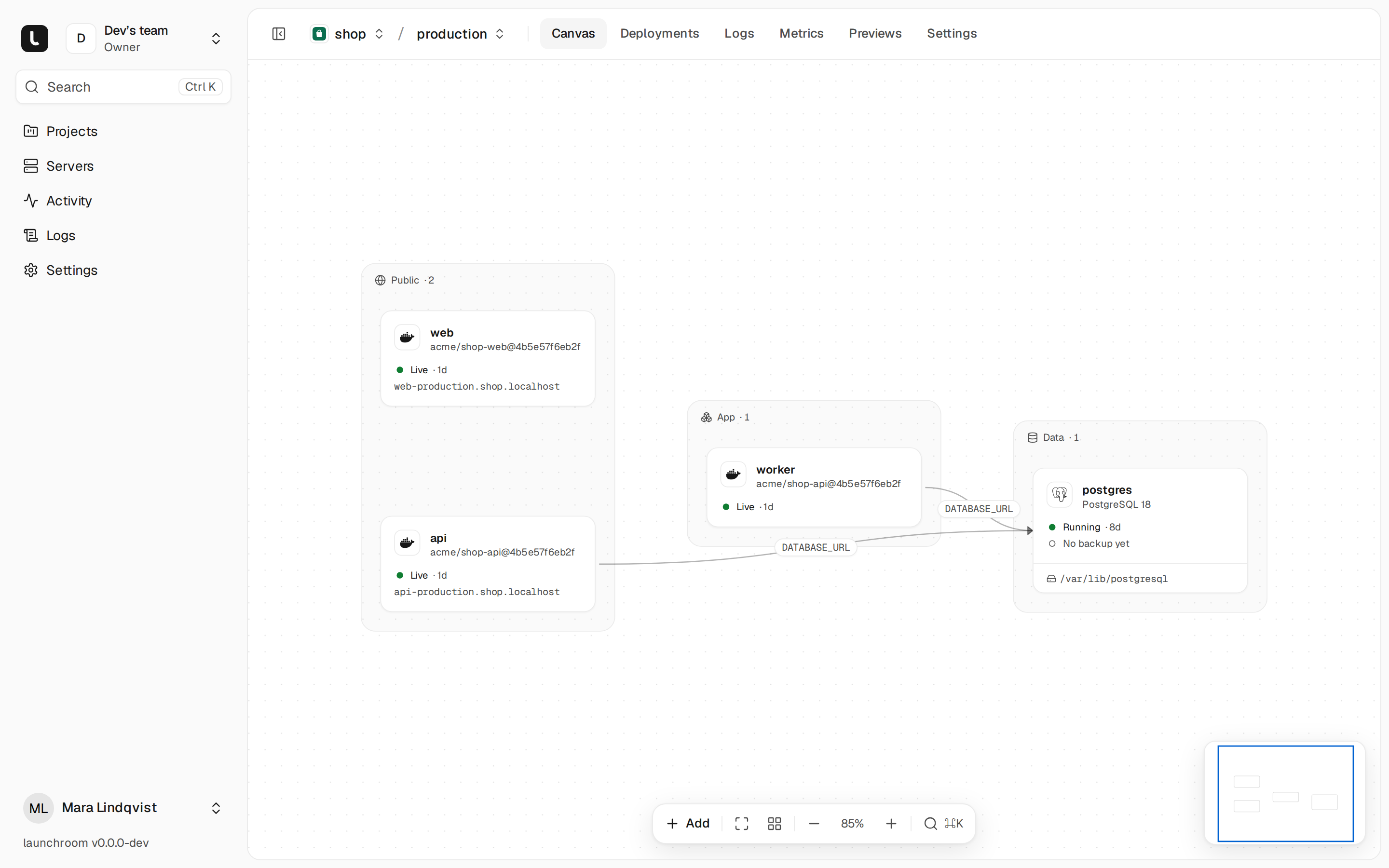
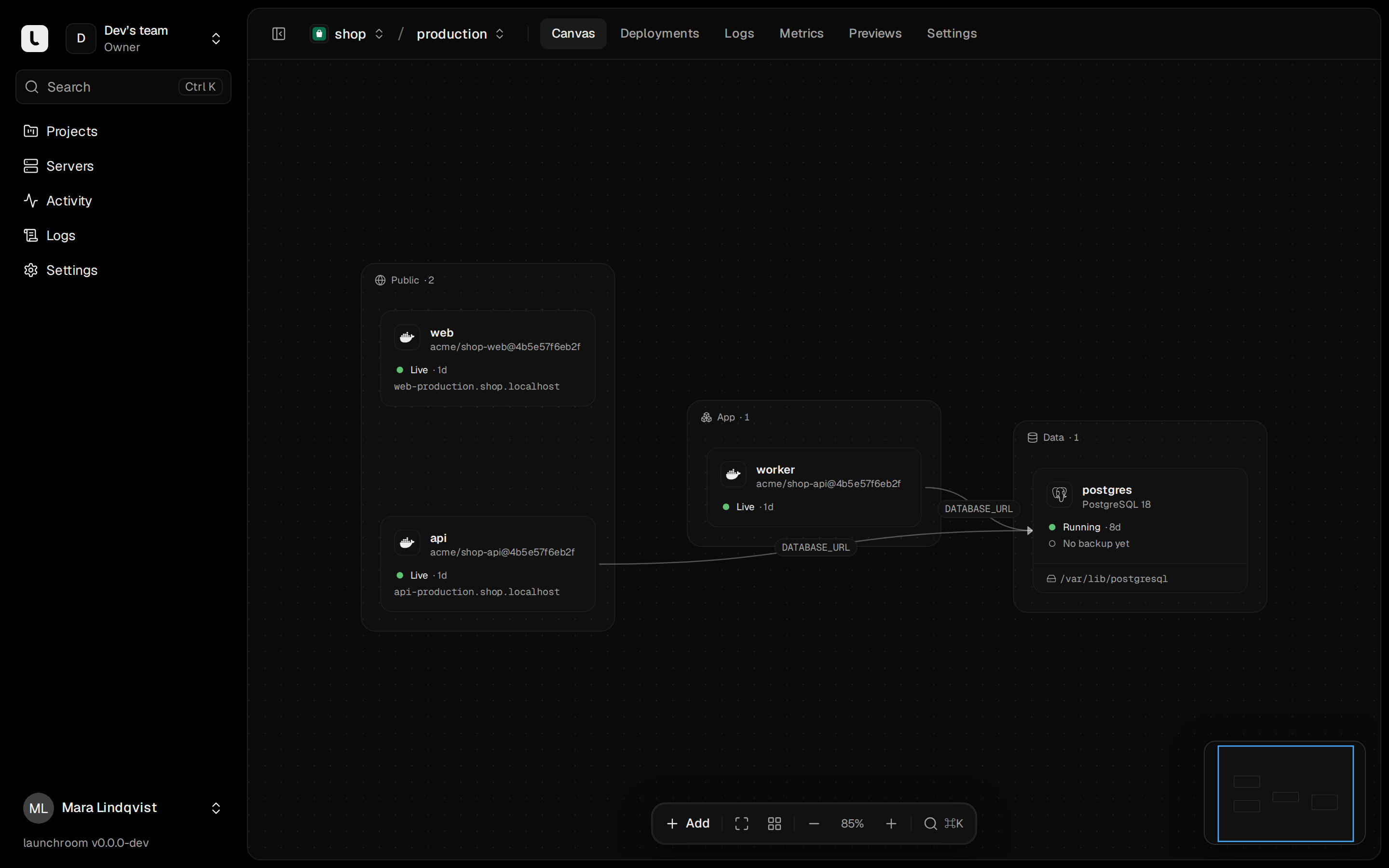
Everything on one screen.
Previews
A preview for every pull request.
Why launchroom
Rent the server. Own the platform.
Included, free
- Zero-downtime releases
- Instant rollback
- HTTPS on every domain
- Encrypted variables
- Backups to your S3
- Logs, metrics and alerts
- Teams and 2FA
- API and CLI
FAQ
Questions and answers.
Is launchroom free?
Yes. launchroom is open source under the MIT license. There is no paid edition, no account with us and no usage limit. You pay your server provider, nothing else.
Where does it run?
On your own server: any Linux machine with Docker, such as a VPS. The dashboard, your apps and your databases run there. Nothing is hosted by us.
Do I need more than one server?
No. One VPS runs the dashboard, the builds, your apps and their databases. Add a second machine when you want builds elsewhere or more capacity.
Can my computer at home join?
Yes. It connects out to your VPS and joins the private network by itself. You don’t open ports, set up a tunnel or need a static IP, and you can keep using the machine for everything else.
Do I need to know Docker?
No. launchroom detects Next.js, Laravel, Django, FastAPI, Node servers, static sites and more, and builds them without a Dockerfile. If your repository has one, launchroom uses it.
What happens to my apps if the dashboard goes down?
They keep running. Each server keeps the last instructions it received. You can restore the dashboard on any machine with one command and your recovery kit.
Is it secure?
The dashboard never logs into your servers. There is no SSH and no shell access: each server fetches signed instructions and checks them against its own rules. Secrets are encrypted, and every project environment has its own network.
Your one place to deploy is one command away.
Free, open source, on your own server.
curl -fsSL https://launchroom.vantezzen.io/install | sh