Investigations
Check a service after a vulnerability alert with the data launchroom has, and read what it can and can't tell.
An investigation helps answer "was this used against us?". launchroom starts one automatically when a finding first needs action, so the notification already carries the result. You can start one with Investigate again on a finding, or Check this service in the service's firewall settings. Each service can be checked six times an hour.
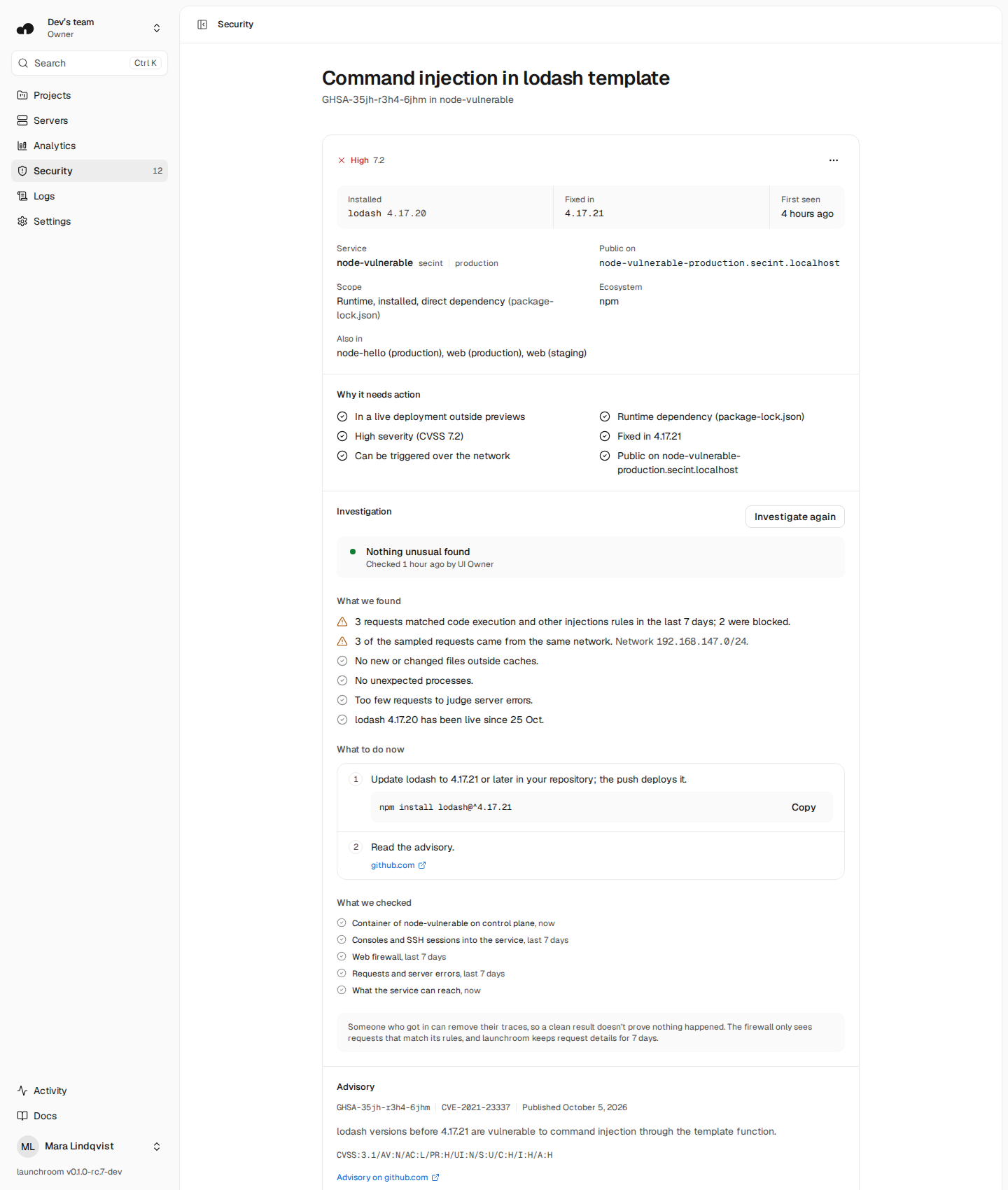
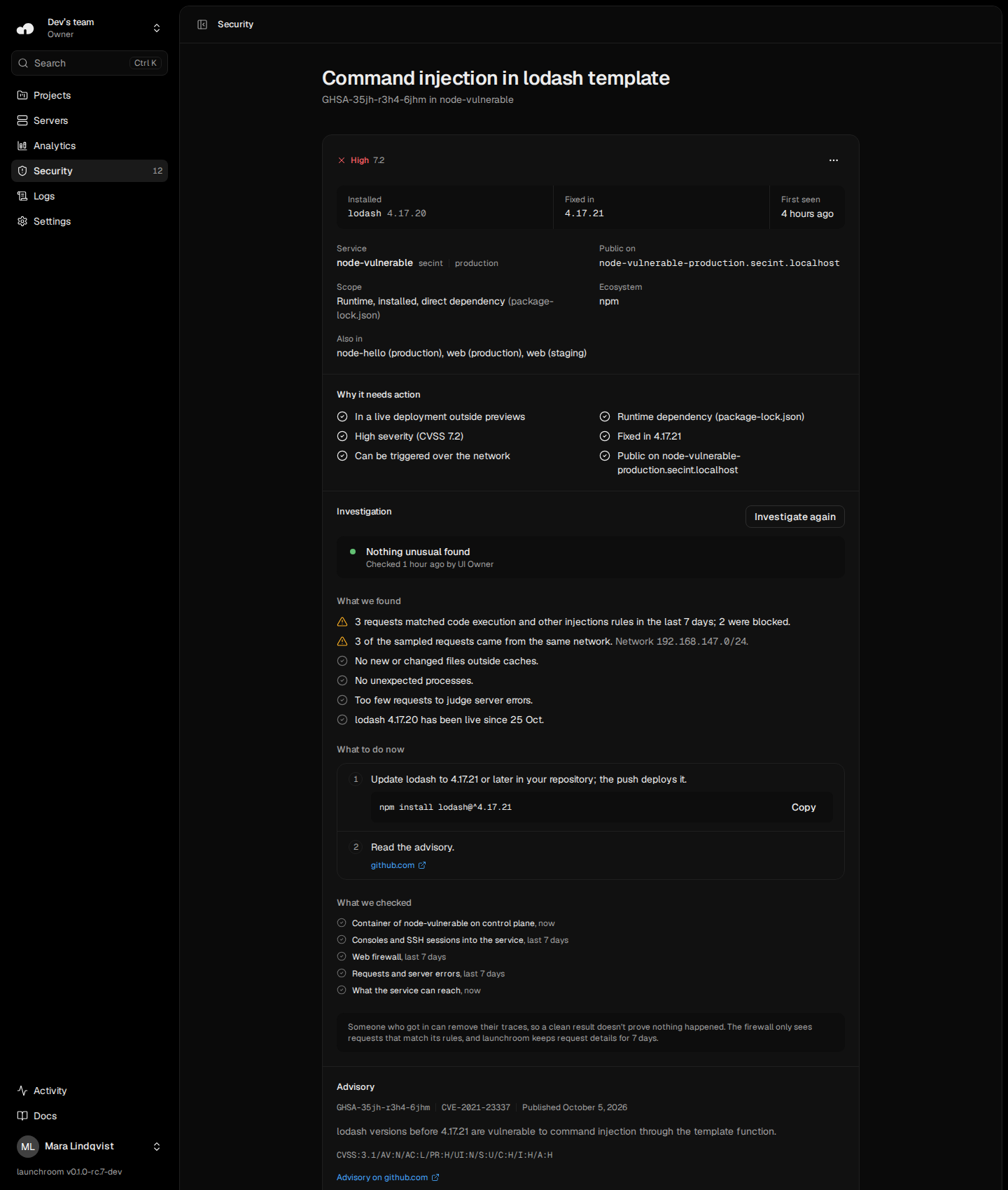
What is checked
| Check | Window |
|---|---|
| Files added or changed in each running container since it started, and its processes | now |
| Whether the container runs the image launchroom deployed | now |
| Consoles and SSH sessions opened through launchroom | last 7 days |
| Firewall results, in the attack categories that fit the advisory | last 7 days |
| Requests and bursts of server errors | last 7 days |
| How long the vulnerable version has been live | since it went live |
| What the service can reach: connected databases, secrets by name, volumes | now |
Reading a container changes nothing in it. File contents aren't read. Process command lines are stored encrypted, with secret values masked, and never sent in notifications or through the API.
Reading the report
Each finding has a level:
- Concerning: for example a new executable file in
/tmp, a process running from a temporary directory, a known crypto-miner name, or an image launchroom didn't deploy. - Worth a look: for example a shell no launchroom console explains, changed app files, a changed
/etc/passwd, or requests that matched attack rules. - Nothing found: what was checked and looked normal.
A shell during a console or SSH session of a team member is shown as that session, not as a finding.
What to do now lists steps that fit the result, each with the place in launchroom to do it: update the package, redeploy for fresh containers, restore a database from a backup taken before the first sign, change secrets, or turn on blocking.
What it can't prove
Someone who got in can remove their traces, so a clean result doesn't prove nothing happened. The firewall only sees requests that match its rules, and launchroom keeps request details for 7 days. If a server is offline or doesn't answer, the report says which container couldn't be checked. On servers that can't report which process started another, the report says so and judges no process by its parent.