Security
Security overview
What runs in your services, which published vulnerabilities affect it, what the web firewall stops, and how to check a service after an alert.
Select Security in the sidebar. The page covers every project of your team and has five parts.
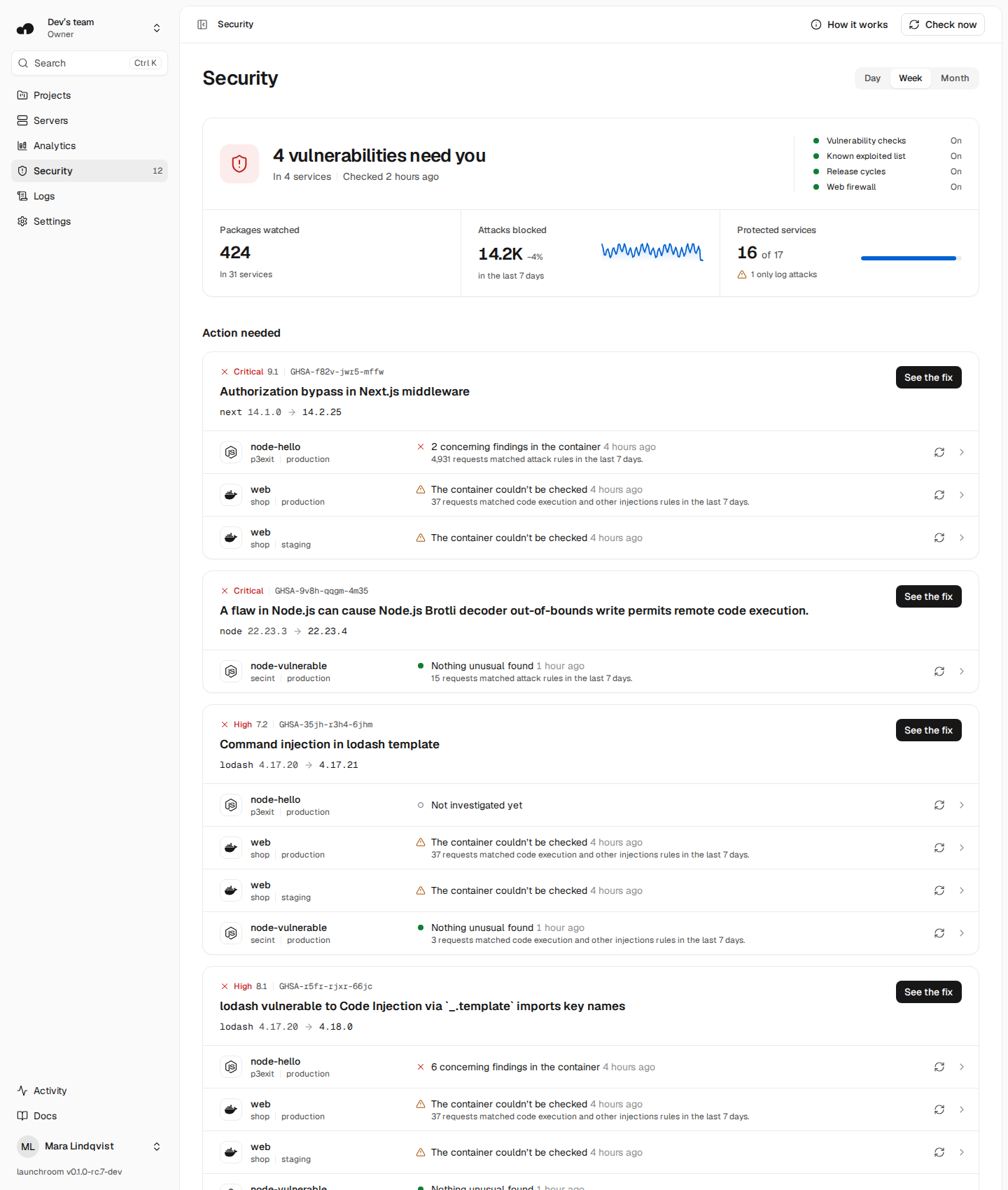
| Part | What it shows | Details |
|---|---|---|
| Status | How many vulnerabilities need you, which protections are on, packages watched, attacks blocked and how many public services block attacks | |
| Action needed | Vulnerabilities you should fix now, one card per vulnerability with the fix and each affected service with what its investigation found | Alert levels |
| Web firewall | Blocked requests per hour, the mix of attack kinds, services that only log attacks, the latest blocks and the most targeted services | Web firewall |
| Worth knowing | Everything else: development dependencies, operating system packages, runtimes past their end of life | Alert levels |
| Inventory | Search for a package or runtime across all services, and the runtimes, engines and base images in use | Inventory |
Day, Week and Month at the top right set the range of the firewall section. How it works sums up the data sources and rules. Owners and admins can select Check now to ask for new advisory data right away, at most once every 10 minutes.
The sidebar entry shows the number of findings that need action. When something needs action, launchroom also sends a notification.
Next steps
- Vulnerability checks: where the data comes from
- Responding to a vulnerability: from the notification to a fixed deployment
- Privacy and data: what launchroom stores and what leaves your instance