Web firewall
Block common attacks on your services at the edge, with the OWASP Core Rule Set, per service.
launchroom's edge checks requests to your services against the OWASP Core Rule Set before they reach them. The rules are part of launchroom's edge image and change only with launchroom releases.
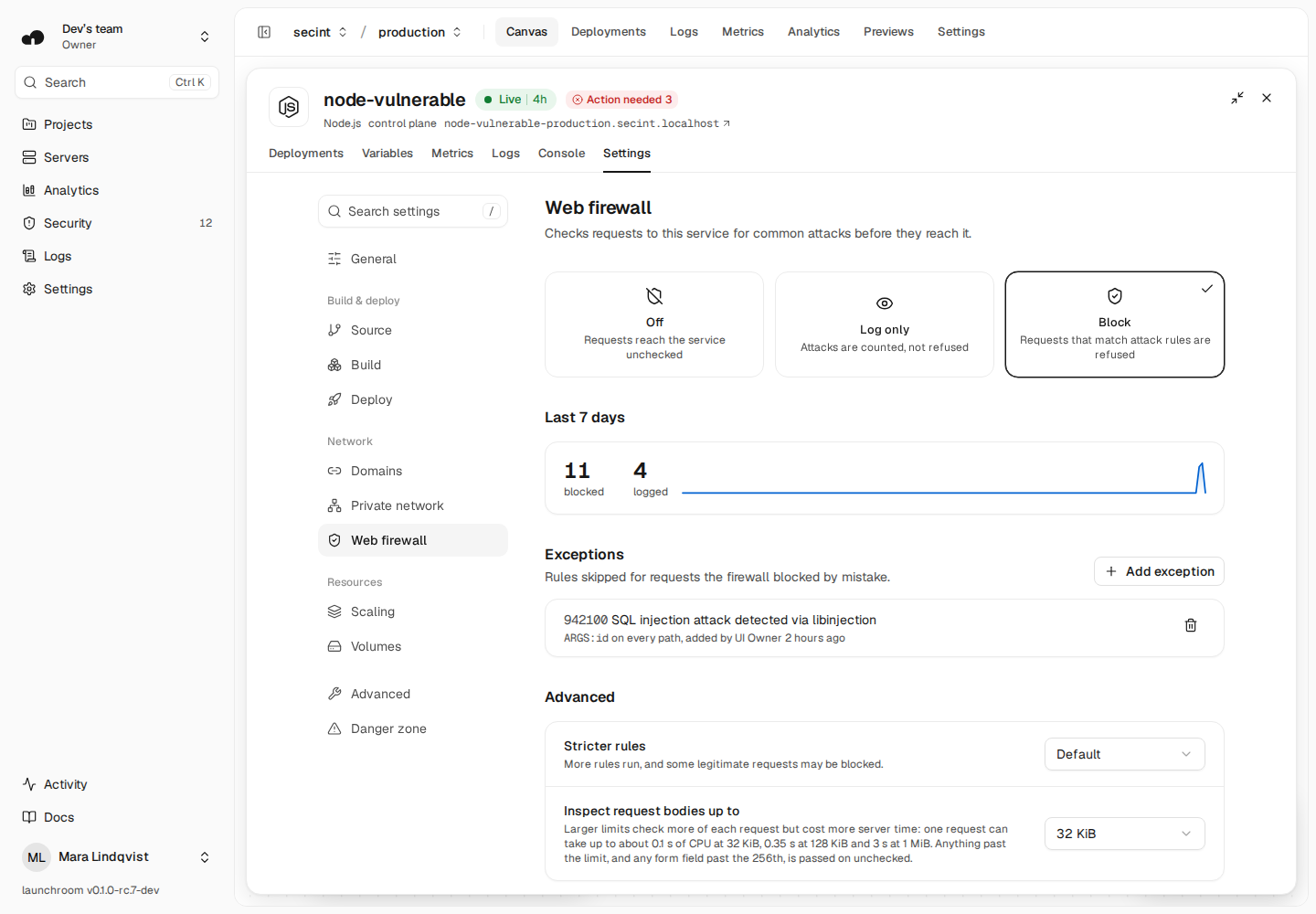
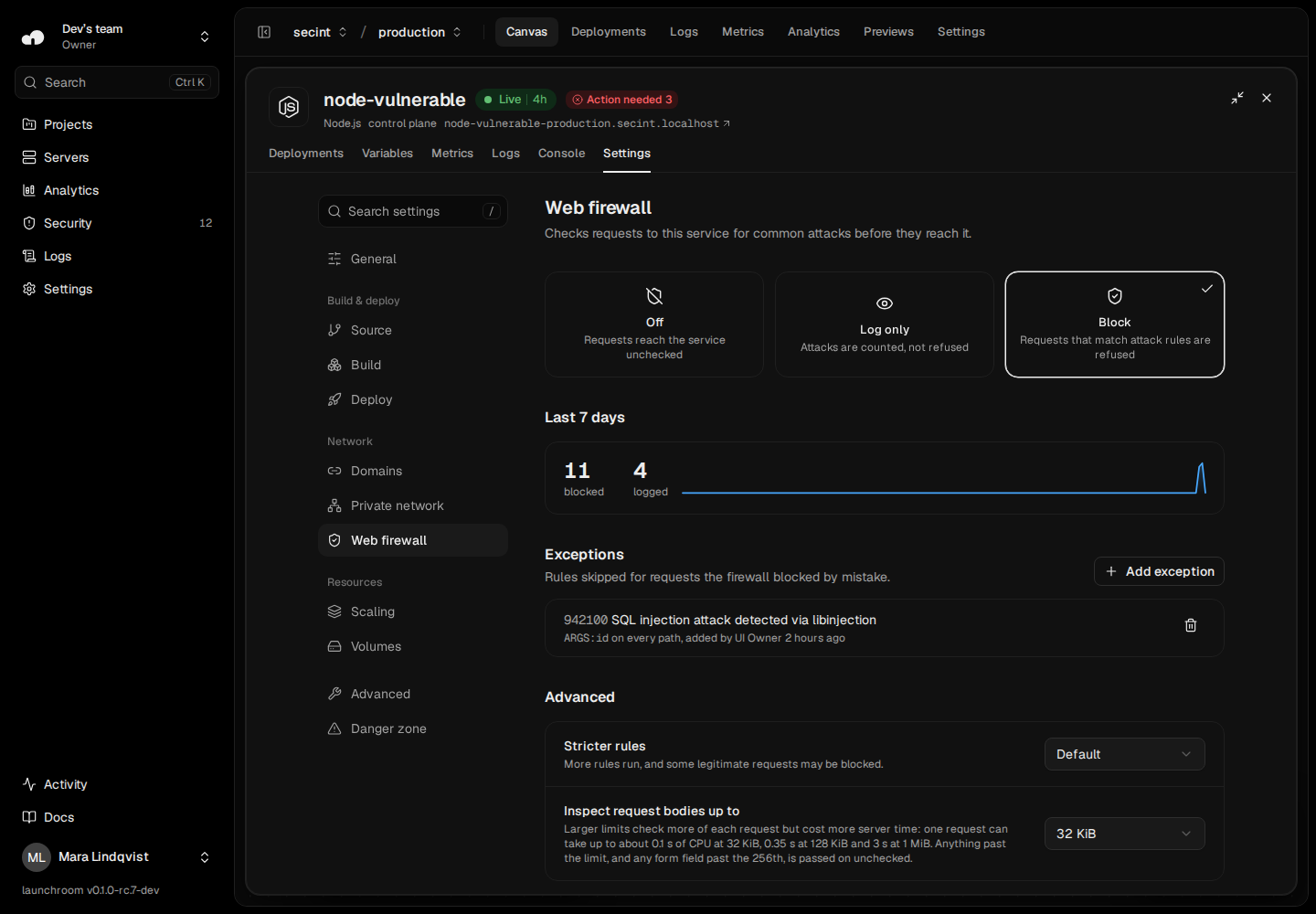
Modes
Each service has its own setting in Settings → Web firewall, per environment:
| Mode | What happens |
|---|---|
| Block | Requests that match attack rules are refused with status 403 |
| Log only | Matching requests reach the service and are counted |
| Off | Requests reach the service unchecked |
Changes apply within seconds, without a deploy. Preview environments copy the setting of their base environment. Services without a domain keep the setting, but it has no effect.
Defaults: services created since the firewall was added start in Block. Services that existed before start in Log only, so you can see what would have been blocked first. The Security page lists them under Watching, not blocking yet with Turn on blocking.
Advanced settings
Under Advanced:
- Stricter rules run more rules (paranoia level 2). They catch more attacks and block more legitimate requests by mistake. Start with the default.
- Inspect request bodies up to sets how much of each request body is checked: 32 KiB (default), 128 KiB or 1 MiB. Larger limits cost more server time: one request can take up to about 0.1 s of CPU at 32 KiB, 0.35 s at 128 KiB and 3 s at 1 MiB.
What a blocked visitor sees
A page that says the request was blocked by the web firewall, with a reference. Clients that don't want HTML get one line of text. The reference leads to the request on the Security page, where you can add an exception.
What is checked
- Request headers, the path, the query string, the first 32 KiB of the body (or the limit you chose) and the first 256 fields. Anything after that reaches your app unchecked, and no request is refused for its size.
- File contents of uploads aren't checked. Field names, file names and the other form fields are.
- Responses aren't checked, so streaming and server-sent events work as before.
- WebSocket connections pass through.
- The dashboard itself isn't behind the firewall.
A filter, not a fix
The firewall checks the first 32 KiB of each request body (more if you choose) and the first 256 fields. Anything after that reaches your app unchecked, so a determined attacker can hide a payload behind padding. Treat the firewall as a filter against common attacks, not as a replacement for fixing a vulnerable app.
Proxies
Behind a proxy or a load balancer (Cloudflare, for example), the client network the firewall sees is the proxy's. Requests from different visitors can then share one network.
Performance
Most requests take a few milliseconds longer. Requests with large or many-field bodies take longer, up to the limits under Advanced settings. Uploads cost about as much as a small form, because file contents aren't checked.
When the firewall can't run
If an edge server can't load the firewall, it keeps serving requests without it and the Security page says so. A notification follows after 5 minutes. Servers that run an older launchroom version don't have the firewall yet: update them in Settings → Updates.