Generate a Dockerfile
When Railpack can't plan an app, launchroom can draft a Dockerfile with Claude, then build and start it before you use it. Off by default.
Most apps build without a Dockerfile. When launchroom can't work out how to build yours, it can suggest one:
- A model drafts it from your repository's manifest files.
- launchroom lints and pins it.
- launchroom builds it on a build server and starts the app once to check that it listens.
You only see a Dockerfile that built and started.
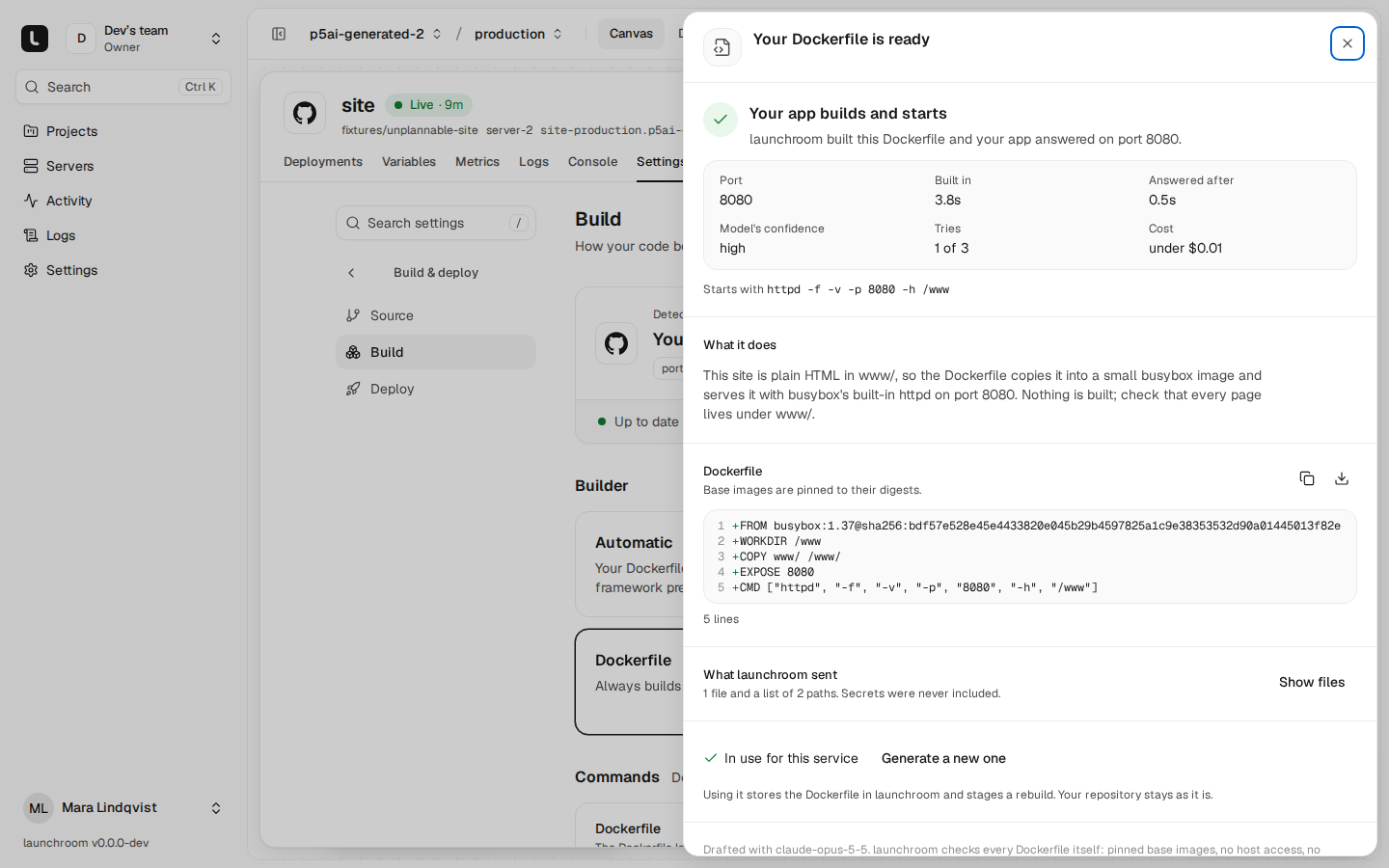
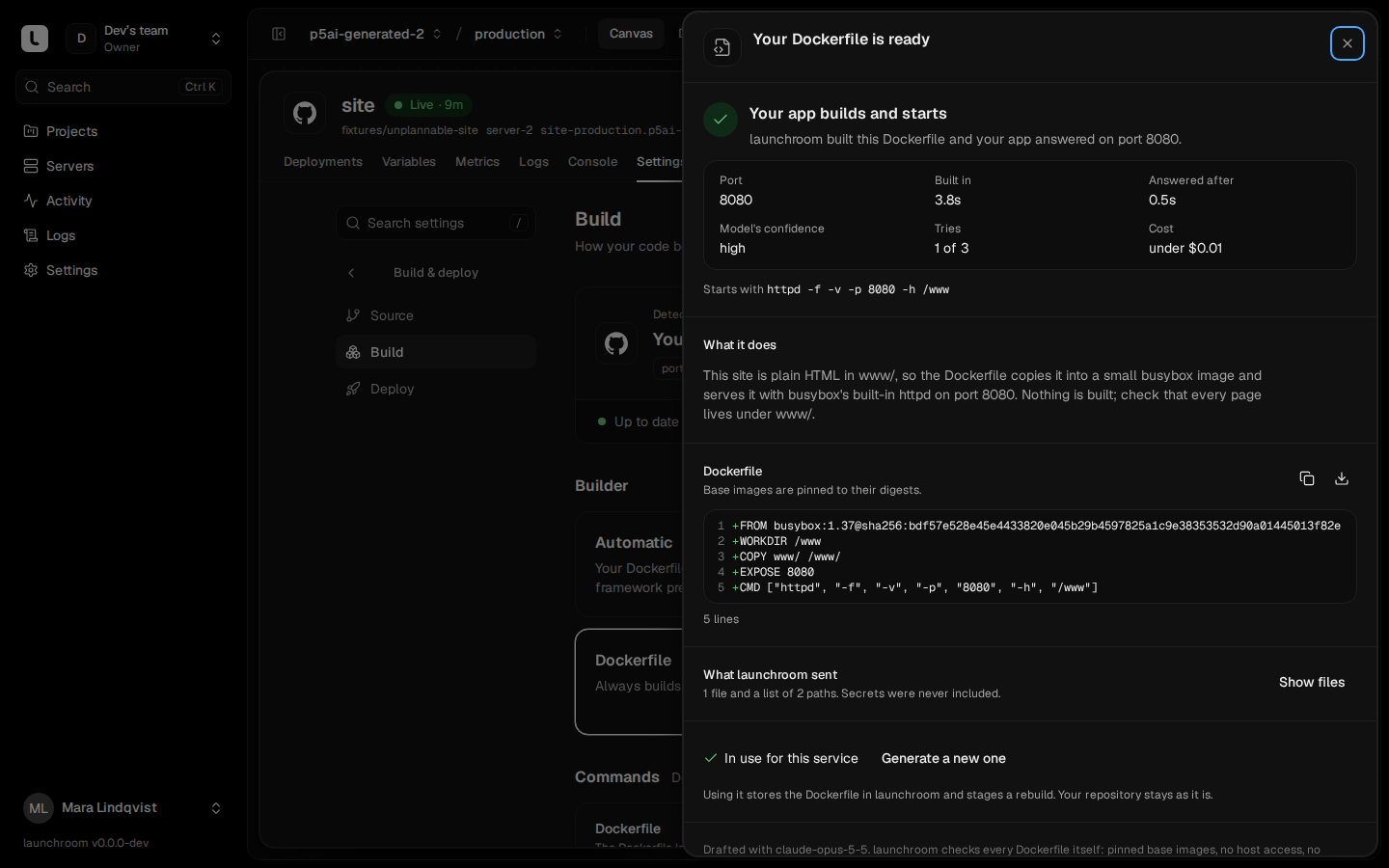
The Dockerfile is stored in launchroom as the service's build setting. Nothing is written to your repository unless you open a pull request.
Turning it on
Dockerfile generation is off by default, at two levels. A team only sees Generate a Dockerfile when both are on.
| Level | Who | Where |
|---|---|---|
| Instance | Instance owners, with a recent password confirmation | Settings → Dockerfile generation: provider (Anthropic's Claude API), API key, model, on/off |
| Team | Team owners | Same page, team card: on/off |
The API key is encrypted at rest and never shown again. The page shows only "Key ending in …" with who set it and when. Changing or removing it is audited. The default model is claude-opus-5-5. You can pick claude-sonnet-5 for lower cost or enter another model id. A run usually costs about $0.05 to $0.50, and the sheet shows the cost of each run. Starting a generation needs permission to change the service (developers and up).
When a switch is off, the places that would offer it show one line instead: "launchroom can suggest a Dockerfile for this app. An owner can turn this on in Settings → Dockerfile generation."
When it's offered
- Railpack can't plan the app. Settings → Build says "launchroom couldn't detect how to build this app" with Generate a Dockerfile, and a failed deployment shows the same action.
- Nothing says how to start the app. A build that failed because no start command was found links to it.
- On demand. Settings → Build has a Generate a Dockerfile card for any service built from a git repository.
What is sent, and what never is
The sheet lists what launchroom sends before anything leaves. Per attempt, the model receives:
- A file listing of the app directory: up to 2,000 paths, at most 8 levels deep, without
.git, dependency and build output folders (node_modules,vendor,.venv,dist,build,.nextand similar). - Up to 48 files, each cut at 32 KiB and 256 KiB in total: manifests and toolchain pins (
package.json,composer.json,pyproject.toml,requirements*.txt,go.mod,Cargo.toml,Gemfile, framework configs,.nvmrc,.python-versionand the like), the start of the README, and the first 8 KiB of a few likely entry points (main.go,main.py,app.py,server.*,src/index.*, …). Lockfiles are listed, never sent. - What launchroom detected: provider, versions, commands, port and the plan error.
- On a repair: the lint problems or the last 80 lines of the build or start log, and the previous draft.
- The names of the service's build-time variables, so the Dockerfile can mount them as secrets. Never their values.
Never sent: .env and .env.* files, keys and certificates, credential files (.npmrc, .pypirc, .netrc, auth.json, *.tfvars, kubeconfigs and similar), Compose files (they often inline passwords), binary files, variable values, git history and tokens.
Two filters enforce this, and both fail closed:
- launchroomd picks the files on the build server and never follows a path out of the checkout.
- The dashboard re-applies the same rules and scrubs what remains. It replaces these with
[redacted]: private key blocks, live API keys and tokens, passwords inside URLs, assignments whose names look secret, and the exact values of the environment's secret variables.
The sheet's What launchroom sent lists every file with its size. The scrubbed context is stored encrypted for repairs and deleted with the generation. Unused generations are removed after 30 days.
Requests use your API key
Requests go from your dashboard straight to api.anthropic.com with the instance's API key. launchroom sends an opaque hash of the team, never names or email addresses.
Rules every draft must pass
Before a draft is built, launchroom lints it. Each refusal has a line number and goes back to the model as a repair:
- Standard instructions only.
ONBUILD,VOLUME(volumes are launchroom's) and asyntax=directive are refused. - Every base image needs an explicit tag.
latest, untagged images and variables in the reference are refused. launchroom then pins each one to its digest (image:tag@sha256:…), so the build is reproducible. A tag that doesn't exist is a refusal the model can fix. - Host features are refused:
RUN --network=host,RUN --security=insecure, SSH mounts andADDfrom a URL. - No secrets in
ARGorENV. Build-time variables reach the build only as BuildKit secret mounts (RUN --mount=type=secret,id=NAME) with names of the service's own build-time variables. - The final stage must
EXPOSEthe port the app listens on and have aCMDorENTRYPOINT.
Verified by a real build
A generation runs through these steps, live in the sheet:
- Reading your repository: a plan on a build server collects the listing and files.
- Drafting a Dockerfile: the model answers with a Dockerfile, port, start command, explanation and confidence. launchroom lints and pins it.
- Building it: an ordinary build on a build server. Build-time variables are passed by name only, so no secret reaches a Dockerfile nobody has reviewed yet.
- Starting your app on port N: the image starts once on a server with only
PORTset. launchroomd checks from outside that it accepts connections on the port within 90 seconds. When a health path was detected, it also checks that the path answers below 500. Then the container is removed. - Ready when that check passed.
If the build or start fails, launchroom sends the masked log tail back to the model and tries again, up to 2 repairs ("Second try: fixing the build"). After the last attempt the sheet explains in one sentence why it failed, and you can try again. You can cancel at any time. One generation runs per service at a time, and a team can start 10 per hour.
Use it, or propose a pull request
A verified result shows:
- the port and start command
- the confidence
- build and start times, and cost
- the Dockerfile with line numbers
- the model's explanation
Then choose one of these:
- Use this Dockerfile stages a rebuild with the builder set to Dockerfile and the generated file as its source. It deploys with your next Review & deploy. The stored Dockerfile never changes once verified, so later builds are reproducible. Settings → Build shows it as "Stored in launchroom".
- Open a pull request adds
Dockerfilein the service's root directory on a new branchlaunchroom/dockerfile-<id>, with the explanation and the verification result in the description. It works with GitHub, GitLab, Gitea and Forgejo, and is refused when a file already exists at that path. On GitHub the app needs Contents: read and write, which it doesn't have by default. launchroom explains how to grant it when GitHub refuses. - Copy or Download the file. For a plain git server, download the file and commit it yourself.
The generated Dockerfile isn't part of launchroom.json. Switching the builder away from Dockerfile stops using it.
Next steps
Git providers
Connect GitHub, GitLab, Gitea, Forgejo or any git server once. Every repository you can reach shows up when you add a service, and pushes deploy.
launchroom.json
Keep service configuration in a launchroom.json next to your code. It is read at every push and applied as staged changes, never with secret values.