REST API
Deploy, read status and logs, and manage variables and domains from scripts and CI with team-scoped API tokens that expire.
Everything the CLI does goes through a documented REST API that you can call yourself. It follows the same rules as the dashboard: a token can never do more than the person who created it, and it works inside one team only.
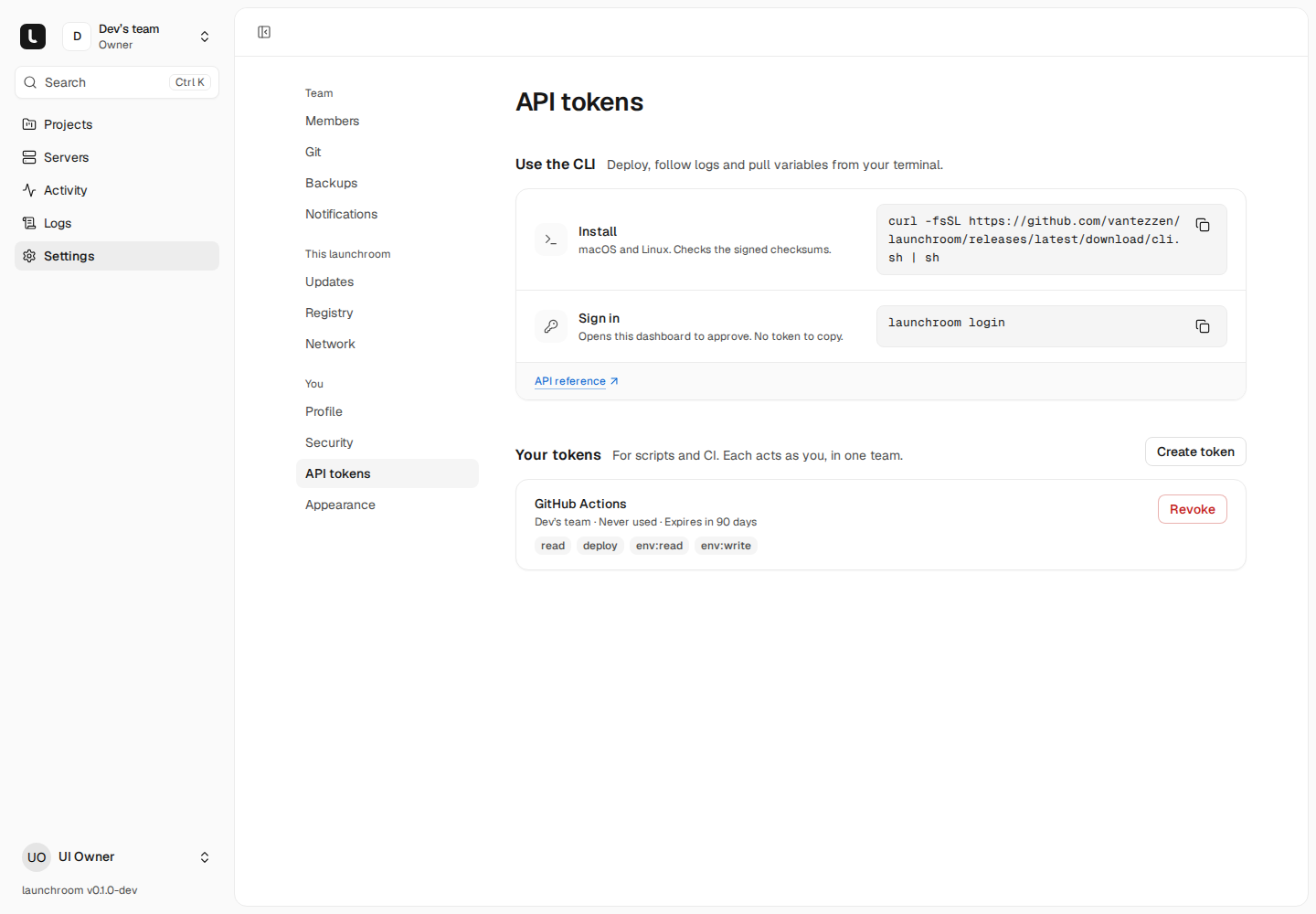
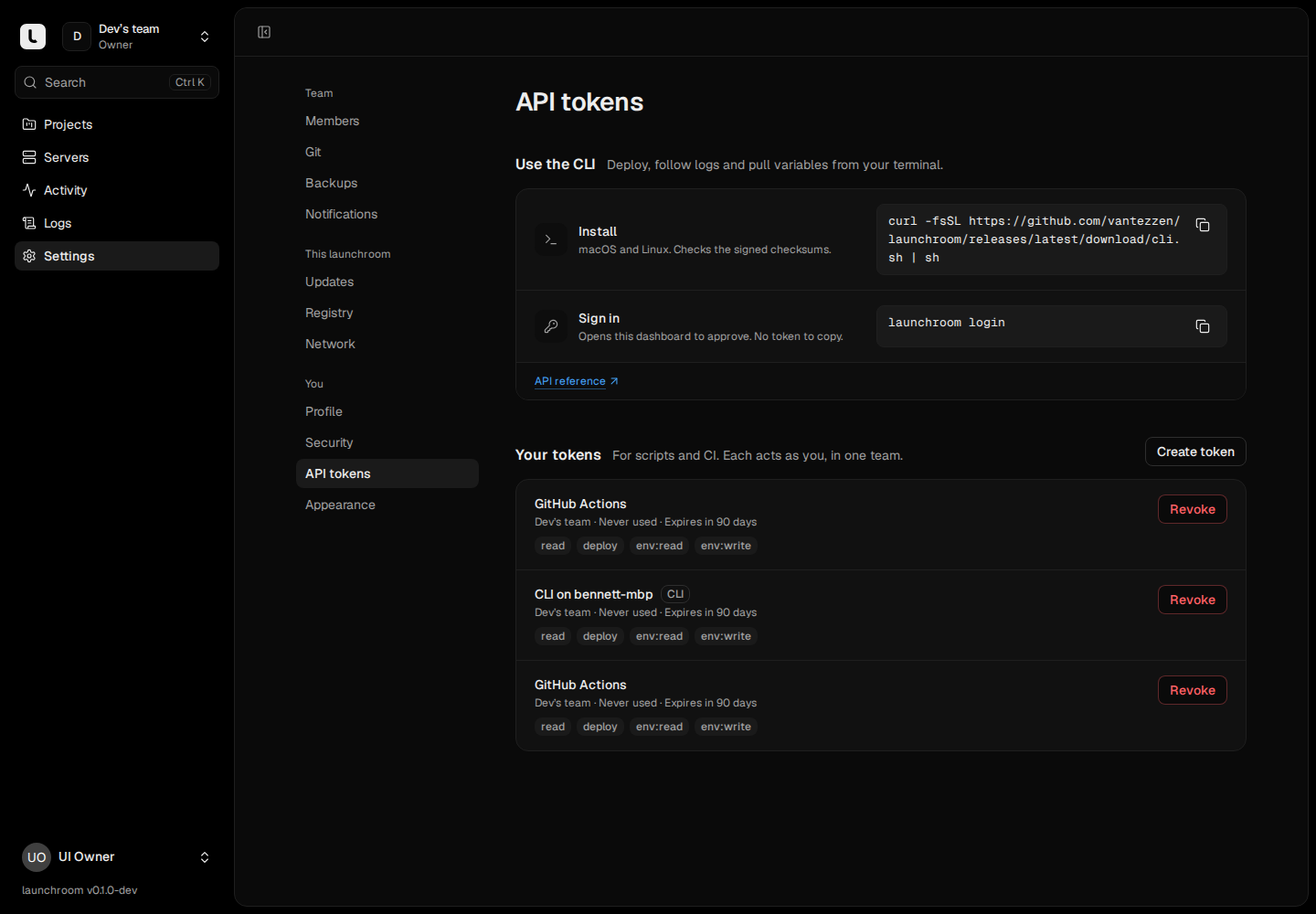
The reference on your dashboard
Your launchroom serves the full interactive reference at /docs/api on your dashboard (for example https://launchroom.example.com/docs/api) once you're signed in: every operation with its ability, parameters, request and response schemas, and a copyable curl. The raw OpenAPI 3.1 document is public at /api/v1/openapi.json. This page covers what you need to get started.
Tokens
Create a token under Settings → API tokens (in the You group) with Create token. Creating a token asks for your password.
- One team. A token acts as you inside the team that was current when you created it. Everything in your other teams answers
404, as if it didn't exist. - Abilities narrow what the token can do. The effective rights are your role in the team and the token's abilities, whichever is less.
- Expiry is mandatory: 7 days, 30 days, 90 days or 1 year.
- Shown once. Copy the token when it's shown. launchroom only keeps a hash. Tokens look like
<id>|lr_pat_…. - The token list shows when and from which IP each token was last used, and warns when one expires within 7 days. Revoke ends a token at once.
- Removing someone from the team deletes their tokens for that team.
Abilities
| Ability | Allows | Typical use |
|---|---|---|
read | Projects, environments, services, deployments, logs, servers and domains (always on) | Status checks |
deploy | Deploy a commit, apply staged changes, redeploy, roll back, cancel | CI deploys |
env:read | Variable names and non-secret values | Local development |
env:write | Create, change and delete variables (staged until the next deploy) | launchroom env set |
secrets:read | Secret values, each read audited | env pull and run with secrets |
domains:write | Add and remove custom domains | Automation |
data:transfer | Import into databases and volumes, export and download their data, each audited | launchroom db import, db export |
deploy, env:read and env:write are ticked by default. secrets:read and data:transfer are opt-in and only work for owners and admins. No token can manage servers, members, the team, backup settings or Console and Data sessions.
Actions taken with a token appear in the audit log like the same action in the dashboard, marked as done through that token.
Basics
| Base URL | https://<your dashboard>/api/v1 |
| Authentication | Authorization: Bearer <token> |
| Format | JSON in and out. Times are ISO 8601 in UTC |
| IDs | Public IDs with a prefix: prj_…, env_…, svc_…, dpl_…, var_…, dom_…, srv_… |
| Single objects | {"data": {…}} |
| Lists | {"data": […], "meta": {"nextCursor": "…"}}. Pass ?cursor= for the next page and ?limit= (up to 100) |
Check your token and see what it can do:
curl -s https://launchroom.example.com/api/v1/me \
  -H "Authorization: Bearer $LAUNCHROOM_TOKEN"
Errors
Every error has the same shape:
{
  "error": {
    "code": "missing_ability",
    "message": "…",
    "ability": "deploy"
  }
}
Validation errors add fields with messages per field.
| Code | Status | Meaning |
|---|---|---|
unauthenticated | 401 | No token, an unknown token, or an expired one |
forbidden | 403 | Your role doesn't allow it |
missing_ability | 403 | The token lacks the ability named in ability |
not_found | 404 | Doesn't exist, or belongs to another team |
method_not_allowed | 405 | Wrong HTTP method |
conflict | 409 | The current state doesn't allow it |
idempotency_key_in_progress | 409 | A request with this key is still running |
idempotency_key_reused | 422 | The key was used for a different request |
validation_failed | 422 | Invalid input, details in fields |
rule_violation | varies | A launchroom rule refused it, for example rolling back to a deployment whose image is gone |
rate_limited | 429 | Too many requests. Wait for Retry-After seconds |
server_error | 500 | Something went wrong on our side. Safe to retry |
Rate limits
| Limit | Value |
|---|---|
| Requests per token | 300 per minute |
| Changes (POST, PATCH, DELETE) per token | 60 per minute, on top |
Responses carry X-RateLimit-* headers.
Idempotency
Creating requests (deployments, deploys of staged changes, variables, domains, rollbacks, redeploys) accept an Idempotency-Key header: 1 to 255 characters of letters, digits and _ . : -. Use it in CI so that a retried request never deploys twice:
- The same key with the same request within 24 hours returns the stored response, with
Idempotent-Replayed: true. - The same key with a different request is refused with
422 idempotency_key_reused. - A retry while the first request still runs gets
409 idempotency_key_in_progress. - Server errors (5xx) are not stored, so retrying them is safe.
Deploy a service at a specific commit:
curl -s -X POST https://launchroom.example.com/api/v1/environments/$ENV_ID/deployments \
  -H "Authorization: Bearer $LAUNCHROOM_TOKEN" \
  -H "Content-Type: application/json" \
  -H "Idempotency-Key: ci-$GITHUB_RUN_ID" \
  -d '{"service": "'"$SERVICE_ID"'", "sha": "'"$GITHUB_SHA"'"}'
The body takes service and one of sha (a full 40-character commit), ref (a branch, main or refs/heads/main) or redeploy: true. Without any of them, the head of the service's tracked branch is deployed. The deployment uses the environment's last applied configuration, the same as a push. Staged changes stay staged. The answer is 202 with the deployment, including its status and dashboardUrl. Poll GET /deployments/{deployment} until finished is true, or follow its logs.
To apply an environment's staged changes instead, POST /environments/{environment}/deploy with an optional message.
Follow logs
Logs stream as server-sent events. A deployment's stream runs until the deployment finishes:
curl -sN https://launchroom.example.com/api/v1/deployments/$DEPLOYMENT_ID/logs/stream \
-H "Authorization: Bearer $LAUNCHROOM_TOKEN"| Event | Data |
|---|---|
lines | New lines and a cursor. The event id is the cursor |
status | The deployment's status changed |
end | The deployment finished. The stream closes |
reconnect | The stream closes after 5 minutes. Reconnect with Last-Event-ID (or ?after=) and you lose nothing |
A : ping comment arrives every 15 seconds. GET /environments/{environment}/logs/stream follows the runtime logs of a whole environment the same way, like Live in the Logs explorer, and GET /environments/{environment}/logs runs a search with range (15m, 1h, 24h, 7d, 30d), source (all, runtime, build), service and q.
What the API covers
| Area | Endpoints |
|---|---|
| Who am I | GET /me |
| Projects and environments | List and read projects, their environments and services |
| Deployments | List, create, read; redeploy, roll back, cancel; logs and log streams |
| Variables | List, create, change, delete; read one value; the resolved env of a service (?secrets=1 to include secrets when allowed) |
| Domains | List, add, remove |
| Servers | List and read |
| Import and export | Upload a file in parts, start and follow an import, start an export, make a one-use download link |
launchroom.json | Export an environment, validate a file, preview the changes it would make, see the last read |
Secret values never appear in lists. They come back as null. Reading one needs secrets:read and is audited.
Dashboard domain
Move the dashboard from its install address to your own domain with HTTPS. launchroom verifies the domain before the switch, and the old address keeps forwarding.
CLI
The launchroom command line tool. Sign in from the browser, deploy, follow logs, pull variables into .env and check launchroom.json in CI.