CLI
The launchroom command line tool. Sign in from the browser, deploy, follow logs, pull variables into .env and check launchroom.json in CI.
launchroom is a command line tool for your laptop and your CI. It talks to your dashboard's API with a token that is bound to one team and expires. It never talks to your servers directly.
Install
curl -fsSL https://github.com/vantezzen/launchroom/releases/latest/download/cli.sh | shThe script picks the right build for Linux or macOS (amd64 or arm64), verifies its checksum and, if cosign is installed, its signature, then installs launchroom into ~/.local/bin. Options:
| Option | Default | |
|---|---|---|
--version x.y.z | latest | Install a specific release |
--dir PATH | ~/.local/bin | Install somewhere else |
Pass them after sh -s --, for example … | sh -s -- --dir /usr/local/bin. On Windows, download the .zip from the GitHub release.
Sign in
launchroom login --url https://launchroom.example.com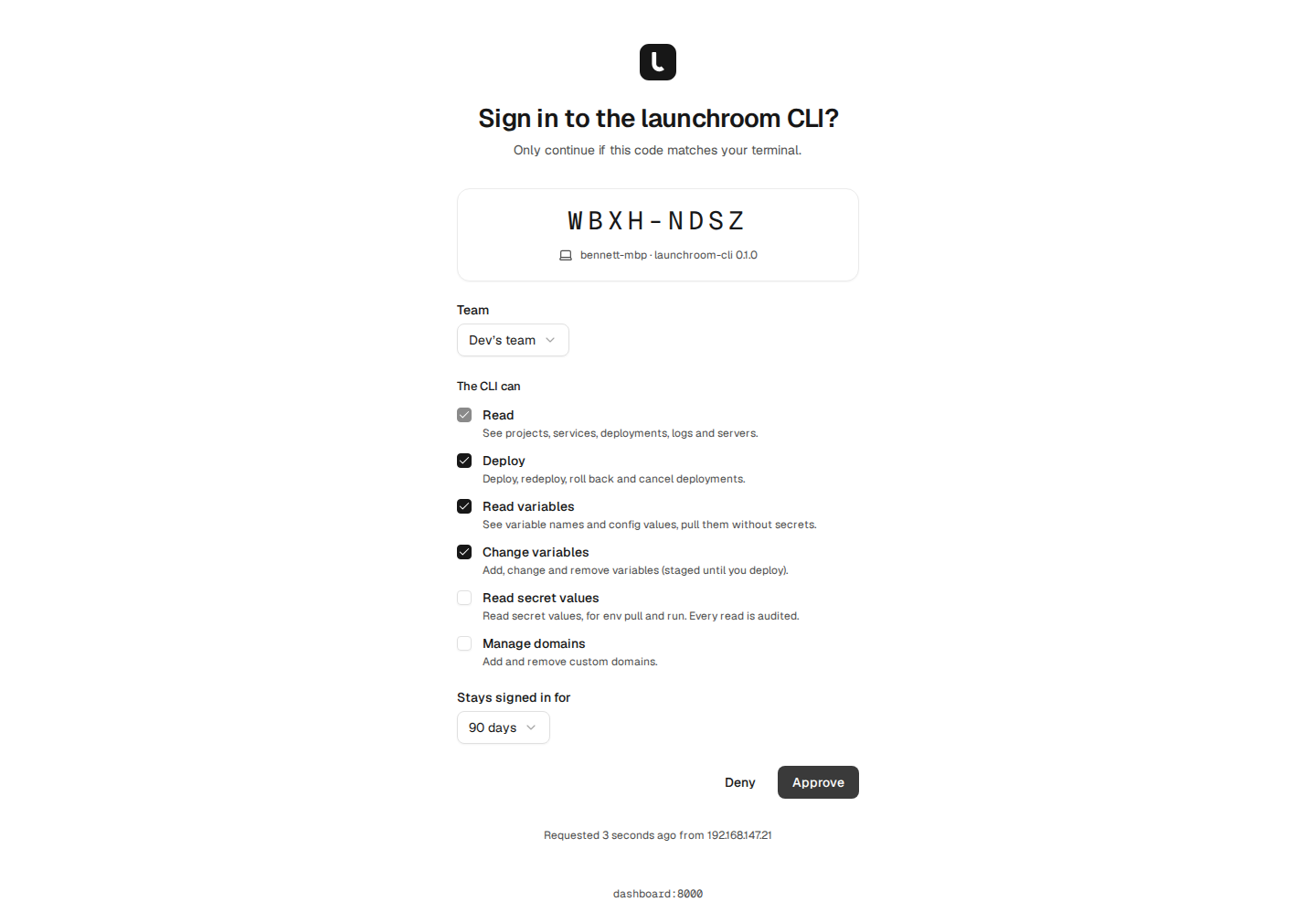
Sign-in uses a pairing code:
- The CLI shows a short code (like
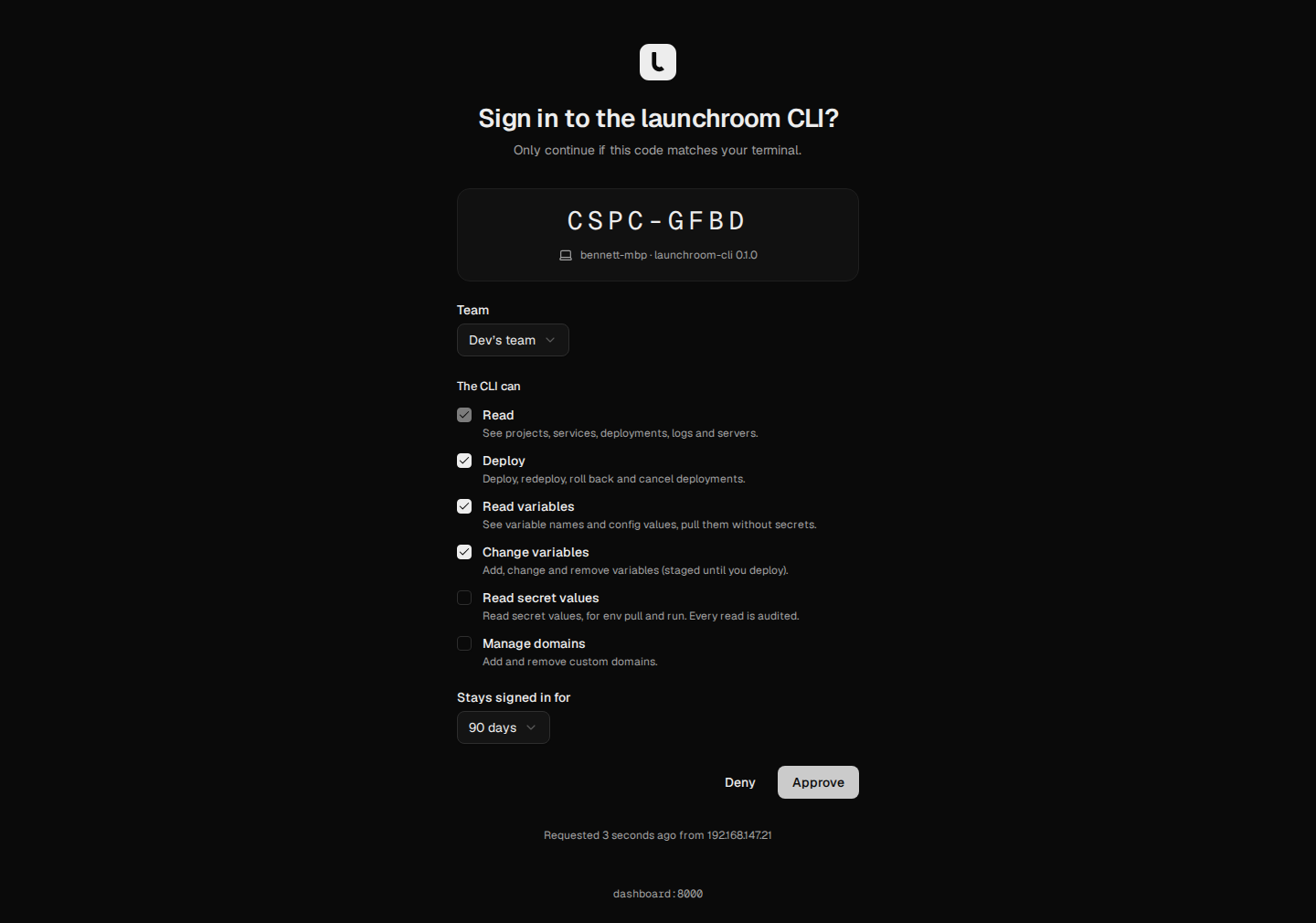
WBXH-NDSZ) and opens your dashboard in the browser. - The dashboard asks Sign in to the launchroom CLI? with the same code, the machine's name and where the request came from. Check that the codes match.
- Choose the team, the permissions and how long the session lasts (90 days by default), then Approve. Your password is confirmed first if you haven't entered it recently.
- The CLI receives its token and stores it in your system keychain.
The request expires after 10 minutes. Deny ends it.
| Option | |
|---|---|
--url URL | Your dashboard's address. Needed the first time; later sign-ins reuse the last address (or LAUNCHROOM_URL) |
--no-browser | Print the link instead of opening a browser (for remote shells) |
The token lives in the macOS Keychain, the Secret Service on Linux or the Windows Credential Manager. Without a keychain (headless Linux, containers) it falls back to ~/.config/launchroom/credentials.json with mode 0600. Set LAUNCHROOM_CREDENTIALS_STORE=file to use the file directly.
launchroom whoami shows the user, team, abilities and expiry. launchroom logout forgets the token on this machine. Revoke it under Settings → API tokens to end it everywhere.
Link a directory
launchroom linkPick a project, environment and (optionally) service. The CLI writes .launchroom/project.json. It contains IDs only and is safe to commit. Without a terminal, pass --project, --environment and --service. It defaults to production.
Every command also accepts --project, --environment and --service to override the link for one call, so you can work with several services from one directory.
Commands
| Command | What it does |
|---|---|
launchroom login | Sign in through the dashboard |
launchroom logout | Forget the stored token on this machine |
launchroom whoami | Show the signed-in user, team and token |
launchroom link | Link this directory to a project and environment |
launchroom status | Services of the linked environment with status, active deployment and URL |
launchroom open | Open the linked environment (or --service) in the dashboard |
launchroom deploy | Deploy and follow until live or failed |
launchroom logs | Recent log lines, or follow them with -f |
launchroom env ls | List variables (secret values are never listed) |
launchroom env set KEY=VALUE… | Add or change variables (staged) |
launchroom env rm KEY… | Remove variables (staged) |
launchroom env pull [FILE] | Write the service's variables to a .env file |
launchroom run -- CMD ARGS… | Run a local command with the variables injected |
launchroom config pull [FILE] | Write the environment as launchroom.json |
launchroom config validate [FILE] | Check launchroom.json |
launchroom config diff [FILE] | Show the staged changes launchroom.json would produce |
launchroom db import SERVICE FILE | Upload a dump and import it into a database |
launchroom db export SERVICE | Download a database's data (or --backup a backup) |
launchroom volume export SERVICE VOLUME | Download a volume's files as a .tar.gz |
Global options
| Option | |
|---|---|
--json | Machine-readable output on stdout, errors as JSON on stderr |
--no-color | No colours (NO_COLOR=1 works too) |
--project, --environment, --service | Override the link |
Deploy
launchroom deploy                       # latest commit of the tracked branch
launchroom deploy --ref main            # the head of a branch
launchroom deploy --sha 3b7d5e1…        # one commit (full 40-character SHA)
launchroom deploy --redeploy            # the current commit again
launchroom deploy --staged --message "Raise memory"   # apply staged changes
deploy follows the build until the deployment is live or failed and exits with code 10 if it failed. Add --detach to return at once. --ref and --sha can be combined. The other modes can't. --message only applies with --staged.
deploy builds from your repository, not from local files. Push first, then deploy.
Logs
launchroom logs                         # the last hour of the linked environment
launchroom logs --service api -f        # follow one service live
launchroom logs --since 24h --source build
launchroom logs --deployment dpl_… # one deployment's log| Option | Values |
|---|---|
-f, --follow | Keep following new lines (reconnects automatically) |
--since | 15m, 1h (default), 24h, 7d |
--source | all (default), build, runtime |
--deployment | One deployment's log |
With --json, every line is one JSON object (JSON Lines).
Variables
launchroom env ls
launchroom env set LOG_LEVEL=debug FEATURE_X=on
launchroom env set STRIPE_KEY=sk_live_… --secret
launchroom env rm FEATURE_X
launchroom deploy --staged
env set and env rm stage changes in the linked environment. deploy --staged applies them, the same as Review & deploy in the dashboard.
Pull into .env
launchroom env pull            # writes .env
launchroom env pull .env.local
The file contains the resolved variables of the last deployed revision, with references already filled in, written with mode 0600. The CLI asks before overwriting (--yes skips the question) and warns if the file isn't git-ignored. --no-secrets leaves secret values out. Secrets need a token with secrets:read and a role that may reveal them.
References to other services resolve to their private names (for example postgres:5432), which only work inside the environment.
Run with variables
launchroom run -- npm run dev
launchroom run --no-secrets -- php artisan migrate --pretend
run starts the command with the variables added on top of your local environment (launchroom's values win), passes signals through and exits with the command's exit code. Nothing is written to disk.
Config as code
launchroom config pull             # write the environment as launchroom.json
launchroom config pull --revision 12
launchroom config validate         # check the file against the dashboard's rules
launchroom config diff             # list the changes it would stage
validate prints every problem as file:line:column with the line and a caret, and exits with code 6 if the file is invalid. See Config as code.
Import and export
launchroom db import postgres umami.dump               # into an empty database
launchroom db import postgres umami.dump --replace     # replace what's there (asks for the name)
launchroom db export postgres -o shop.dump             # a fresh dump
launchroom db export postgres --backup 4a1f0c2e        # a decrypted backup
launchroom volume export web /app/uploads              # a volume as .tar.gz (or vol_…)
These need a token with the data:transfer ability and the Owner or Admin role. See Import and export.
db import uploads in parts with a progress line on stderr. If it stops, run the same command again: the upload continues where it stopped (the CLI remembers it per file in ~/.config/launchroom/uploads.json). It then follows the import and prints what was imported, with any adjustments as warnings.
| Option | |
|---|---|
--replace | Replace everything in a database that isn't empty. A safety snapshot is taken first. On a terminal you type the service's name; without one, add --yes |
--keep-apps-running | Don't stop the apps that use the database while importing |
--yes | Don't ask before replacing |
db export and volume export wait until the file is ready, then download it to NAME.part and rename it once the size matches. Without -o the file gets the name the dashboard suggests in the current directory. -o - writes to stdout. An existing file is only overwritten with --force.
In CI
Create a token in Settings → API tokens with only the abilities the job needs (usually deploy), and set two environment variables. They replace login and the dashboard address of the link:
| Variable | |
|---|---|
LAUNCHROOM_URL | Your dashboard's address |
LAUNCHROOM_TOKEN | The API token |
- name: Deploy
  env:
    LAUNCHROOM_URL: https://launchroom.example.com
    LAUNCHROOM_TOKEN: ${{ secrets.LAUNCHROOM_TOKEN }}
  run: |
    curl -fsSL https://github.com/vantezzen/launchroom/releases/latest/download/cli.sh | sh
    ~/.local/bin/launchroom config validate
    ~/.local/bin/launchroom deploy --project shop --environment production --service web --sha "$GITHUB_SHA"
Without a terminal, prompts never appear. Anything ambiguous exits with code 2 instead. The CLI never follows redirects, so the token can't leak to another host. It retries safe requests once after a network error.
Exit codes
| Code | Meaning |
|---|---|
| 0 | OK |
| 1 | Unexpected error (network, server error) |
| 2 | Usage: bad flags, not linked, or a prompt without a terminal |
| 3 | Not signed in, or the token expired |
| 4 | Not allowed: your role or the token's abilities |
| 5 | Not found |
| 6 | Refused, for example an invalid launchroom.json |
| 7 | Rate limited |
| 10 | The deployment failed |
| 11 | The import or export failed |
| 130 | Interrupted |