Audit log
Every change, deploy, sensitive action and session is recorded in a hash-chained, signed log you can verify and copy outside launchroom.
launchroom records who did what, when and from where: deploys, variable changes, role changes, server enrollments, secret reveals, Console sessions and more. The log is append-only and tamper-evident. You can forward copies to systems outside launchroom, so even someone with full access to the control plane can't rewrite history unnoticed.
What is audited
Audited actions include:
| Area | Examples |
|---|---|
| Deploys | Deployments requested, rolled back, redeployed, cancelled; staged changes deployed or discarded; promotions between environments |
| Configuration | Services, variables, connections and domains created, changed or removed; launchroom.json applied or rejected |
| Secrets | Every secret reveal and every .env export (key counts, never values) |
| Team | Invitations, role changes, Console and Data grants, members removed, teams created |
| Servers | Join tokens created, servers enrolled, approved, revoked or replaced, role changes |
| Sessions | Console and Data sessions opened and ended; every Data statement (verb, length and fingerprint, never the text) |
| Access | API tokens created and revoked, CLI sign-ins approved or denied |
| Backups | Destinations, schedules, restores, recovery kit downloads |
| Data | Imports started and finished (file name or URL host, never credentials), exports started and downloaded |
| This launchroom | Updates, dashboard domain changes, client certificate mode, audit forwarding, two-factor resets |
Entries carry the actor (a person, a token on their behalf, or launchroom itself), the subject, the IP address and user agent, and a few safe details. Values of variables and secrets never appear in the audit log.
The Activity page
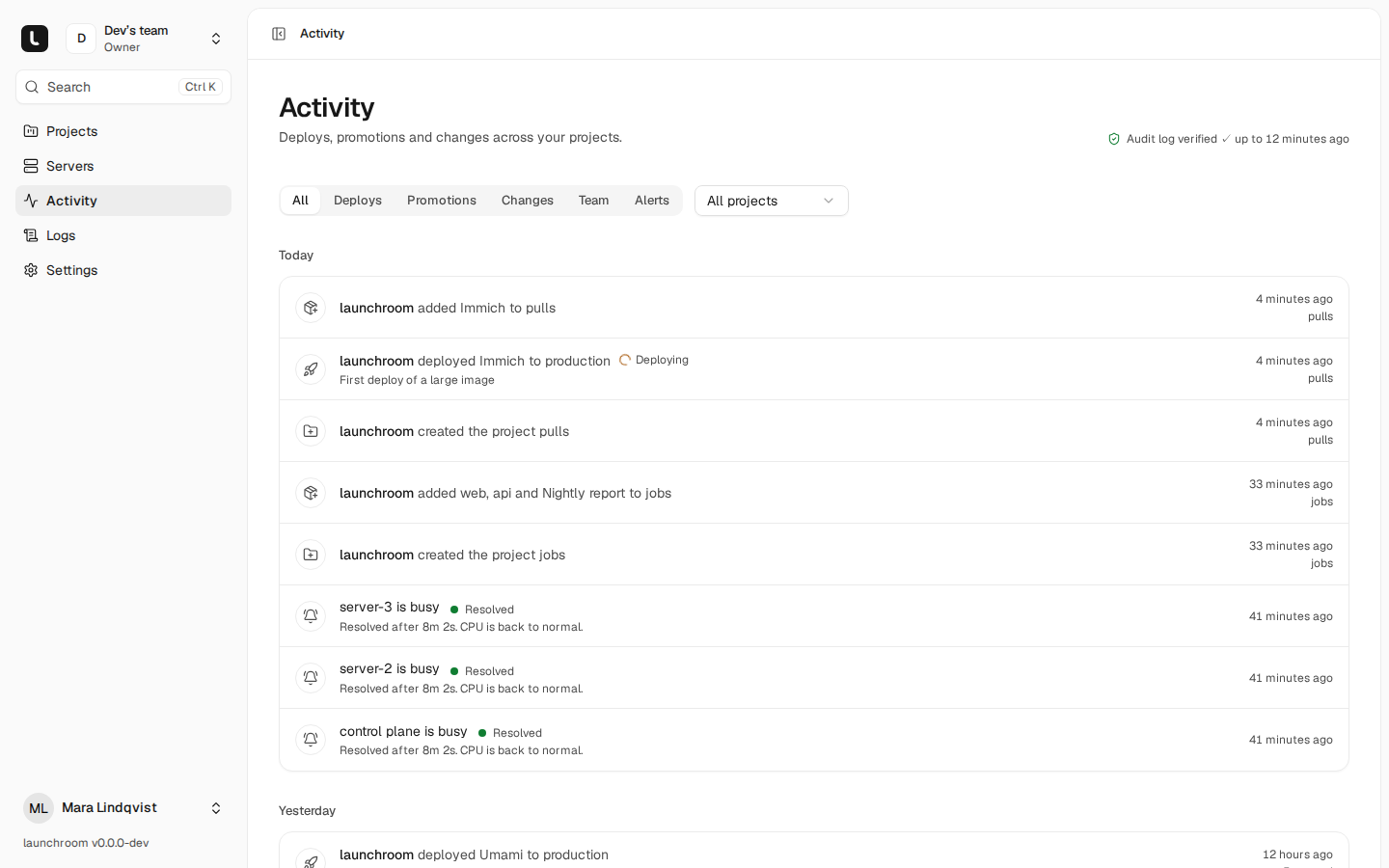
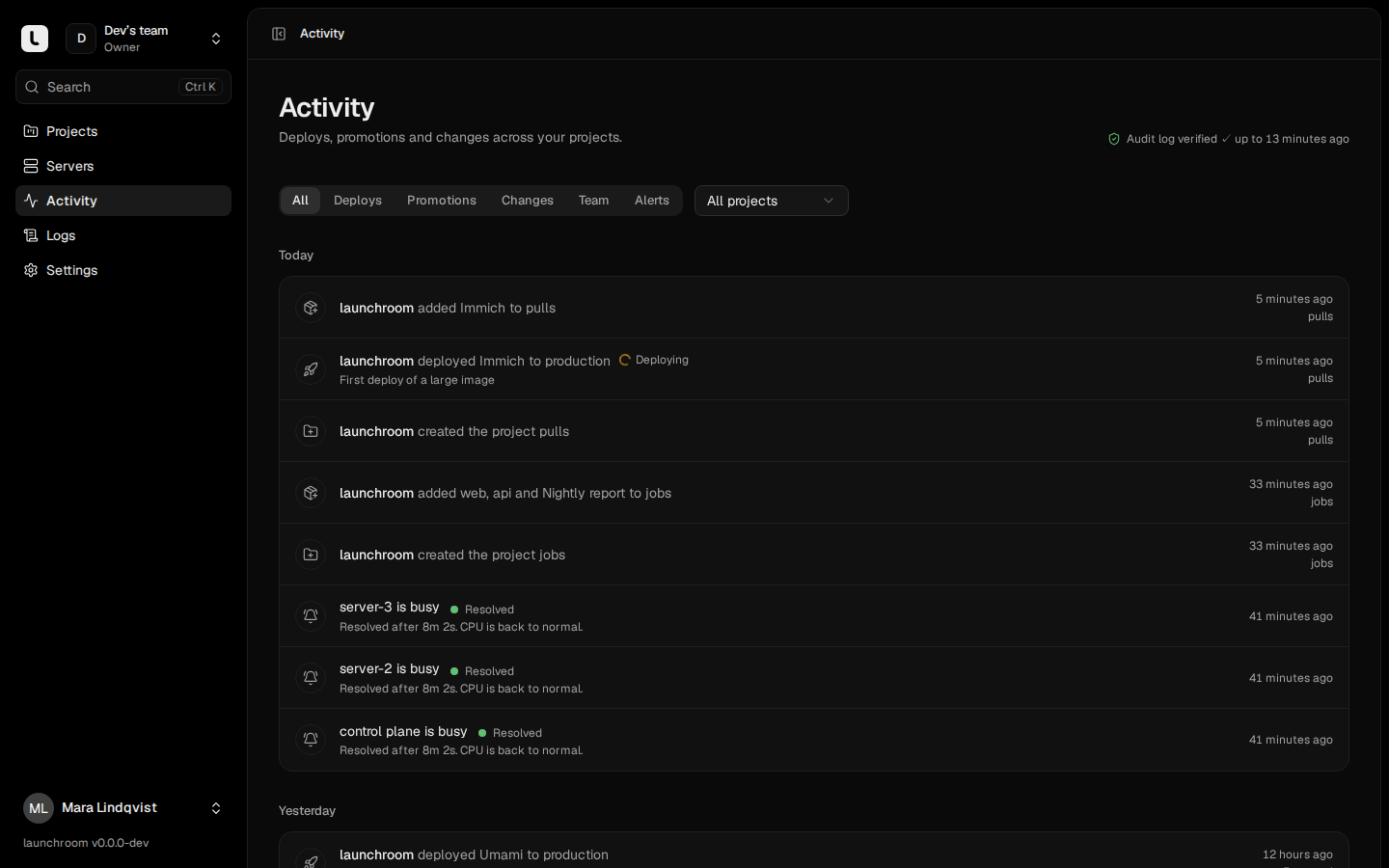
Activity in the sidebar shows your team's log as a readable feed. Filter it by Deploys, Promotions, Changes, Team and Alerts. A project has its own activity view with only that project's entries.
The header shows whether the log checked out: Audit log verified ✓ up to a time, or Audit log check failed. Only instance owners see the details of a failure.
How tampering is detected
- Append-only. The database refuses to update or delete audit entries.
- Hash chain. Each entry's hash covers its content and the previous entry's hash. Changing, deleting or reordering an entry breaks the chain from that point on.
- Signed checkpoints. Every 10 minutes, if there are new entries, launchroom signs the newest entry's position and hash with the control plane's signing key. That key lives in a file on the control plane, not in the database. Rewriting history behind a checkpoint would mean forging that signature.
launchroom verifies the log every 10 minutes from the last good checkpoint, and once a day from the first entry. The result is the Audit log verified status. A failure names the first problem, for example "Entry #812 was changed after it was written."
Verify on demand
Instance owners find the Audit log card under Settings → Security (This launchroom). It shows the status, how many entries are chained, when and how the last check ran, and Verify now, which queues a full check. The Signing key row shows the control plane's public key with a copy button, for verifying forwarded copies elsewhere.
You can also run the check on the control-plane server:
cd launchroom
docker compose exec dashboard php artisan launchroom:audit:verify| Option | What it does |
|---|---|
--from-checkpoint | Start at the newest valid checkpoint instead of the first entry (faster) |
--public-key | Print the key checkpoints are signed with and exit |
Checkpoints stay verifiable after a signing key rotation: every key the control plane has signed with is checked, retired ones included.
Why forward copies
Someone with both the database and the signing key file can rewrite everything locally. Copies outside launchroom protect against that. Forward the log if its integrity matters to you.
Forward copies outside launchroom
Under Settings → Security → Copies outside launchroom, instance owners add destinations. Choose Syslog, Webhook or S3 bucket and fill in that kind's fields. Adding, changing and removing destinations needs your password and is audited.
| Destination | What you enter | How records arrive |
|---|---|---|
| Syslog over TLS | Host, port, optionally a CA certificate (PEM) | One RFC 5424 message per record over TLS (RFC 5425 framing). The server's certificate is verified against system roots or your CA |
| Webhook | An https URL | JSON batches of up to 200 records, signed like alert webhooks |
| S3 bucket | Endpoint, bucket, region, keys, folder, optional lock period | One JSON Lines file per batch, never overwritten. With Object Lock on the bucket, each file is locked for the days you choose, in Governance or Compliance mode |
- Every destination receives every record, in order, at least once. Use the record
idto drop duplicates. - Delivery starts right after each entry is written and retries every minute with backoff (up to an hour between attempts). A destination that is down keeps its backlog and catches up.
- Each destination row shows its state: Up to date, Catching up, Not delivering (with the last error and the next attempt), or Paused. Send test checks the connection, and for S3 whether the bucket has Object Lock.
- Destinations must be public addresses. If yours is on your own network, tick It's on my own network. That override is audited.
S3 without Object Lock
Without Object Lock, the keys you give launchroom could delete the files. Use keys without the s3:DeleteObject permission, or turn on Object Lock.
Record format
Every destination gets the same records. Events carry the hashed fields and the chain hashes. Checkpoints carry the signature:
{"type":"event","id":812,"prevHash":"<64 hex>","hash":"<64 hex>",
 "fields":{"team_id":3,"actor_type":"user","actor_id":7,"action":"server.revoked","subject_type":"server","subject_id":"srv_…","ip":"203.0.113.9","user_agent":"…","meta":{},"created_at":"2026-10-19T12:00:00.123456Z"}}
{"type":"checkpoint","id":40,"eventId":812,"count":812,"hash":"<64 hex>","createdAt":"…Z","instance":"ins_…","kid":"cp-2026-10","signature":"<base64>"}
You can check a forwarded copy anywhere with only the control plane's public key: each hash is the SHA-256 of the previous hash, a newline and the canonical JSON of fields.
Webhook batches are POSTed with the headers X-Launchroom-Event: audit.batch, X-Launchroom-Delivery (stable across retries) and X-Launchroom-Signature. Any 2xx counts as delivered. S3 files are named <folder>/launchroom-audit/<instance>/<yyyy>/<mm>/<dd>/<first id>-<last id>.jsonl.
Client certificates
Servers prove who they are with a certificate before the dashboard reads their request. Roll it out in three steps, Off, Check and Require.
Security model
No SSH, no host shell, signed desired state, a local policy floor on every server and secrets that are encrypted, sealed and never logged.