High-availability ingress
Remove the single point of failure in front of your apps with two or three edge servers and DNS that only sends visitors to edges that are up.
All public traffic to your apps enters through servers with the Serve traffic role, the edges. With one edge, that machine is a single point of failure. If it goes down, your apps are unreachable even while other servers still run them. To remove the single point of failure:
- Add more edge servers.
- Use DNS that only sends visitors to edges that are up.
The single point of failure badge
When exactly one edge exists and other servers could also take traffic, a Single point of failure badge appears on:
- the Servers page
- every project
- Settings → Network → Public traffic
With one server in total there is nothing to fix. launchroom suggests adding a second server instead.
1. Give the edge role to two or three public servers
An edge needs a public IP with ports 80 and 443 reachable from the internet. Turn on Serve traffic on the server's Settings tab, or pick it when you add a server.
Every edge then routes every service of the team. It serves replicas that run on it directly and forwards to replicas on other servers over the private network. Visitors get the same result on any edge. Per-deployment URLs also work on every edge.
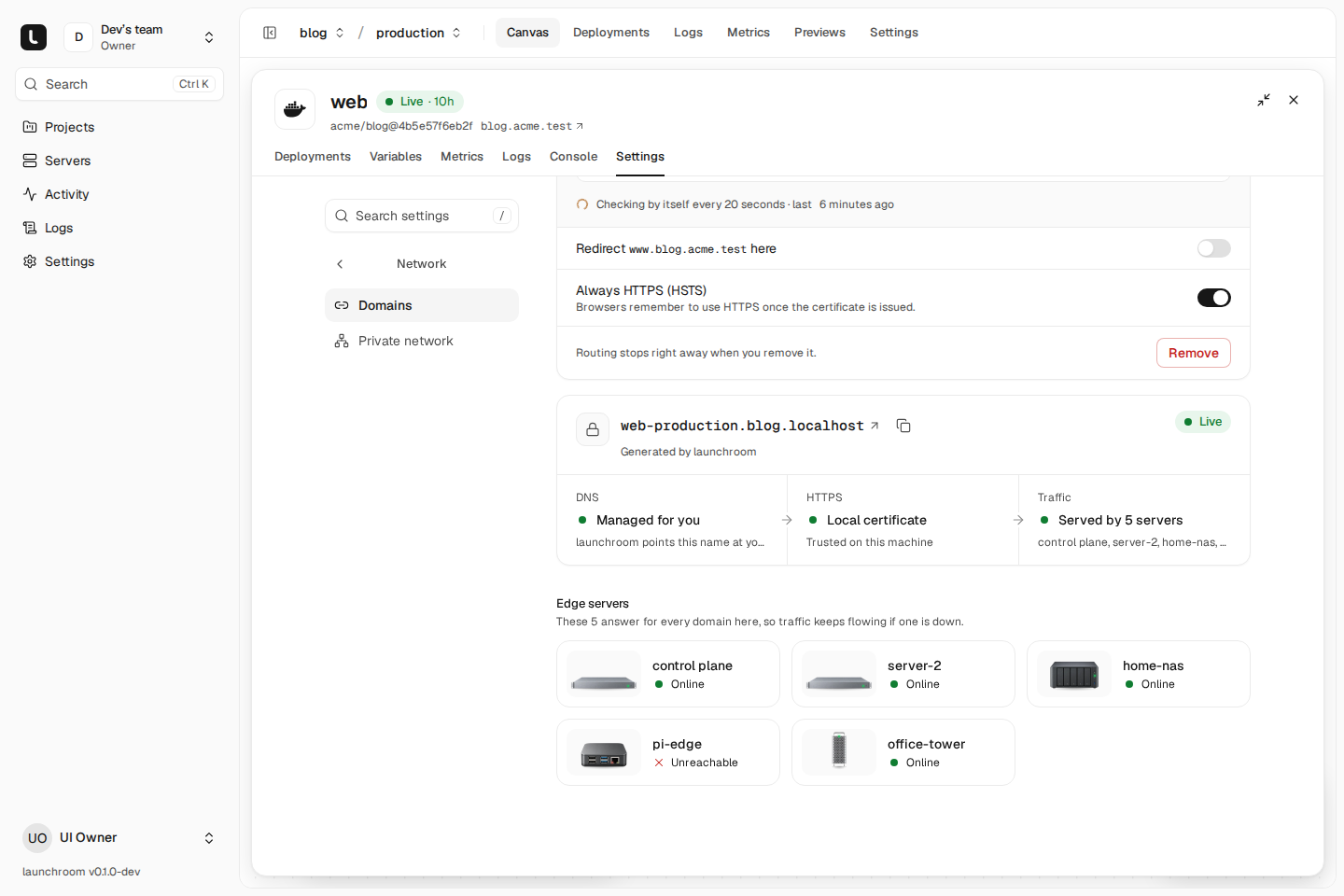
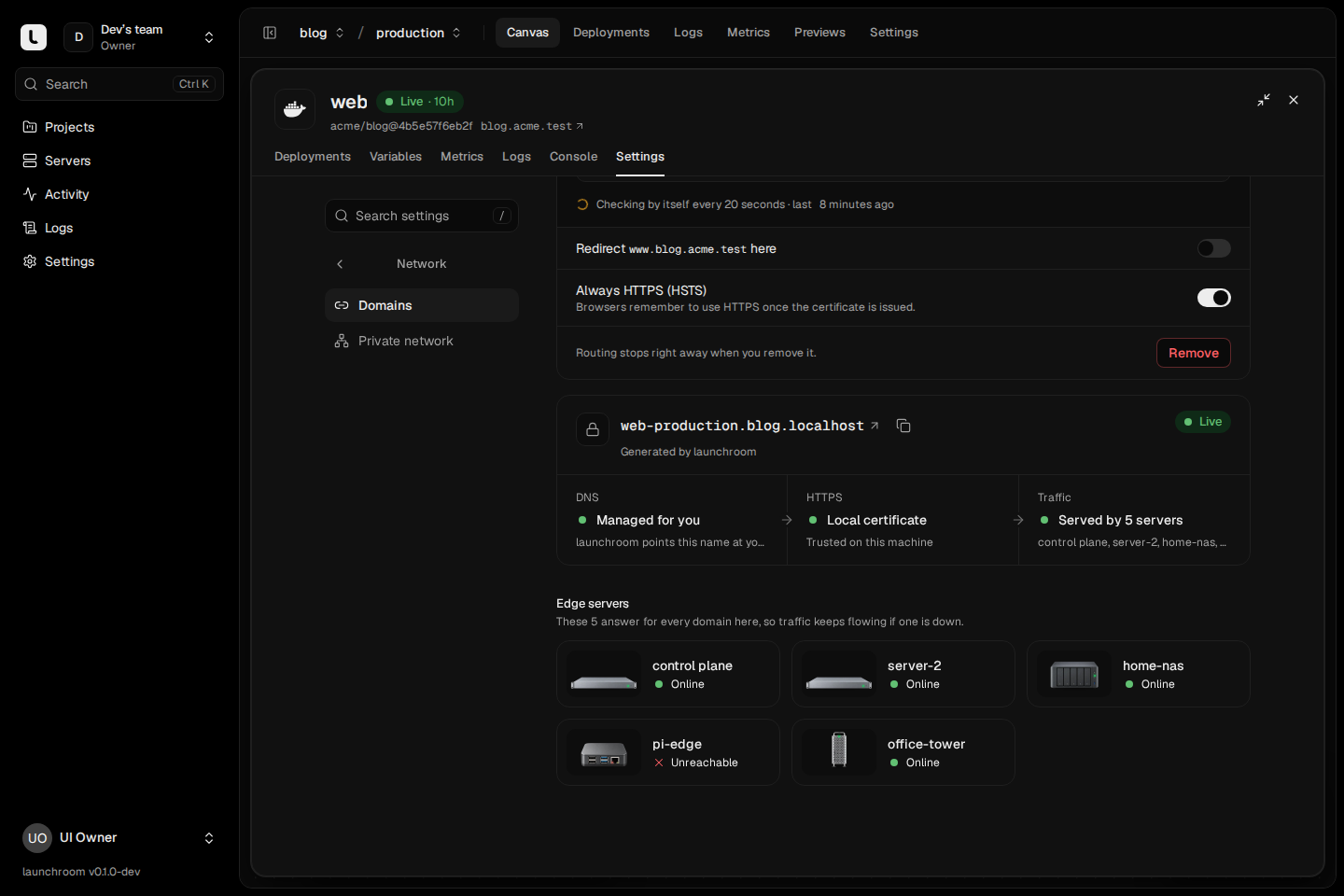
Share certificates between edges
Each edge needs valid certificates for every domain. Edges can share them and act as one ACME client: any edge can answer a Let's Encrypt challenge, and a certificate obtained by one edge is used by all of them.
- Open Settings → Network → Public traffic (instance owners).
- For each edge other than the dashboard's server, turn on Share certificates. The dashboard's server always shares.
With two or more sharing edges and the private network on, launchroom sets up the shared certificate storage on the dashboard's server automatically. You don't configure anything by hand. Each edge keeps a local copy of the certificates, so it restarts with valid certificates even when the shared storage is unreachable.
Share certificates only with edges you trust with every team's certificates and your DNS provider token. Edges are infrastructure of the whole install. An edge that doesn't share still serves its team's apps, with its own certificates.
Without shared storage each edge obtains its own certificates, and an HTTP challenge only succeeds on the edge that DNS sent Let's Encrypt to.
Shared certificates and wildcard certificates need launchroom's own Caddy image on the edges, which is the default. If the page says Not available with the current edge image, your edges run a plain Caddy image.
Wildcard certificates
With a DNS provider set under Settings → Network → Certificates, launchroom gets one wildcard certificate per project from Let's Encrypt over DNS. It covers every service, preview and deployment URL under your platform domain. New addresses get HTTPS immediately, regardless of which edge a validation lands on. Custom domains keep their own certificates. See Domains and TLS.
Run replicas on the edges
Give important services a replica on each edge (Scaling → Replicas, see Scaling). When every edge runs a replica of a service, each edge serves from its own replica first. It crosses the private network only when its own replica isn't ready.
2. Point DNS at all edges, with health checks
Plain round-robin DNS (several A records) spreads the load, but it keeps sending some visitors to a dead edge until their browser retries. Use one of these options instead.
Examples: Cloudflare Load Balancing, Amazon Route 53 health checks, Bunny DNS monitoring, NS1.
Create one record (or the platform wildcard *.apps.example.com) with a pool of edge IPs. The provider probes
https://<edge-ip>/ and removes failed edges within its check interval. Any HTTP answer means the edge is up,
including launchroom's 404 for unknown host names. Keep the TTL short: 30 to 60 seconds.
Custom domains need the same setup. Use A/AAAA records to all edges (the domain list shows the addresses), or a CNAME to the service's generated hostname. A CNAME follows whatever the platform wildcard does.
What it does not cover
- The dashboard stays on one server. While it is down, apps keep running and serving, but you can't deploy and new servers can't join. The dashboard's own domain points only at its own server. To be ready for losing it, set up backups and a recovery kit.
- Certificate renewals need the shared storage. While it is unreachable, edges serve their local copies and renew when it is back. Certificates are renewed a third of their lifetime before they expire. That leaves weeks of headroom.
- Databases run on one server each. An edge going down doesn't affect them, but the server that holds a database is a single point of failure for that database. See Roles and placement.
Next steps
Roles and placement
Which server runs, serves and builds what, how labels and placement rules steer replicas, and what happens when a server goes away.
Replace a server
When a server is gone for good, move its roles to another one, restore its databases and volumes from backups and re-place everything else.