Backups
Scheduled backups, encrypted on your servers with restic, stored in any S3-compatible bucket and verified every week. launchroom backs up its own state too.
Backups turn on as soon as you add a destination. Databases and volumes in production and persistent environments are backed up every day, and launchroom itself every six hours. Everything is encrypted on your servers before upload. Every week launchroom restores each backup into a throwaway container to check that it works.
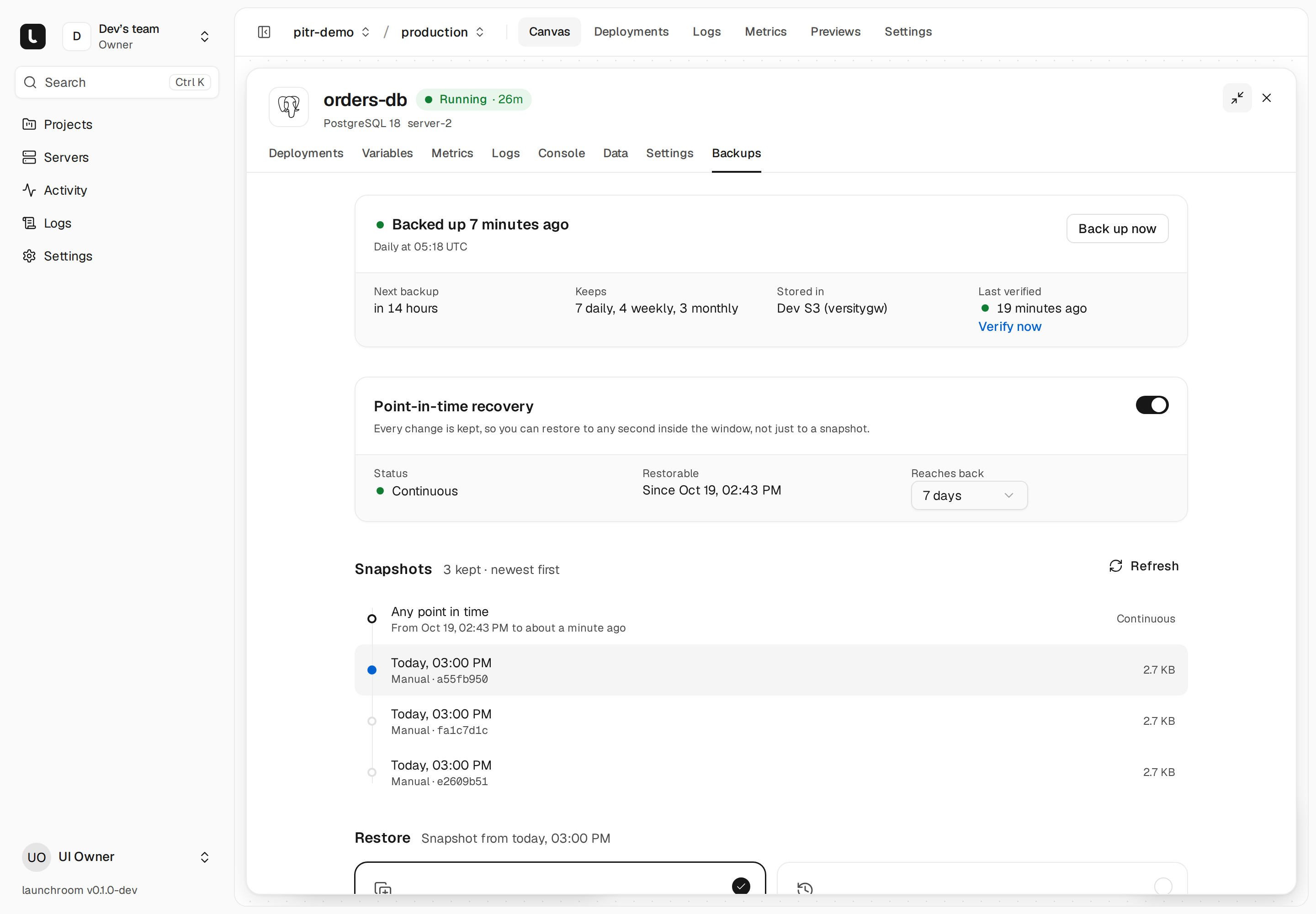
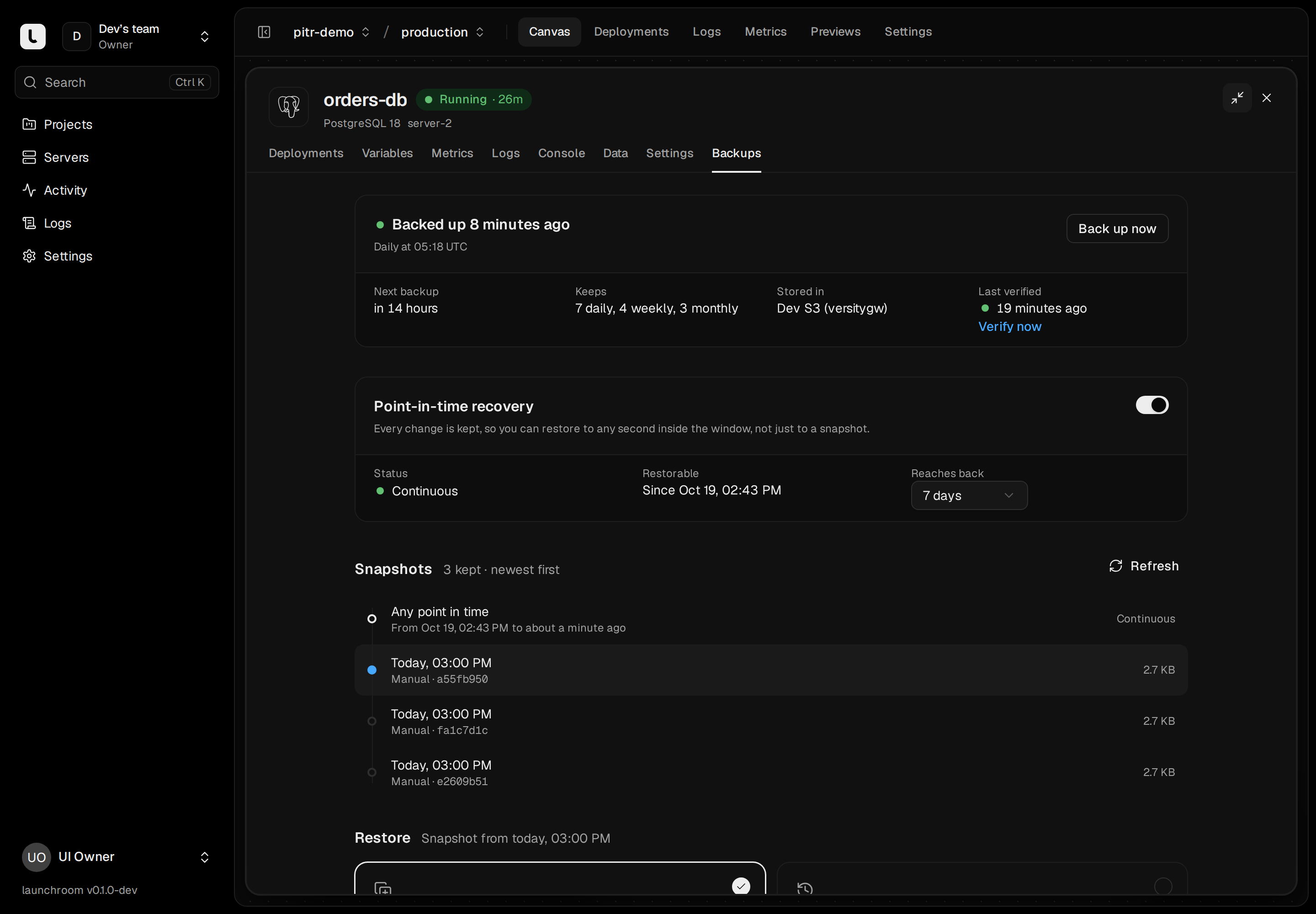
What gets backed up
| What | How | Default schedule | Default retention |
|---|---|---|---|
| launchroom itself (database, keys, settings) | A database dump plus a key bundle sealed with your recovery passphrase | Every 6 hours, and before every update | 7 daily, 4 weekly, 6 monthly |
| Databases in production | The engine's own dump tool | Daily at a staggered time | 7 daily, 4 weekly, 3 monthly |
| Databases in other persistent environments | Same | Daily | 7 daily |
| Volumes of app and image services | A snapshot of the volume's files | Daily | 7 daily, 4 weekly |
| Previews | Not backed up |
Schedules, retention and on/off are editable per service in its Backups tab, with an hourly option and custom cron expressions. Daily backups start at a staggered time between 01:00 and 07:00 UTC so they don't all run at once. Each server runs at most one heavy backup at a time, at lower CPU and IO priority than your apps.
launchroom doesn't back up what it can recreate:
- containers, routes and networks (rebuilt from the dashboard's state)
- certificates (issued again)
- the build cache
- images (rebuilt from the recorded commit)
To keep images through a disaster as well, an instance owner can move the registry's storage to S3 in Settings → Registry.
How it works
launchroom uses restic. Backups run on the server that holds the data. launchroomd streams the database's dump (pg_dump, mysqldump, a Redis or Valkey RDB file, mongodump, or ClickHouse's native BACKUP) straight into restic without writing it to local disk first, so a full disk doesn't break a backup. Both the dump and the upload must succeed. A failed dump never leaves a valid-looking empty snapshot.
restic encrypts everything on the client, so your storage provider sees only encrypted chunks. restic also deduplicates: after the first run, backups upload only what changed.
Destinations
A destination is any S3-compatible bucket: Amazon S3, Cloudflare R2, Backblaze B2, Hetzner Object Storage, DigitalOcean Spaces, Scaleway or another S3 service. Team owners and admins add them in Settings → Backups → Add destination:
| Field | Notes |
|---|---|
| Storage provider | Fills in the endpoint pattern and region for known providers |
| Name | Shown in launchroom |
| Endpoint | The S3 API URL without the bucket name, https://… |
| Bucket | The bucket's name |
| Region | The provider's region, or auto |
| Folder (optional) | A prefix inside the bucket, so several teams or instances can share one bucket |
| Access key ID, Secret access key | Credentials that can read, write, list and delete in the bucket |
launchroom tests the destination right away by opening (and on first use, creating) the restic repository, then shows "Connected". Credentials and the generated repository password are encrypted at rest and handed to a server only for the backup task that needs them.
Step-by-step guides: Cloudflare R2 and Hetzner Object Storage.
Endpoints must be public https:// addresses. An instance owner can allow a destination on a private network (a NAS or a MinIO on your LAN), which also allows plain http://. The override is audited. Moving the endpoint, bucket or folder later starts a new backup repository there.
Don't turn on object lock
launchroom deletes old snapshots itself to apply retention. A bucket with object lock or a deletion-blocking lifecycle rule makes pruning fail.
Backing up launchroom itself
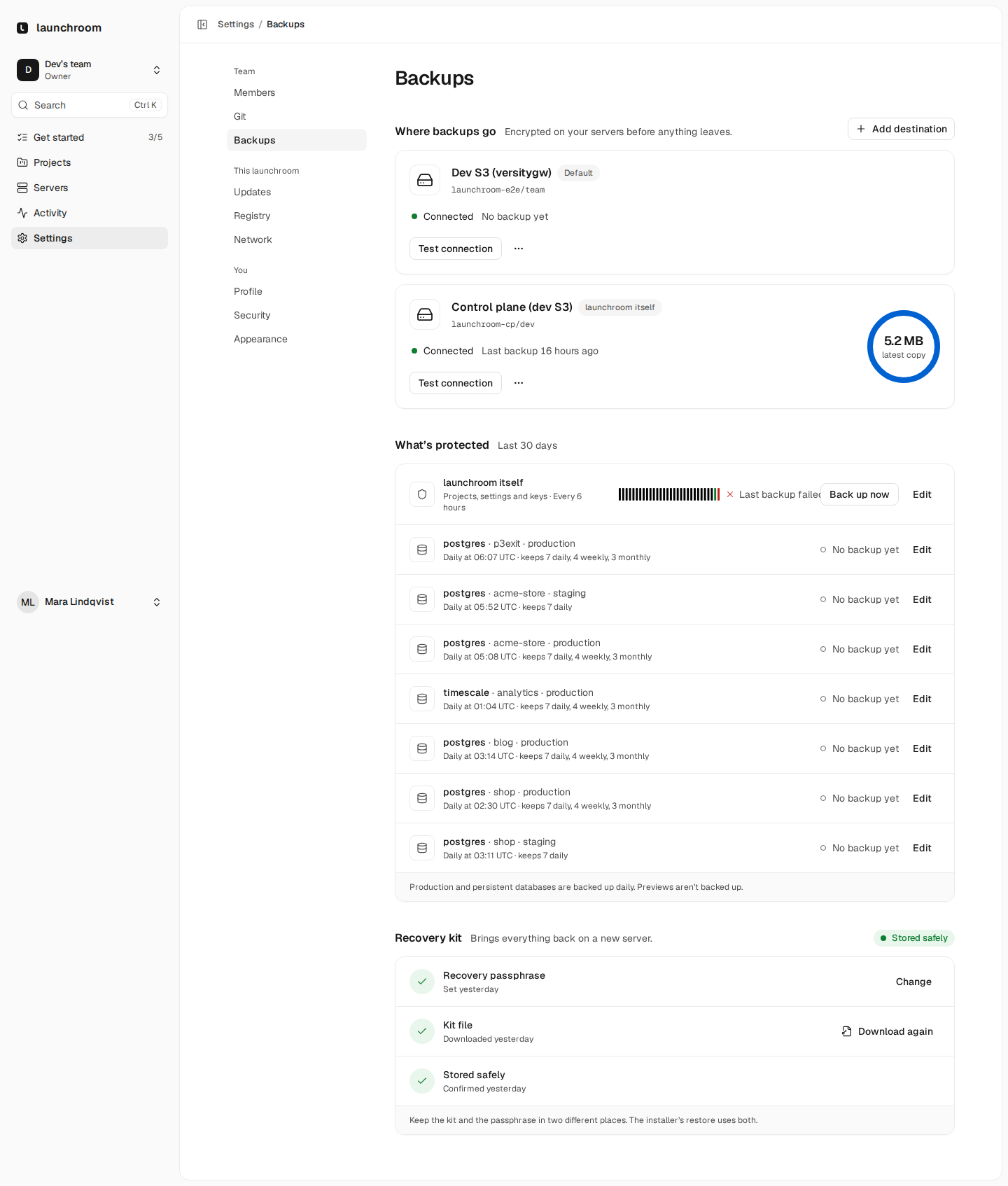
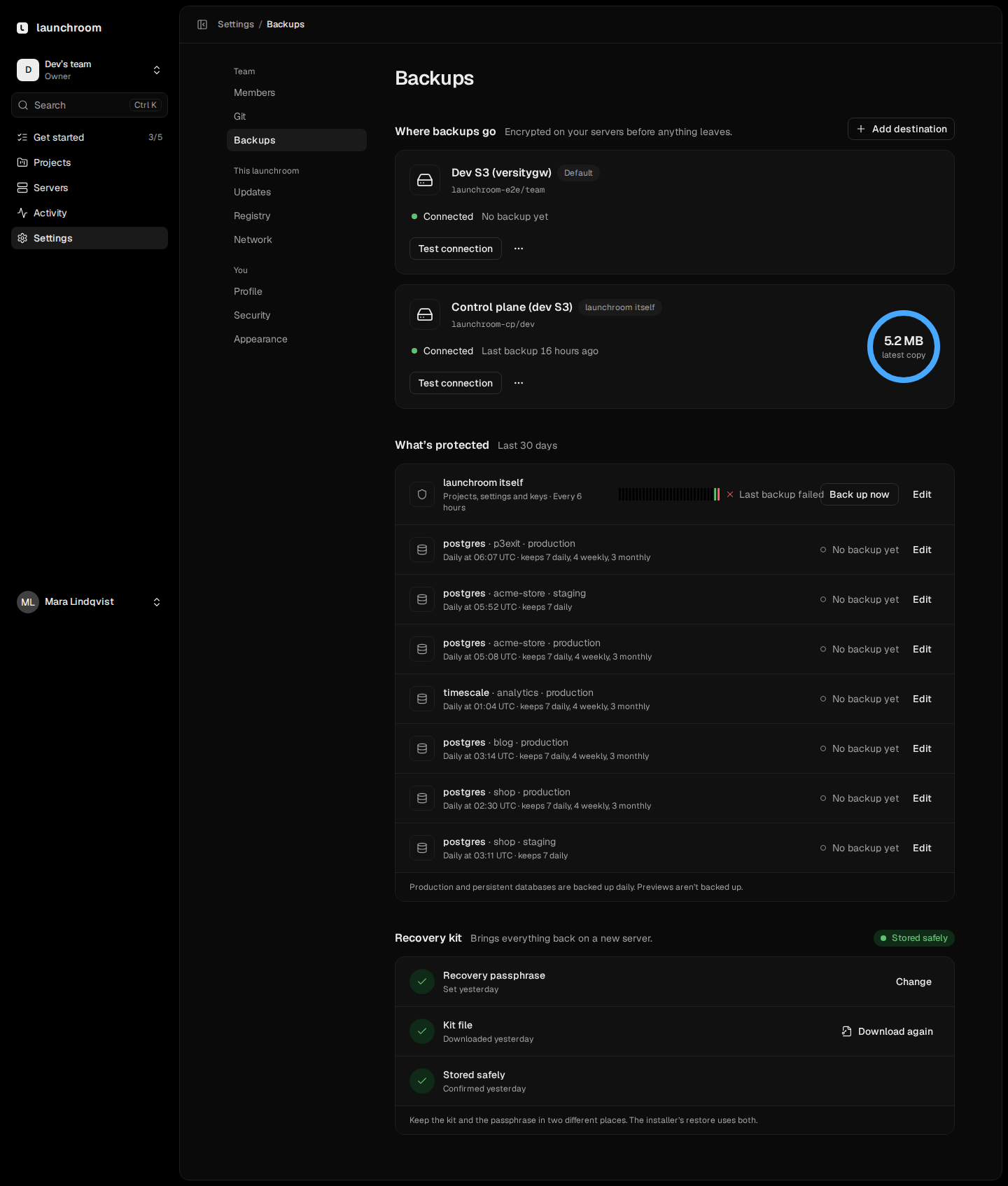
The dashboard's own database holds every project, service, variable and setting. Instance owners set up its backups in Settings → Backups → Back up launchroom itself: pick a destination (preferably a separate bucket or folder), then set a recovery passphrase and save the recovery kit.
The recovery passphrase
Each control-plane backup contains launchroom's keys: the keys that decrypt your stored secrets, the signing key your servers trust, and the private network's state. They are sealed with a key derived from your recovery passphrase. launchroom stores only a key derived from the passphrase, not the passphrase itself, so write it down. Without the passphrase, someone with access to the bucket and the repository password can't open your secrets. Change passphrase re-seals the keys from the next backup on.
The recovery kit
The recovery kit is a small text file with everything needed to find your backups on a new server: the destination, bucket, folder, region, the S3 credentials and the repository password. It does not contain the passphrase. Download it (it asks for your password), store it outside launchroom and confirm. Until you do, instance owners see a reminder. A new passphrase or a moved destination needs a new kit.
Keep the kit and the passphrase in different places. The kit opens the backups, and the passphrase opens the keys inside them. Together they bring everything back with one command.
Volume backups
App and image services with volumes (uploads, SQLite files, any other mounted data) are backed up as a snapshot of the volume's files. Each volume has a consistency setting in the Backups tab:
- Live (default): files are read while the service runs. Use it for uploads and other files that are written once.
- Pauses while reading: the service's containers are frozen until the volume has been read, then resume. Use it for files written in place, like SQLite.
Database volumes are never copied as files while running. Databases always use their dump.
Safety snapshots and the final backup before delete
launchroom takes a snapshot on its own:
- before a launchroom update
- before restoring into an existing service
- before anything that holds data is deleted
Final backup before delete
Deleting an environment, a project, a preview or a service with backups configured first takes a final backup of every database and volume in it, while they still run. The deletion waits for it ("Taking a final backup") and proceeds only once it succeeded. If it fails, nothing is deleted, and you can Retry final backup. Owners and admins can choose Delete without final backup with a recent password. That choice is audited. Final backups stay in the destination, marked "Before delete".
Verification
Every week launchroom restores the newest backup of each protected database and volume into a throwaway container on the same server, with no network and capped resources, and checks it:
| Engine | Check |
|---|---|
| PostgreSQL | Restore, exact table and row counts, pg_amcheck |
| MySQL | Restore, counts, CHECK TABLE on every table |
| Redis, Valkey | redis-check-rdb / valkey-check-rdb |
| MongoDB | Restore, collection and document counts, validate |
| ClickHouse | Restore, table and row counts, CHECK TABLE |
| Volumes | Every file read back and its integrity checked |
The Backups tab shows "Last verified" with the result, and Verify now runs one immediately. Restores and verification run from the backup alone, so they also confirm that your destination still holds everything.
Download a backup
Select a snapshot in the Backups tab and choose Download for the decrypted backup in the engine's own format: a pg_dump -Fc file, gzipped SQL for MySQL, a mongodump archive, ClickHouse's backup zip, a Redis or Valkey RDB file, or a .tar.gz of a volume. Download now gives you the current data without making a backup first. Downloads need the Owner or Admin role and a recently confirmed password, and each link works once. See Import and export.
Retention and maintenance
Each day launchroom forgets snapshots outside the retention policy and prunes the repository. Scheduled snapshots, safety snapshots and final backups all count toward the same policy. Once a week, restic check reads part of the repository to catch storage problems early. You don't need lifecycle rules on the bucket.
Status and alerts
Every database node on the canvas shows when it was last backed up, with a warning when the backup is stale or failing. The Backups tab also shows a trend of recent runs (sizes, how many succeeded, the usual duration) and the snapshot list.
The A backup fails alert rule fires when:
- the newest backup of a service failed
- the newest verification failed
- a scheduled backup hasn't succeeded for 36 hours
- point-in-time recovery stopped shipping changes for 15 minutes
Each alert resolves on its own once the cause is fixed.
Next steps
Import and export
Import a dump or a live database into a managed database, import files into a volume, and download a backup or the current data in its own format.
Point-in-time recovery
Restore a PostgreSQL database to any second inside its window instead of the last nightly snapshot. Changes are shipped every 30 seconds.