Domains and TLS
Every web service gets a generated address with HTTPS. Add your own domains, check DNS live and let launchroom handle certificates.
Every service with a port gets an address on the internet as soon as it deploys, with HTTPS. When you add your own domain, launchroom shows the DNS records to create, checks them live and gets the certificate. Domain changes apply right away without a deploy.
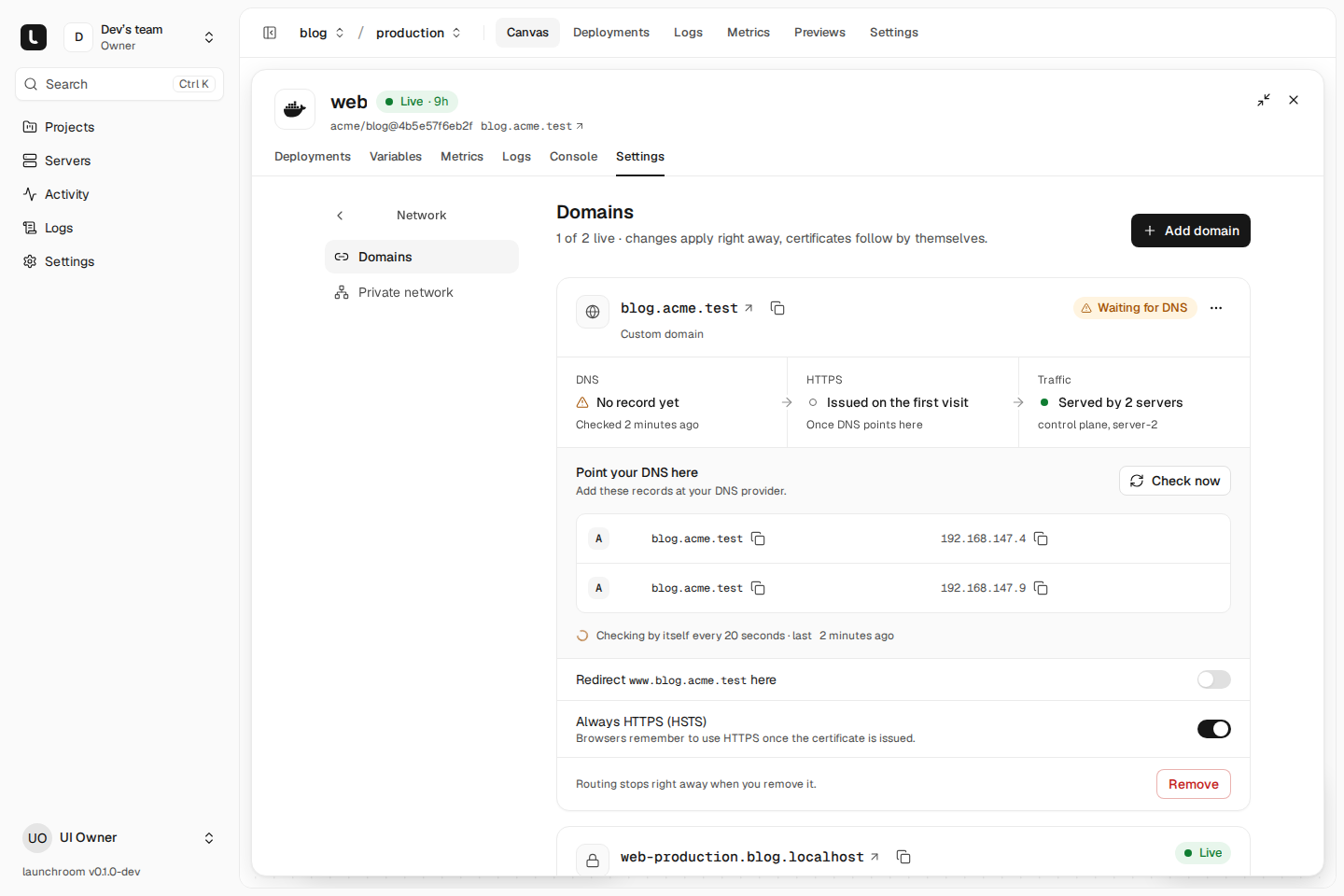
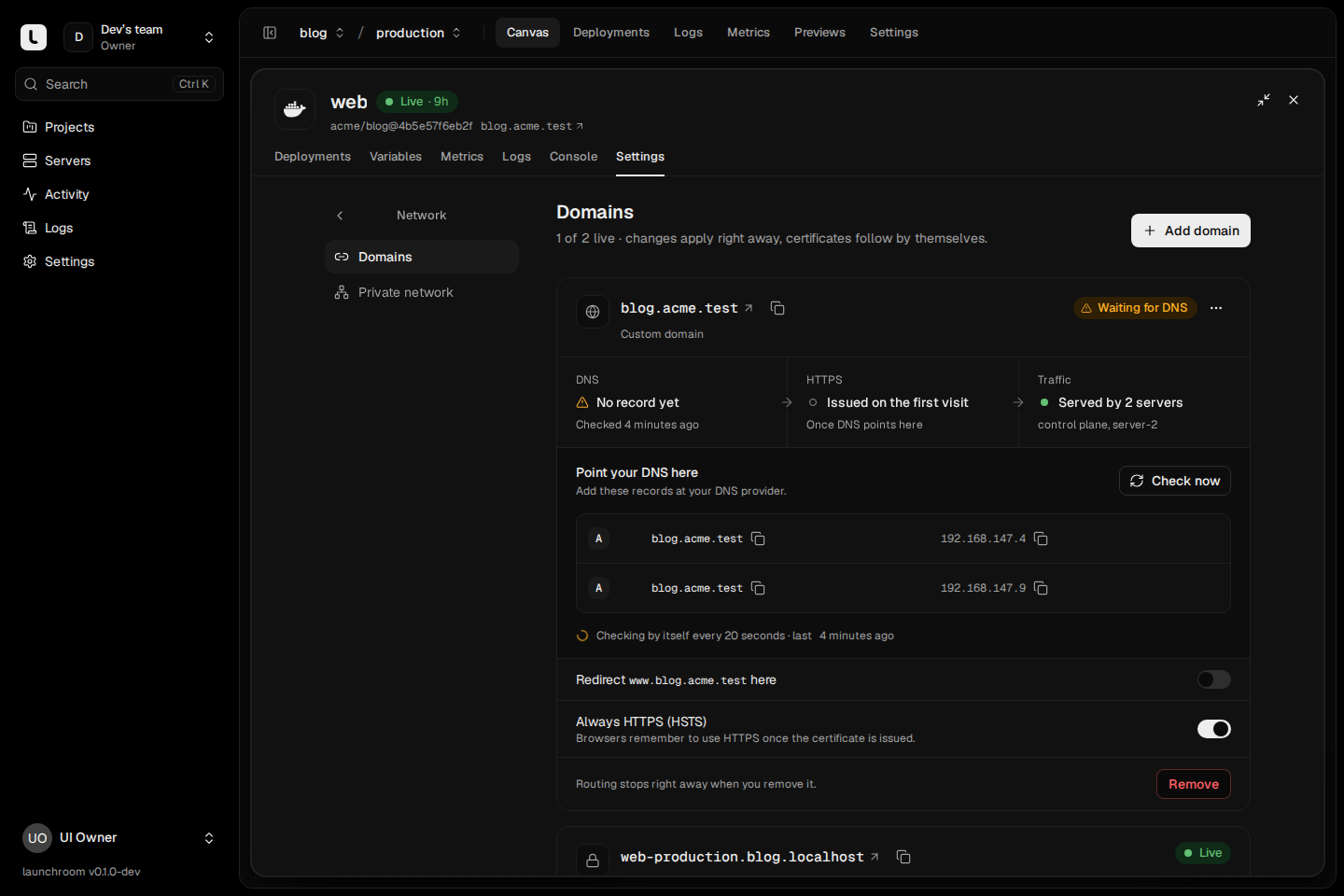
Generated domains
Each web service gets a generated domain per environment, shown as Generated by launchroom under Settings → Network → Domains:
| Your setup | Generated address |
|---|---|
A platform domain, such as apps.example.com | {service}-{environment}.{project}.apps.example.com |
| No platform domain yet | {service}-{environment}-{project}.{server-ip-with-dashes}.sslip.io |
You set the platform domain during onboarding. One wildcard DNS record (*.apps.example.com) pointing at your edge
servers covers every generated address, preview and per-deployment URL. Without a platform domain, launchroom falls
back to sslip.io, a public DNS service that resolves names containing an IP address to that IP. sslip.io works at once,
but names under it share Let's Encrypt's rate limits with everyone else who uses it, so use a domain of your own.
Keep the platform domain apart from your dashboard's domain, ideally on a different registrable domain, so apps and the dashboard never share cookies. See Dashboard domain.
Previews get {service}-pr-{number}.{project}.… and every deployment gets an immutable {service}-{id}.{project}.…
address. See Previews.
Add a custom domain
Open the service's Settings → Network → Domains and choose Add a domain.
Enter the name
Type the hostname, for example shop.example.com. launchroom tells you which record you need. A root domain needs an A
record. A subdomain can use an A record or a CNAME.
Create the DNS records
The dialog lists the records to create at your DNS provider, each name and value with a copy button:
- A records (and AAAA when your edges have IPv6) pointing at the public addresses of your edge servers
- or, for a subdomain, a CNAME to the service's generated hostname
Wait for the check
launchroom re-checks DNS on its own until the records point at your servers and then says "You're all set". The certificate is issued on the first HTTPS request to the domain.
Each domain is a card with its status (Live, Waiting for DNS, Needs attention or With the next deploy for a service that hasn't deployed yet) and the path a request takes: DNS → HTTPS → Traffic. A hostname can belong to only one service on your launchroom, and names under your platform domain are reserved for generated addresses.
The DNS check
The DNS check asks public resolvers (1.1.1.1 and 8.8.8.8 by default) for the domain's A and AAAA records and
compares the answer with your edge servers' public addresses. The result is one of Points at your servers, Points
elsewhere, No record yet or a failed check. launchroom checks:
- when you add the domain, then every 20 seconds for five minutes while the card is open
- when you press Check DNS now
- in the background every 5 minutes until the domain points at your servers, then every 6 hours
The check tells you whether the domain is ready and doesn't change routing. DNS changes can take a while to reach every resolver, depending on the record's TTL. See DNS and TLS troubleshooting.
Certificates
launchroom gets certificates from Let's Encrypt through Caddy on your edge servers and renews them on its own.
| Address | Certificate |
|---|---|
| Custom domain | Issued on demand, on the first HTTPS request after DNS points at your servers (HTTP-01). Your server only asks for certificates for domains you added, so random names can't burn your rate limits. |
| Generated domain | A wildcard certificate per project through DNS-01 when a DNS provider is configured (instant HTTPS, no per-host limits); otherwise one certificate per host over HTTP-01. |
| Immutable per-deployment URL | On demand, when first visited. |
Each domain card shows the certificate's state (issued, being issued, couldn't be issued, expiring, expired), the issuer and the renewal date. Expiring certificates also raise an alert (see Alerts).
The edge server approves on-demand certificates itself. Certificates keep renewing and new visitors get HTTPS while the dashboard is offline.
HSTS and redirects
On each custom domain:
- Always HTTPS (HSTS) is on by default. Once the certificate is issued, browsers are told to use HTTPS for a year
(
max-age=31536000, withoutincludeSubDomainsorpreload). - Redirect
www.<domain>here adds thewwwname and redirects it (308) to the domain.
To redirect another domain, add it in launchroom.json with redirectTo:
{ "hostname": "old.example.com", "redirectTo": "example.com" }.
Wildcard certificates with DNS-01
With a DNS provider configured, generated domains get one wildcard certificate per project instead of one per host. An instance owner sets this up under Settings → Network, in the certificates section: pick the provider, enter its credentials and press Verify. Verify makes a read-only call to the provider's API.
| Provider | Credentials |
|---|---|
| Cloudflare | API token with Zone → Read and DNS → Edit |
| Hetzner | Hetzner Cloud API token |
| Amazon Route 53 | IAM access key ID and secret access key with permission to list zones and change records |
| DigitalOcean | Personal access token with domain read and update |
| Porkbun | API key and secret key, with API access on for the domain |
| deSEC | Token |
| Gandi | Personal access token (LiveDNS) |
| OVHcloud | API region, application key, application secret and consumer key |
| netcup | Customer number, API key and API password |
Credentials are encrypted and only reach the edge servers that serve shared certificates. Custom domains keep using on-demand certificates either way.
Multiple edge servers
A single edge server is the common setup. When you add more, every server with the Serve traffic role routes every domain of your team. Point your DNS records at all of them and traffic keeps flowing when one is down. Each domain shows the edge servers that answer for it.
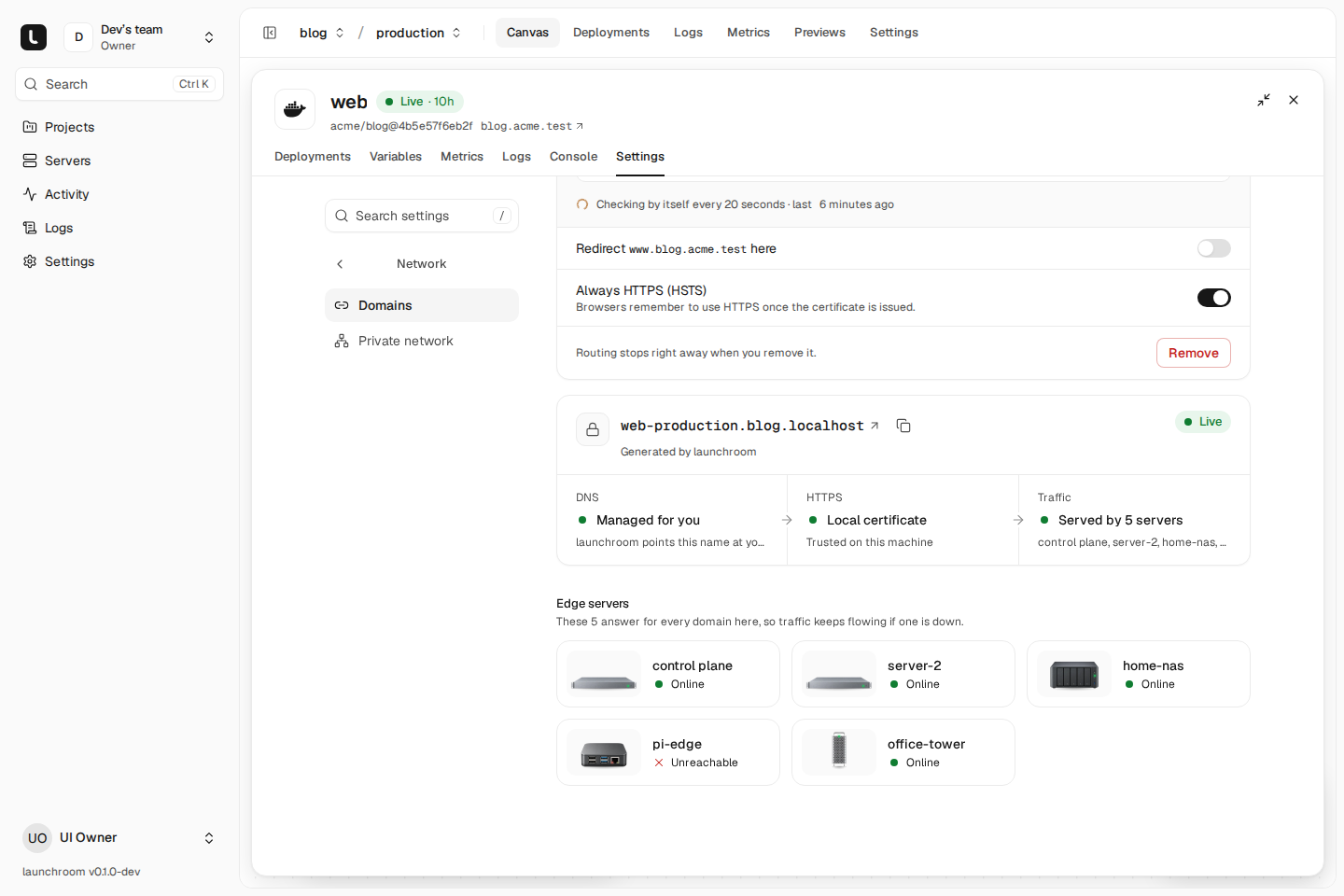
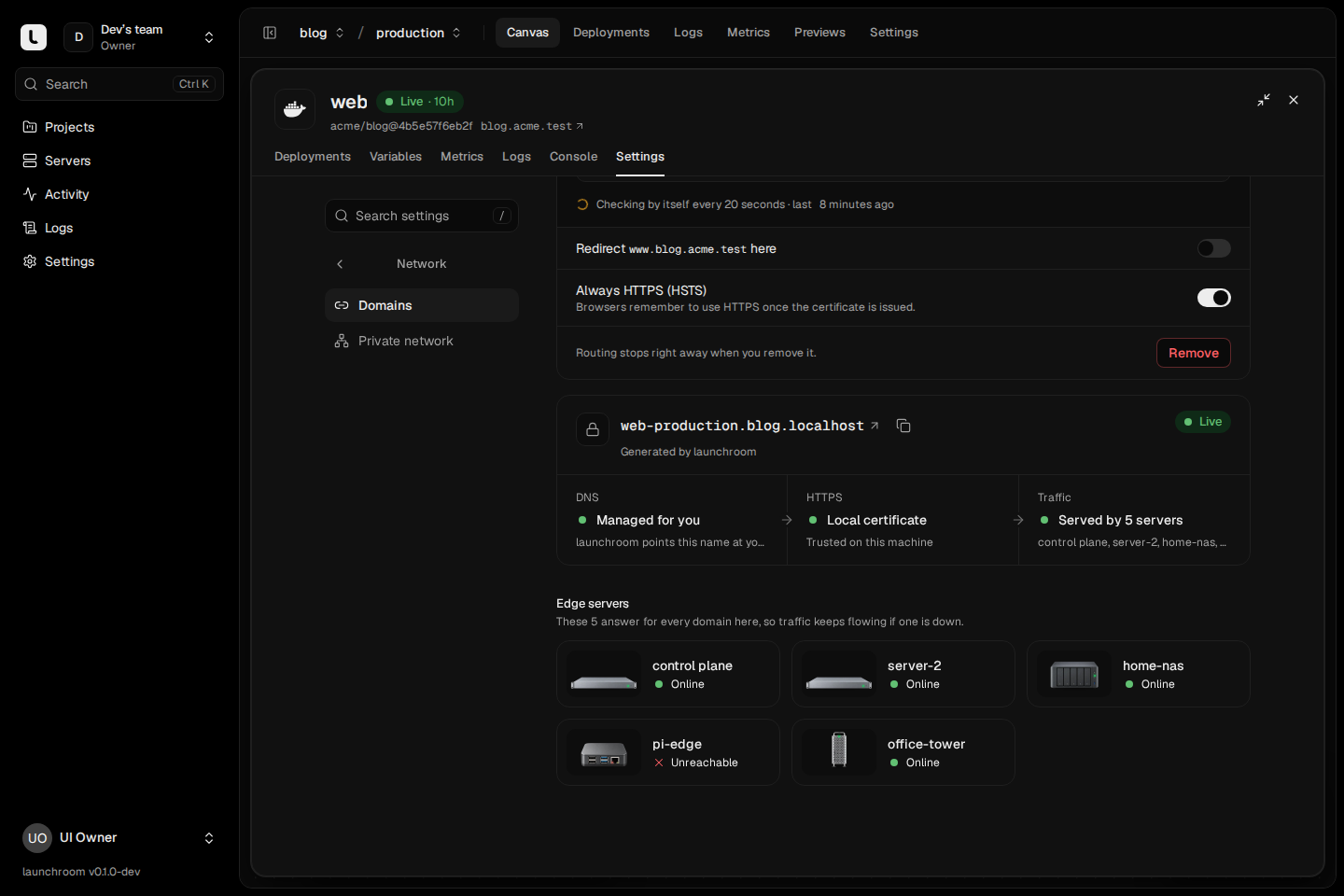
Two or more edge servers that share certificates keep them in shared storage on the main server. Any of them can answer a Let's Encrypt challenge, and each certificate is issued once. Each edge also keeps a local copy and restarts with valid certificates even if that storage is unreachable. An instance owner admits extra edges with Share certificates in Settings → Network. See High-availability ingress.