Templates and Compose import
Start a project from a ready-made template or from a Compose file you already have. Both become ordinary services on the canvas.
Besides importing a repository, a new project can start from a template (a ready-made app or stack with its databases and generated secrets) or from a Compose file you already have. Both show the canvas they will create before anything is deployed. Both result in ordinary launchroom services. launchroom keeps no stack object and doesn't store the file. Environments, previews, backups and promotion work on these services like on services you add by hand.
Start from a template
Open New project and choose Template. The gallery has a search field, category filters and one card per template with its service count and the resources it needs.
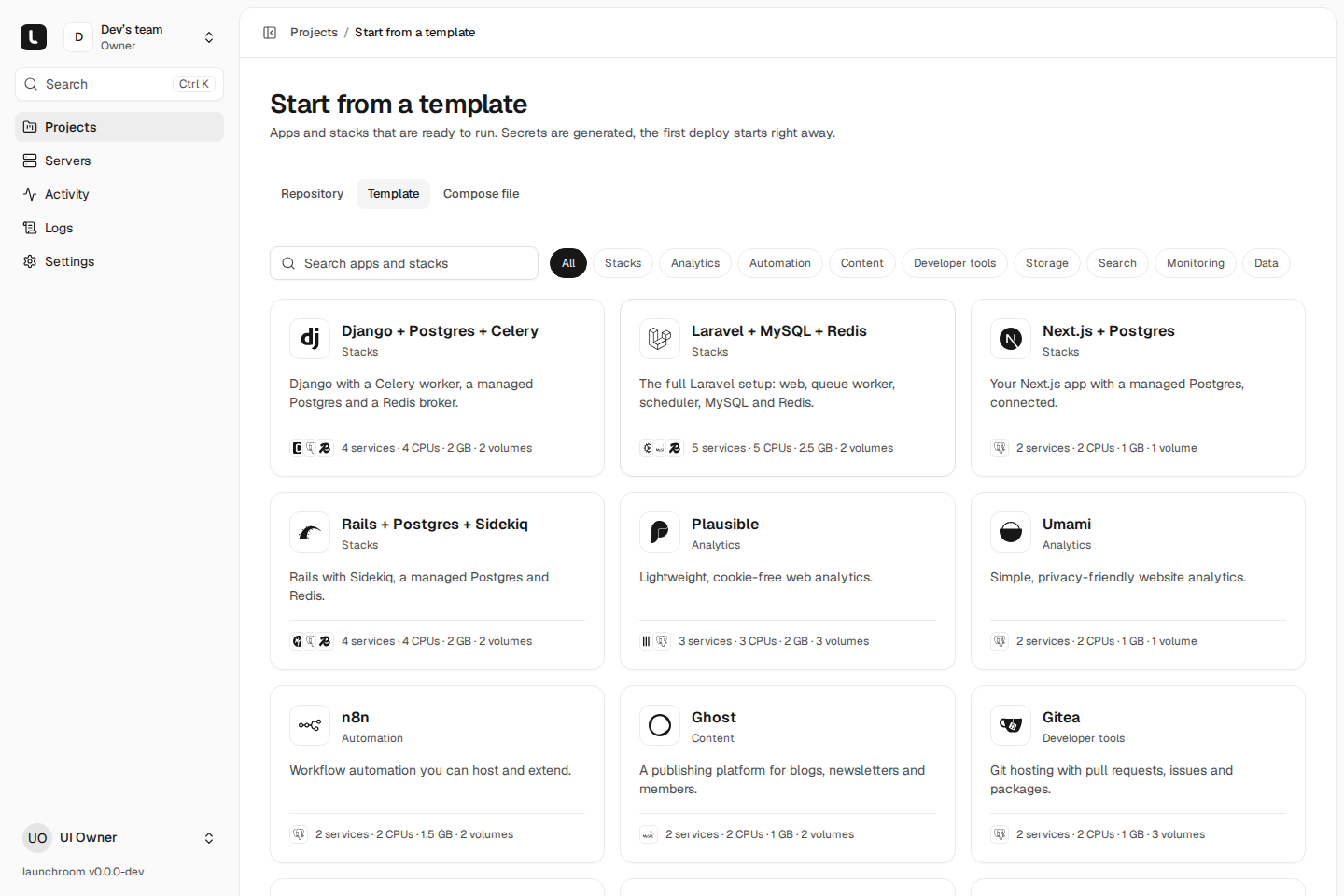
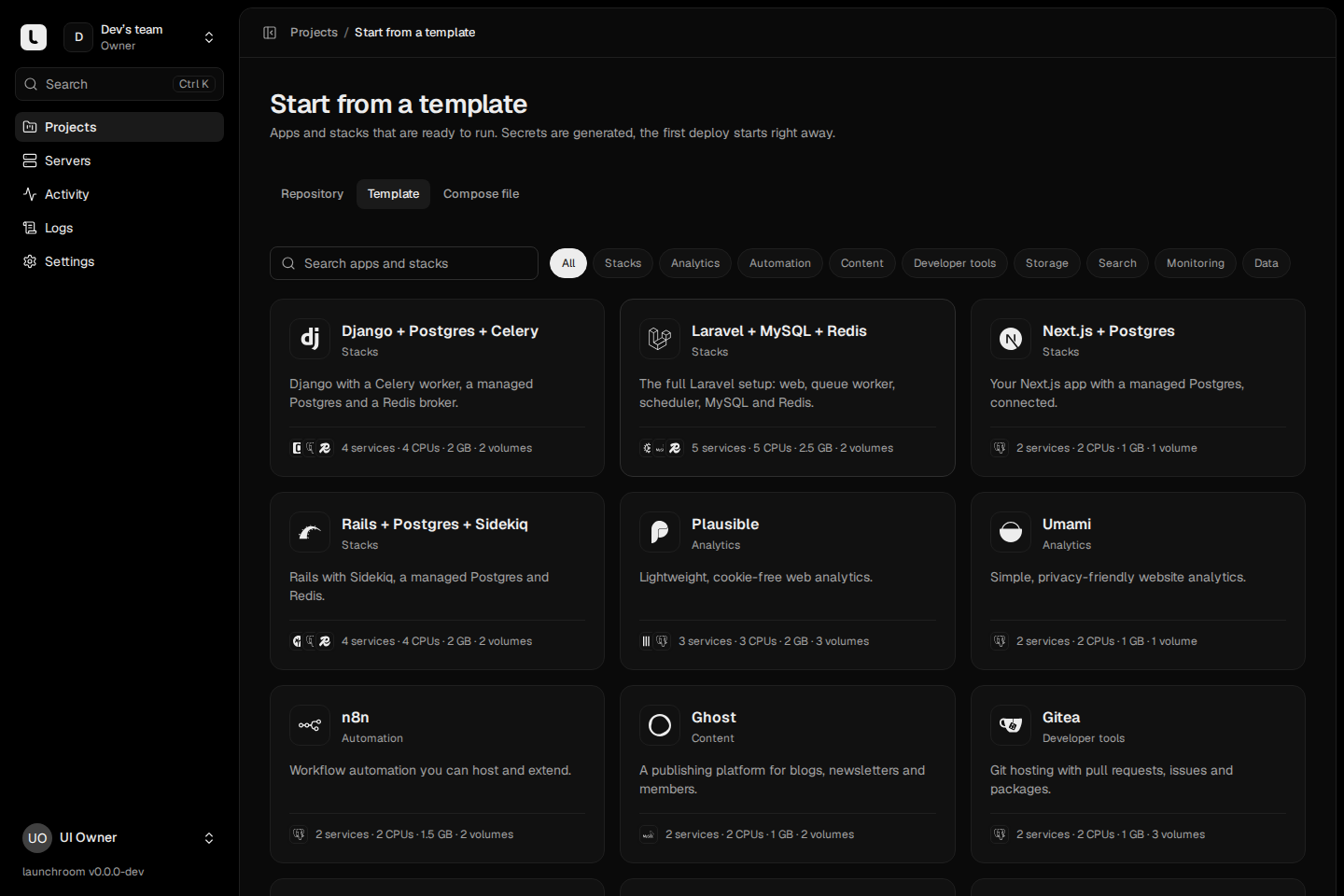
Stacks build your own code from a repository, with the databases and processes the framework expects:
| Template | Services |
|---|---|
| Next.js + Postgres | The app and a PostgreSQL database |
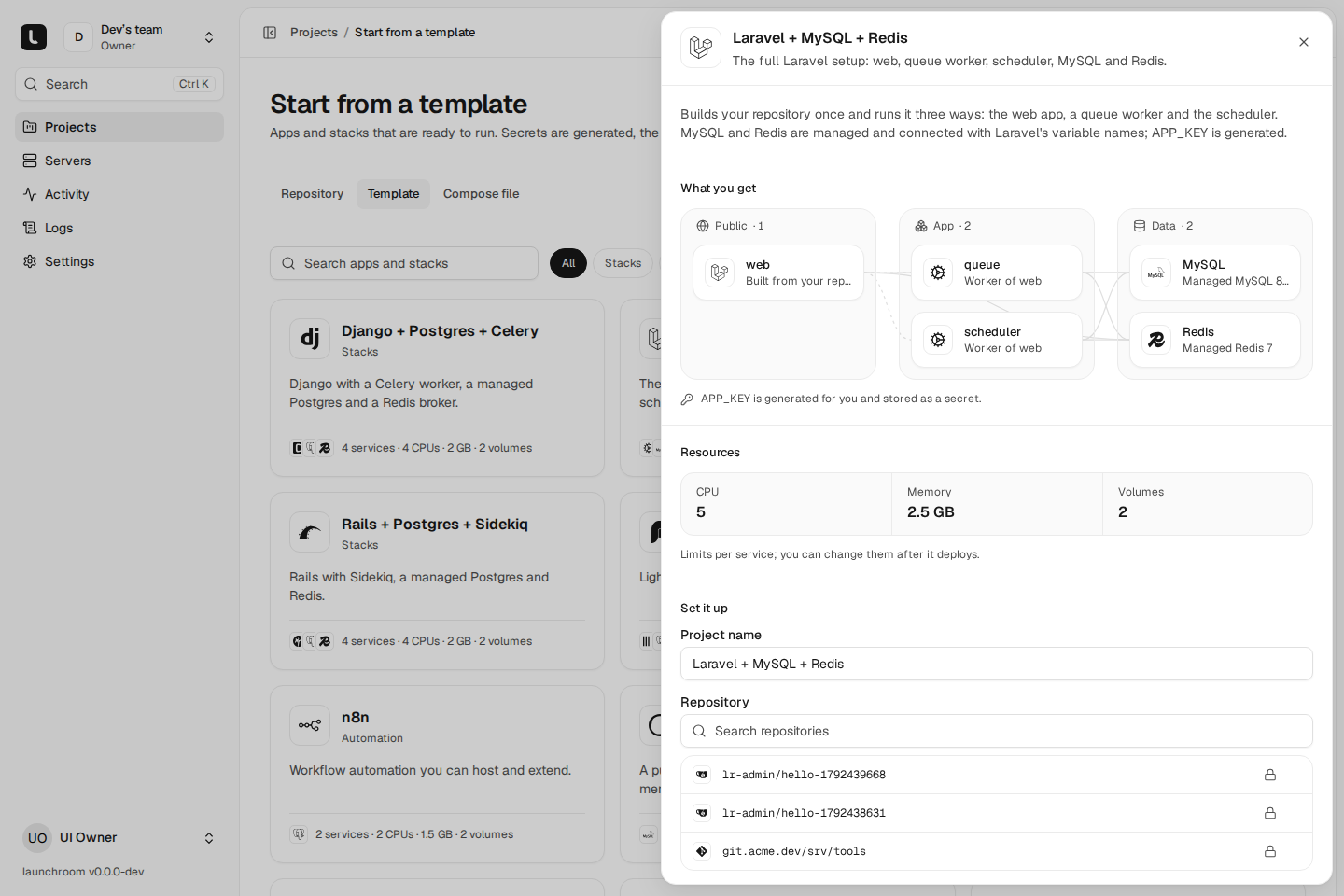
| Laravel + MySQL + Redis | Web, queue worker and scheduler, MySQL and Redis |
| Django + Postgres + Celery | Web, Celery worker, PostgreSQL and a Redis broker |
| Rails + Postgres + Sidekiq | Web, Sidekiq, PostgreSQL and Redis |
Apps run a prebuilt image: Plausible (with managed ClickHouse and PostgreSQL), Umami, Uptime Kuma, n8n, Ghost (with MySQL), Gitea, versitygw (S3-compatible storage), Meilisearch, PocketBase and Metabase.
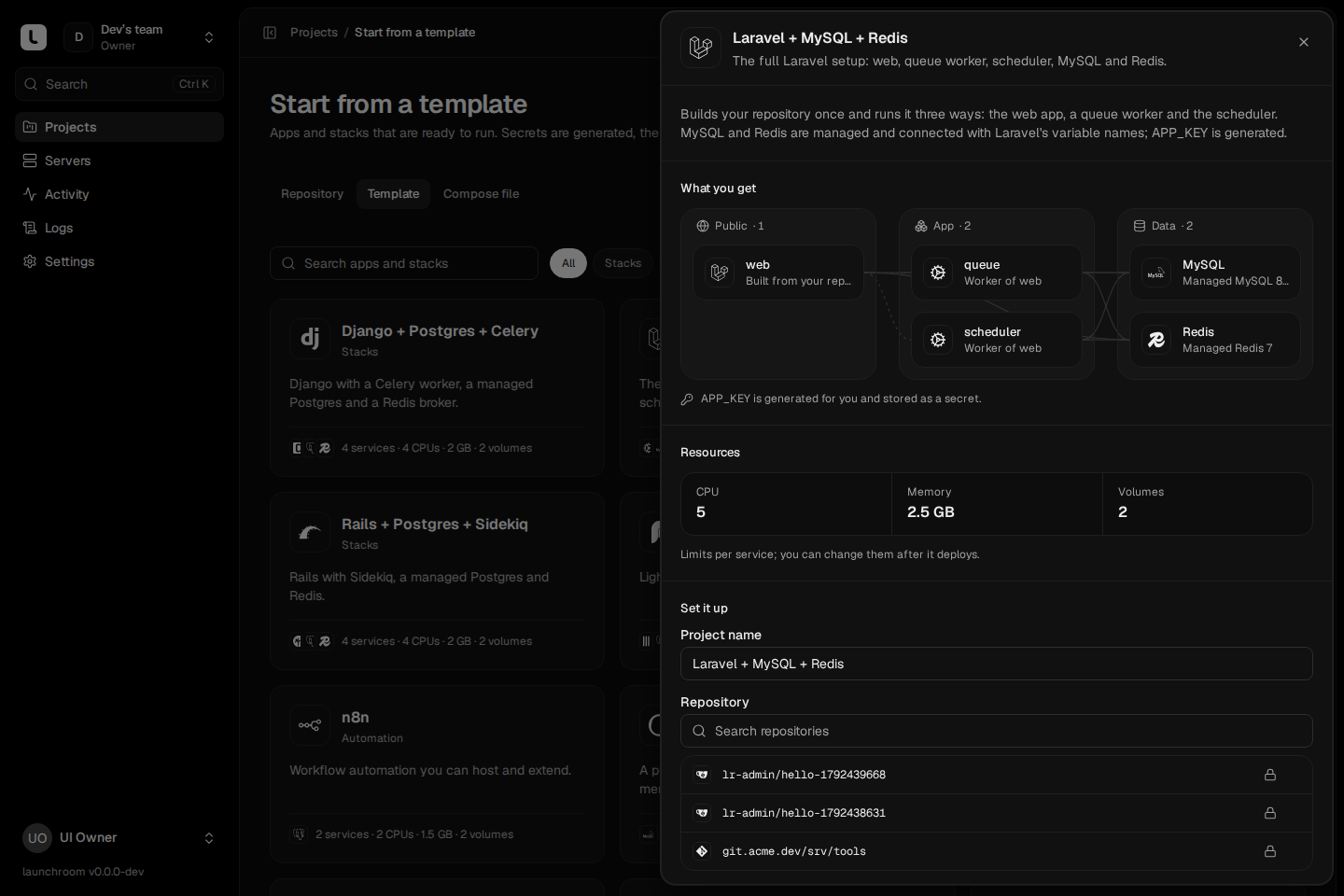
Open a template to see What you get: a picture of its services and connections, one line per service, and the CPU, memory and volumes it needs. Under Set it up, enter the project name and the inputs the template asks for (a repository for stacks, an optional domain for apps), then press Deploy. launchroom creates and deploys the project right away.
Generated secrets
Templates contain no passwords. Every key, password and token a template needs is generated when the service is created
(for example an APP_KEY or SECRET_KEY_BASE), stored as a secret and hidden in the preview. Each environment
and each preview gets its own values. Database credentials come from the managed database and reach the app through
connections, as references like ${{db.DATABASE_URL}}.
Every image a template uses is pinned by digest, so a template deploys the version it was tested with.
Add a template to an existing project
On a canvas, open Add → From the catalog. Pick a template, fill in its inputs and choose Add to canvas. The new services are staged like any addition ("3 new services") and go live with Review & deploy. If a name is taken, the new service gets the next free slug and its references are rewritten to match.
Import a Compose file
Open New project and choose Compose file.
Give launchroom the file
Paste or upload a compose.yml or docker-compose.yml (up to 256 KB), or pick a repository and branch. launchroom
reads compose.yaml, compose.yml, docker-compose.yaml or docker-compose.yml from its root. Only repository
imports can build services that use build:. For a pasted file, those services are listed as needing a repository.
Read the preview
launchroom shows the resulting canvas and one card per service with what it becomes ("Managed PostgreSQL 17", "Image", "Worker of web") and a note for every line it translated, ignored or refused, with the line number.
Values the file interpolates without a default (${POSTGRES_PASSWORD}) are listed under Values. Values with
secret-looking names are generated. The rest are optional fields. You can paste files the services reference, such as
env_file: .env.
Name it and deploy
Enter the project name and deploy. launchroom reads and translates the file again on the server, creates the services and deploys them.
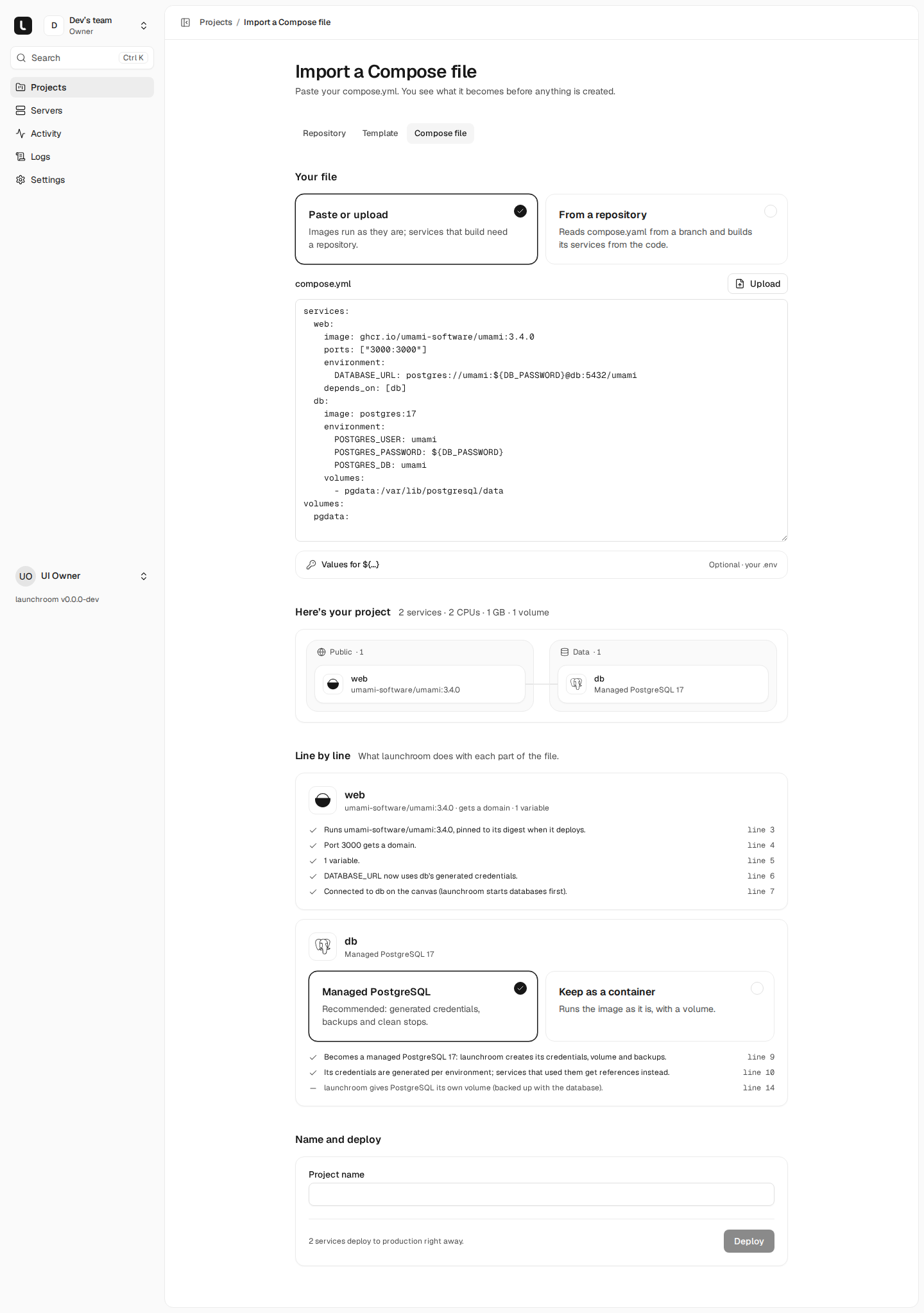
How the file is translated
launchroom reads Compose with an allow-list. It translates known keys into launchroom settings, ignores keys it doesn't
need and refuses anything that would give a container access to the server. It never passes the file to
docker compose.
| In the file | Becomes |
|---|---|
image | An image service, pinned by digest at deploy (Docker Hub and GitHub Container Registry) |
build | An app built from the repository, with the context as root directory and its Dockerfile |
Same build with another command | A worker of that app (one build feeds both) |
ports | The service's port, public with a generated domain. Host ports are never published: traffic enters through your edge servers |
expose | The service's port, private |
environment, env_file | Variables. Secret-looking keys and values become secrets, and other services' host names are rewritten to their slugs |
depends_on | Connections on the canvas (databases deploy first) |
| Named or anonymous volumes | Volumes of that service |
Bind mounts of project folders (./data:/data) | A volume, with the Convert to volumes switch (on by default) |
healthcheck | An HTTP check when the test calls curl or wget against localhost, otherwise a TCP check on the port |
command, entrypoint | Start command and entrypoint, as lists of arguments |
deploy.replicas, scale | Replicas (up to 64; databases run one) |
deploy.resources.limits, cpus, mem_limit | CPU and memory per replica |
cap_add | Capabilities, only CHOWN, DAC_OVERRIDE, FOWNER, NET_BIND_SERVICE, SETGID and SETUID |
String commands are split into arguments the way a shell splits words, without any expansion. A command with shell
syntax (&&, |, ;, redirects, $(…)) is refused with "Write it as a list".
Databases become managed
Well-known database images (postgres, mysql, redis, valkey, mongo, clickhouse/clickhouse-server, also their
bitnami/* and -alpine variants) become managed databases, with the version taken from the tag. They get generated
credentials, backups and clean stops. Passwords the other services repeat (POSTGRES_PASSWORD, URLs like
postgres://user:pass@db:5432/app) become references to the managed database's own credentials. Each database card
has a Keep as a container option. MariaDB stays a container by default, with managed MySQL as an option.
What is refused
launchroom never gives a container access to the server it runs on. These are refused with a reason, and the service is imported without them:
privileged,network_mode: host,pid,ipc,uts,userns_mode,devices,gpus,sysctls,security_opt,cgroup_parent,extra_hosts,volumes_fromand similar host access- bind mounts of server folders (
/srv/media,/) and of single files (./nginx.conf,/etc/localtime). Add a volume afterwards or build the file into the image. - the Docker socket, always
- capabilities outside the list above, UDP ports and port ranges
secrets,configs,includeandextends
Settings launchroom handles itself (restart, logging, container_name, networks, user, working_dir and
others) are ignored with a note. Reverse proxies in the file (Traefik, Caddy, nginx-proxy, HAProxy) get a note that
your edge servers already do that work. Traefik Host rules are listed as domains to add.
Refused settings stay refused
A refused line is never applied in another form. A service you edit by hand can't get these settings either, because each server enforces the same rules on its own.
After the import
The result is a normal project. You can change any service's settings, connect more services and add environments and previews. Template and Compose projects can also keep their configuration in launchroom.json from then on.