DNS and TLS problems
Read the DNS check, fix records that point elsewhere, and get certificates issued, including proxied DNS, wildcards and several edge servers.
A domain goes live in two steps: DNS has to point at your servers, then the server that receives the traffic gets a certificate from Let's Encrypt. launchroom checks both and shows the result on the domain's card in the service's settings under Domains. This page explains each state and what to do when one doesn't turn green.
Reading the DNS check
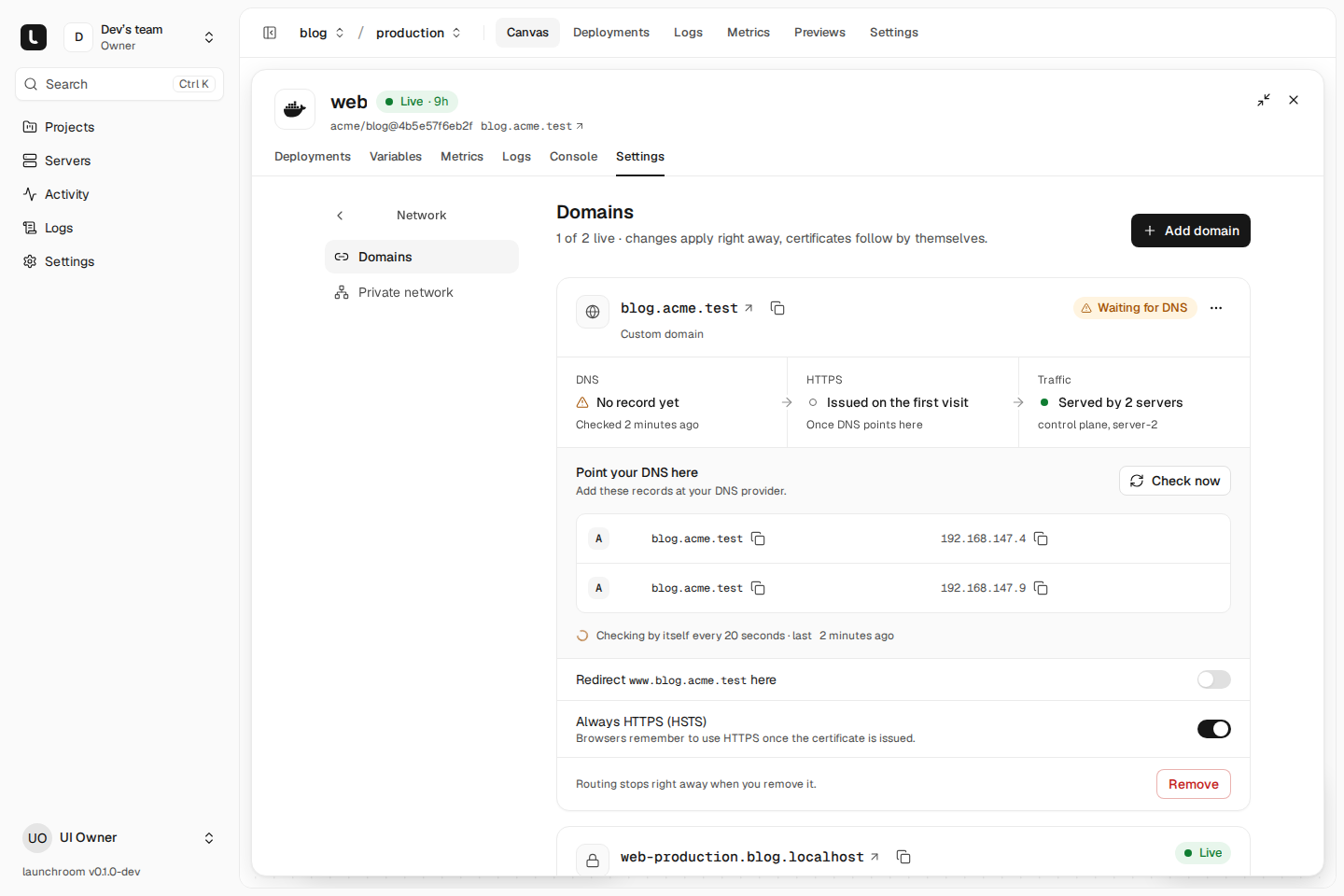
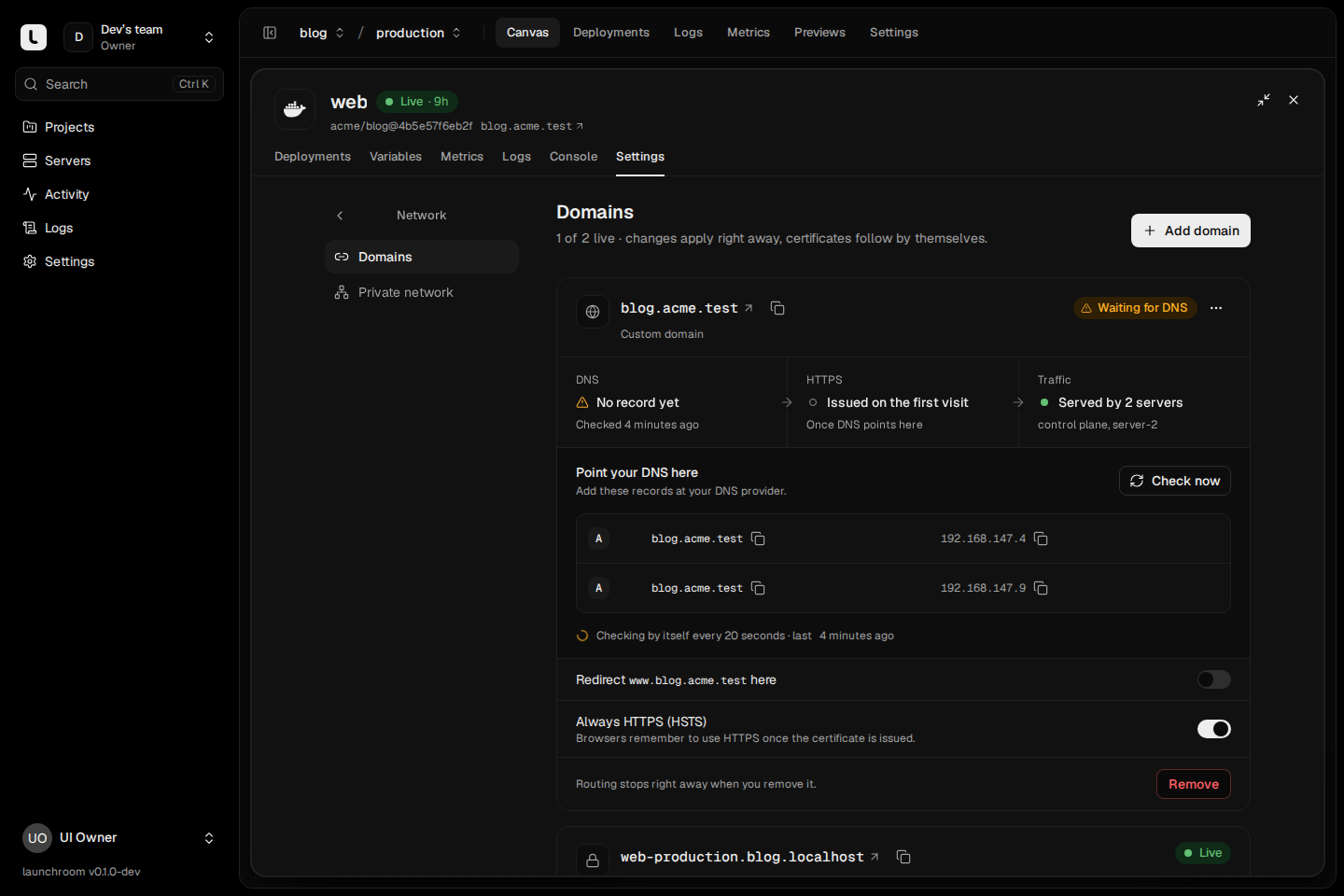
launchroom asks public resolvers (Cloudflare's 1.1.1.1 and Google's 8.8.8.8) for the domain's A and AAAA records and compares the answer with the public addresses of your servers that serve traffic (the edge servers). While the domain's card is open, it checks every 20 seconds. In the background, domains that aren't verified yet are checked every 5 minutes. Check now runs the check at once.
| What the card says | Meaning |
|---|---|
| DNS verified / Points at your servers | Every A and AAAA record points at one of your edge servers. |
| No DNS record yet | The resolvers found no A or AAAA record for the name. |
| DNS points elsewhere | At least one record points at an address that isn't one of your edge servers. |
| Can't compare yet | The name resolves, but no edge server has a known public address to compare it with. |
| DNS check failed / Check didn't answer | No resolver answered. Usually temporary. |
The DNS check is for information only and never changes routing. A domain whose records are right works even while the card still waits for the next check.
No DNS record yet
Cause. The record doesn't exist yet, was added to the wrong zone, or hasn't propagated. New records usually show up within minutes. Some providers take up to an hour. A cached "doesn't exist" answer from before you added the record can also linger for the zone's negative caching time.
Fix. Add the records the card shows under Point your DNS here: an A record (and an AAAA record, if your edge has IPv6) per edge server. For a subdomain, a CNAME to the service's generated hostname works too. Check the record from your own machine:
dig +short A shop.example.com @1.1.1.1
dig +short AAAA shop.example.com @1.1.1.1
A common mistake is entering the full name in a provider's form that appends the zone, which creates shop.example.com.example.com.
DNS points elsewhere
The card's message names the addresses: "shop.example.com points at 203.0.113.9, not at your server (198.51.100.4)." or "shop.example.com also points at 203.0.113.9, which is not one of your servers. Remove that record."
Cause. One of these:
- An old A record from a previous host is still there next to the new one. Visitors then land on either server at random.
- An AAAA record still points at an old IPv6 address. Browsers prefer IPv6, so this one breaks the site for many visitors even when the A record is right.
- The record goes through a proxy or CDN (see the next section).
- You moved the edge role to another server and the records still point at the old one.
Fix. Make the records match the addresses on the card. Remove the extra records, including AAAA records you didn't mean to keep.
Proxied DNS (Cloudflare's orange cloud)
When a DNS record is proxied, public resolvers return the proxy's addresses instead of your server's. launchroom then reports DNS points elsewhere, and a few other things change:
- Certificates for custom domains are issued when the first request reaches your edge server. Through a proxy, that depends on the proxy forwarding HTTPS to your server and passing Let's Encrypt's validation requests through. A proxy rule that forces HTTPS for everything or answers port 80 itself can block the validation.
- Generated domains sit two levels below your platform domain (
web-production.shop.apps.example.com). A proxy's standard certificate usually covers only one level of subdomain, so visitors get a certificate error from the proxy itself. - Visitor addresses in your app and logs are the proxy's addresses unless your app reads the proxy's client IP header.
Fix. Use DNS only (grey cloud) for records that point at launchroom, at least until the certificate is issued and the site works. If you want the proxy afterwards, set its SSL mode to full (strict), which works because your edge serves a valid certificate. For the platform wildcard, keep it DNS only.
Certificate couldn't be issued
The domain card shows the last error under Last try. Until a domain is first visited, custom domains say Issued on the first visit: launchroom requests the certificate when the first HTTPS request for the name arrives, so open the domain once after DNS points at your servers.
Common causes:
| Cause | What to check |
|---|---|
| Port 80 or 443 is blocked | Let's Encrypt validates by connecting to your edge server on port 80 or 443. A hosting provider's firewall, a security group, ufw or a router without port forwarding blocks it. Allow inbound TCP 80 and 443 on every edge server. |
| DNS isn't right yet | Let's Encrypt resolves the name itself. If it lands on another server, validation fails. Fix the DNS check first. |
| A CAA record forbids Let's Encrypt | If the domain has CAA records, one of them must allow letsencrypt.org. Check with dig +short CAA example.com. |
| Rate limits | Let's Encrypt limits how many certificates one registered domain gets per week and how often validation may fail for a name. Many failed attempts in a row lock a name out for a while. Fix the cause and wait. A wildcard certificate (below) avoids per-name limits for generated domains. |
Addresses on sslip.io (the automatic address before you set a platform domain) share Let's Encrypt's limits with everyone else using that service. Set your own platform domain for anything beyond a first test. See Domains and TLS.
Renewal overdue
Certificates renew automatically when a third of their lifetime is left. Renewal overdue means renewal has been failing. The causes are the same as for a first issuance: something now blocks ports 80/443, the DNS moved, or a CAA record was added. The certificate keeps working until it expires, so fix it before then.
Wildcard certificates need DNS credentials
Without a DNS provider, every generated domain, preview and per-deployment URL gets its own certificate, requested on first use. That works, but each new name waits a few seconds on its first visit and counts against rate limits.
With a DNS provider set, launchroom proves ownership through a DNS record (DNS-01) and uses one wildcard certificate per project for everything under your platform domain. Set it up under Settings → Network → Certificates (instance owners): choose your DNS provider (Cloudflare, Hetzner, Amazon Route 53, DigitalOcean, Porkbun, deSEC, Gandi, OVHcloud or netcup) and paste credentials that can edit DNS records of the zone.
If the Wildcard certificates row says:
- Needs a platform domain first: set one. Wildcards only cover the platform domain.
- Not available with the current edge image: your edge servers run a Caddy image without the DNS modules. Wildcard and shared certificates need launchroom's own Caddy image (
ghcr.io/vantezzen/launchroom-caddy). Until then, per-address certificates keep working. - Per address after you saved credentials: read the result under the form (Credentials work or Check failed with the reason). A token without edit rights for the zone, or for a different zone, can't be used. Fix it at your provider and click Verify again.
Custom domains always use per-name certificates, issued on first visit, whatever the DNS provider setting.
The domain is refused when you add it
Hostnames are checked before anything else happens:
- Underscores aren't allowed (Let's Encrypt refuses them), so
my_app.example.comcan't be used. Use a hyphen. - Labels (the parts between dots) are at most 63 characters.
- IP addresses and names at or under your platform domain can't be added as custom domains, because names under the platform domain are launchroom's generated addresses.
- A hostname belongs to one team only. If another project already uses it, remove it there first.
launchroom shortens generated names that would be too long and adds a short hash suffix, so long service, environment or project names never break them.
Several edge servers
With two or more servers that serve traffic, DNS should point at all of them: add one A (and AAAA) record per edge, as the domain card lists. Any edge can then answer for every domain.
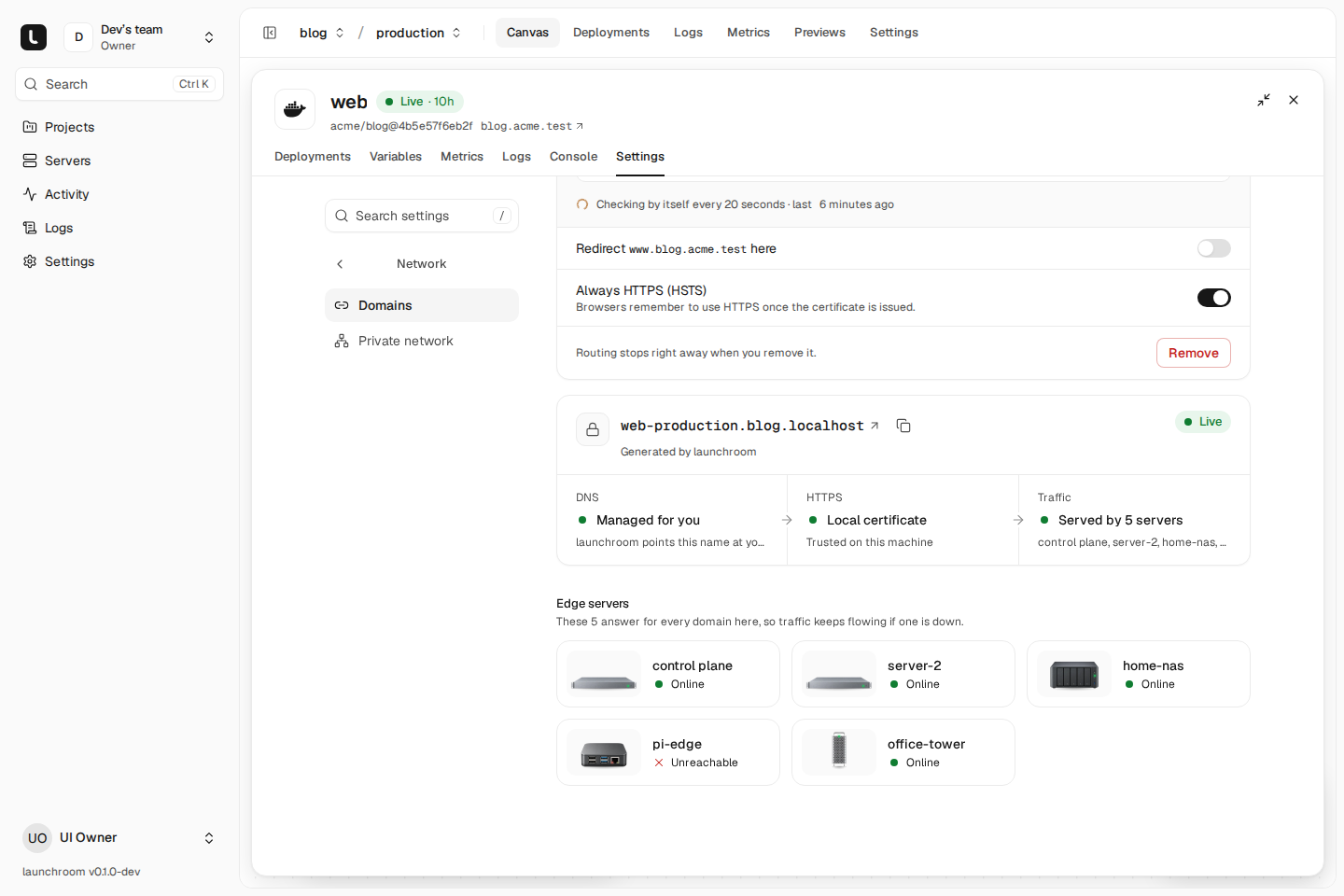
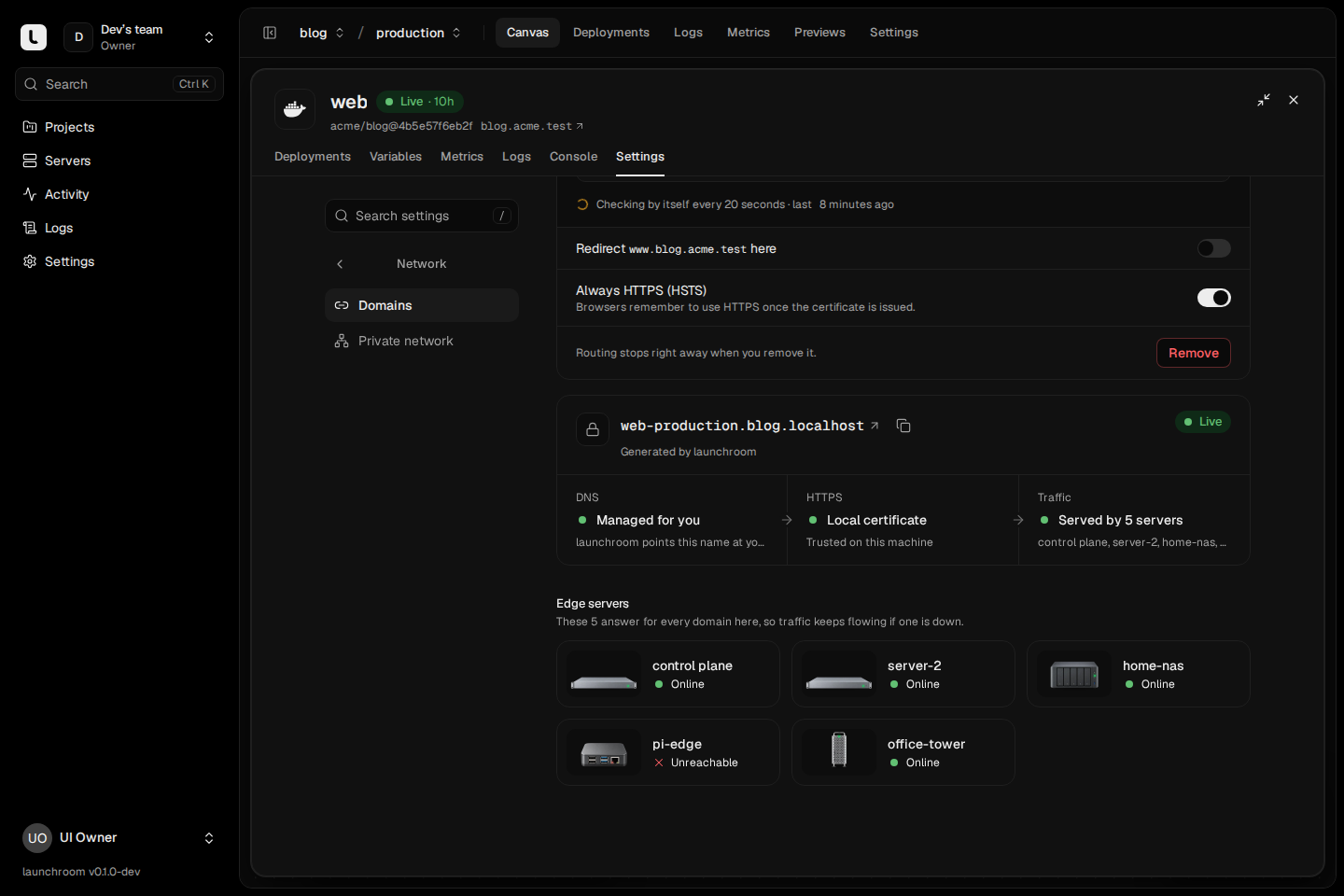
Edges coordinate certificates through shared storage on the control-plane server, so a certificate obtained by one edge is used by all of them and validation works whichever edge Let's Encrypt reaches. Under Settings → Network → Public traffic each edge shows its certificate state:
- Shared certificates: the edge uses the shared storage.
- Own certificates: the edge keeps its own. This is normal with one edge. With several, an instance owner has to allow sharing for an edge (Share certificates) before it joins the shared storage. Until then, validation for a name can land on the edge that didn't request it and fail.
- Serving a local copy: the shared storage isn't reachable right now (often a private network problem). The edge keeps serving the certificates it mirrored locally, and issues nothing new until it reconnects. See Private network problems.
For running more than one edge, see High availability ingress.
Next steps
Health check problems
The build passed but the new version never went live. Fix wrong ports and hosts, slow starts, long first pulls, crash loops and failing release commands.
Server problems
Servers that never connect, show Unreachable or report health warnings. Causes and fixes, plus rootless hosts, reboots and removing a stuck server.